> For the complete documentation index, see [llms.txt](https://docs.oxygenserv.com/llms.txt). Markdown versions of documentation pages are available by appending `.md` to page URLs; this page is available as [Markdown](https://docs.oxygenserv.com/arma/se-connecter-a-mon-serveur-arma-3.md).
# Se connecter à mon serveur Arma 3
Guide pas à pas pour se connecter à son serveur Arma 3.
{% hint style="info" %}
Vous pouvez rejoindre via **IP + port** ou via **nom du serveur**.\
Un nom de domaine aide à éviter de partager l’IP : [Mettre un nom de domaine sur son serveur](/dashboard/mettre-un-nom-de-domaine-sur-son-serveur.md).
{% endhint %}
### Objectif
Rejoindre votre serveur Arma 3 depuis le jeu :
* via **Connexion** (IP + port)
* via **Internet** (filtre sur le nom)
### Guide pas à pas
{% stepper %}
{% step %}
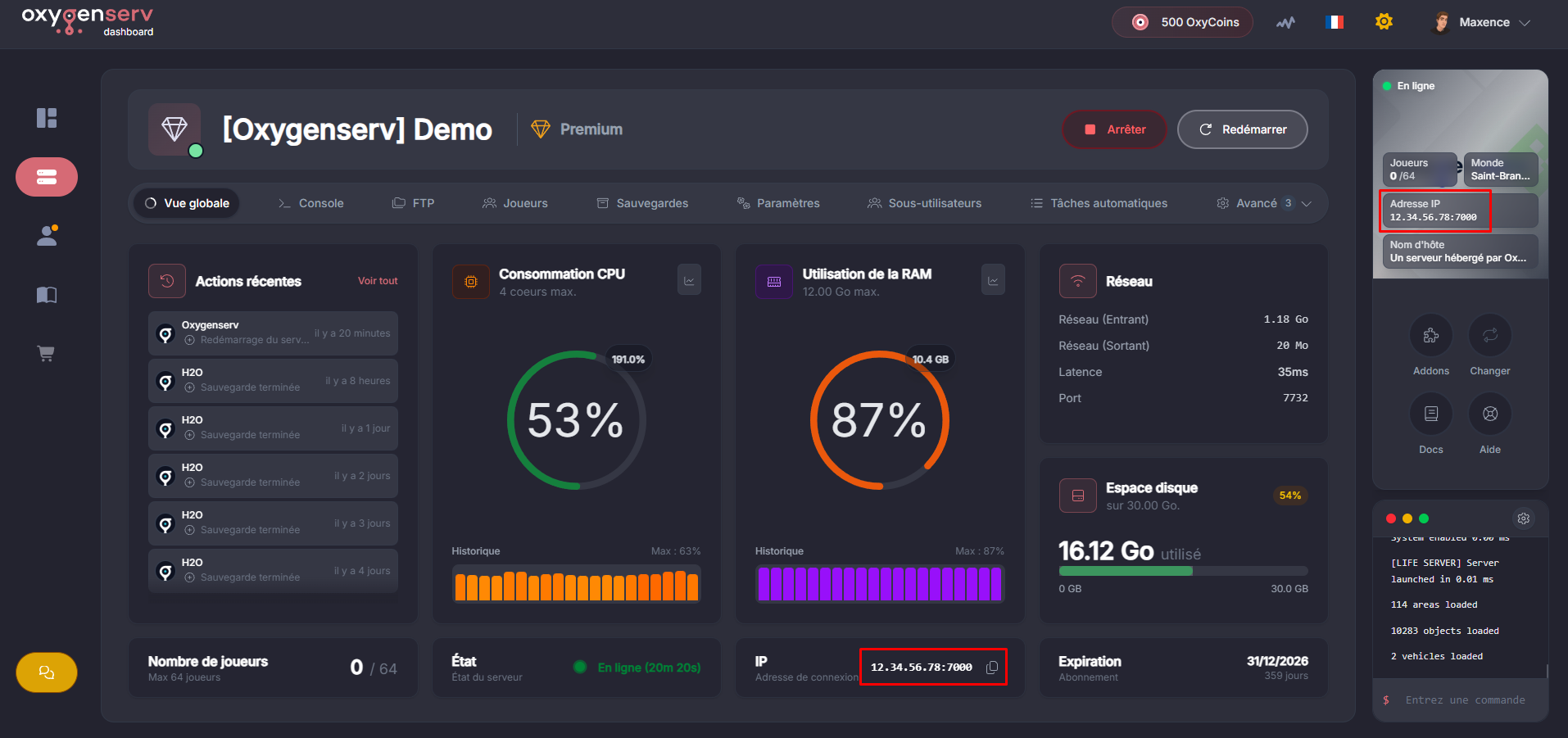
**Récupérer l’IP et le port sur le dashboard**
Sur le dashboard, repérez **IP** en bas de page.
{% endstep %}
{% step %}
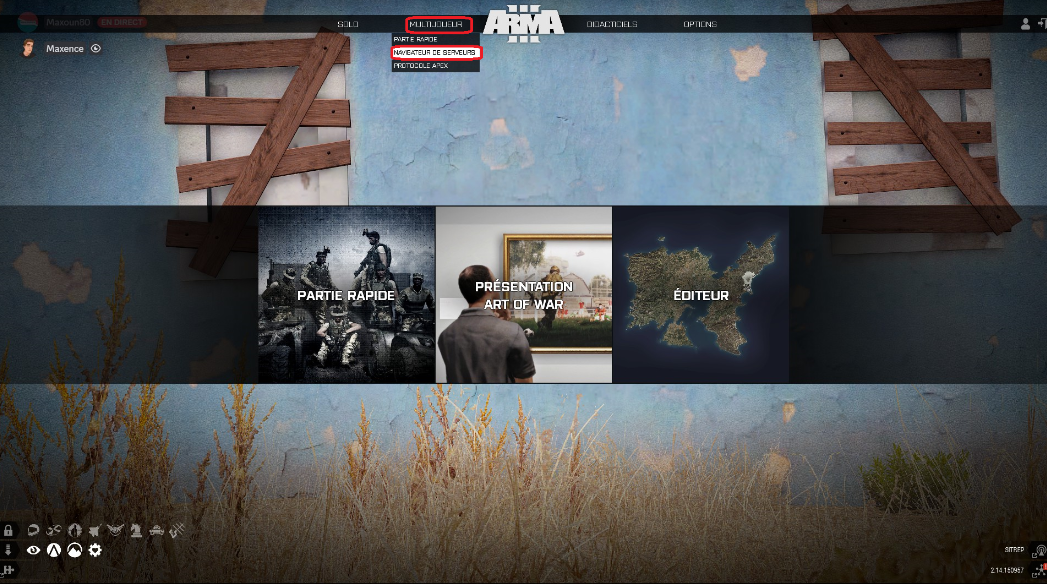
**Ouvrir le navigateur de serveurs Arma 3**
Dans Arma 3, allez dans **Multijoueur** puis **Navigateur de serveurs**.
{% endstep %}
{% step %}
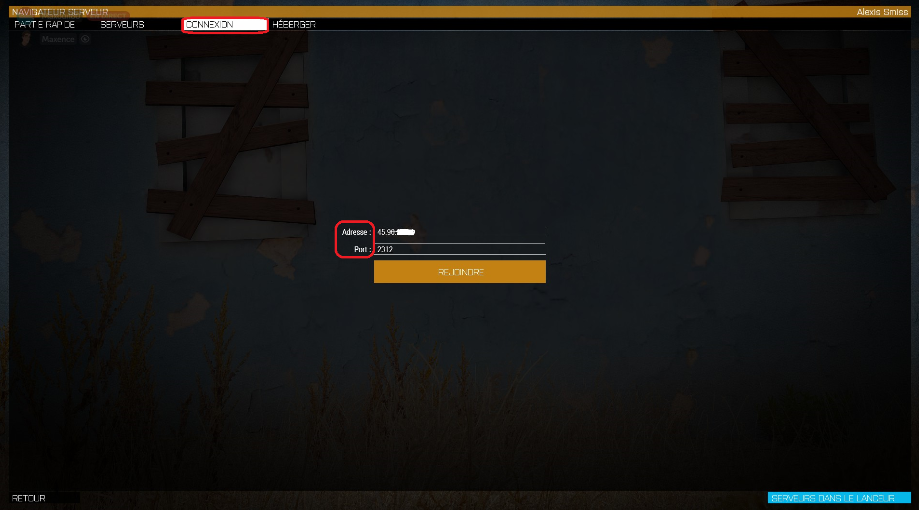
**Se connecter via IP (connexion directe)**
Ouvrez l’onglet **Connexion**.
Séparez l’adresse `IP:port` du dashboard en deux champs.
Cliquez sur **Rejoindre**.
{% endstep %}
{% step %}
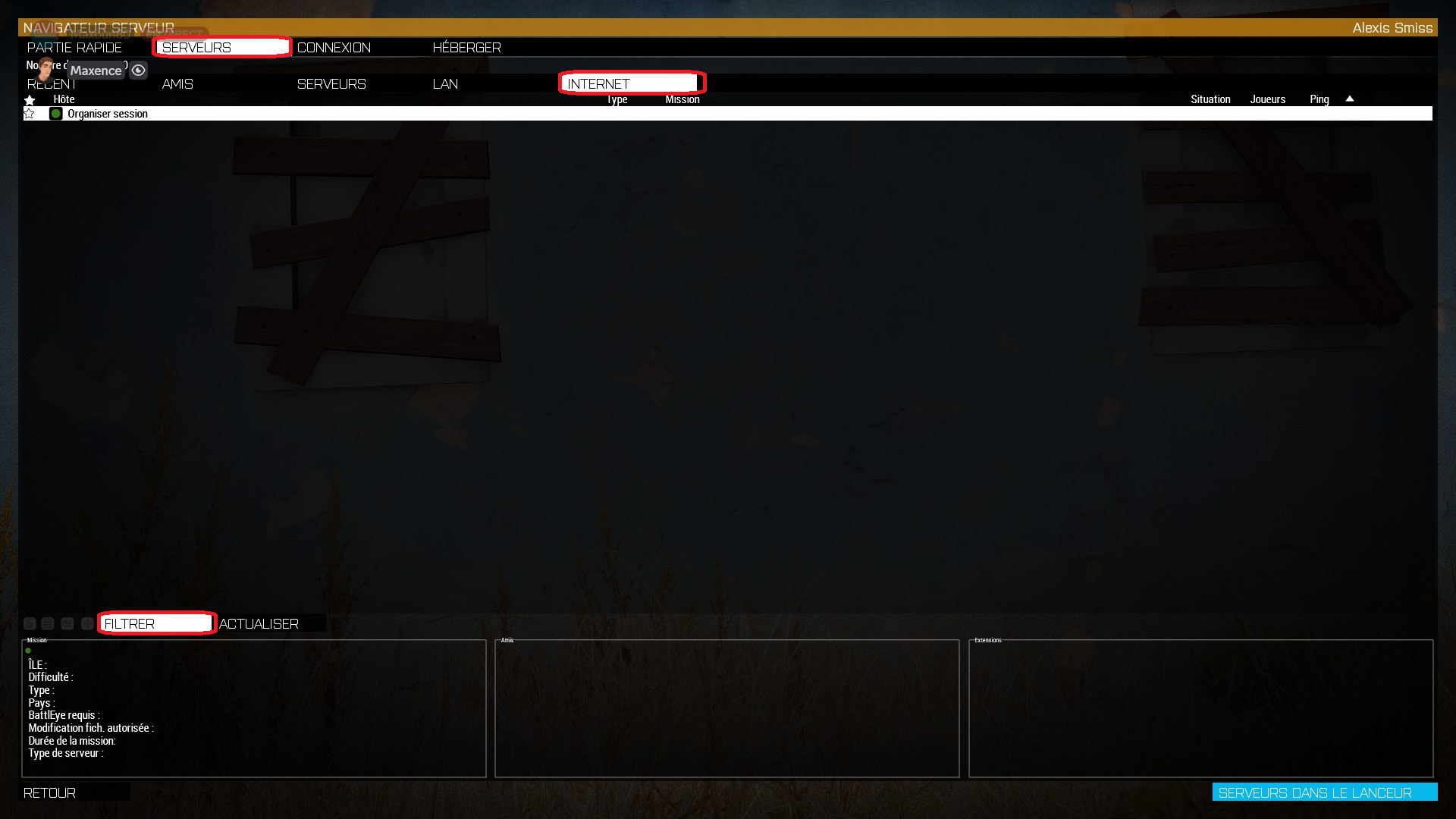
**Se connecter via le nom du serveur (liste Internet)**
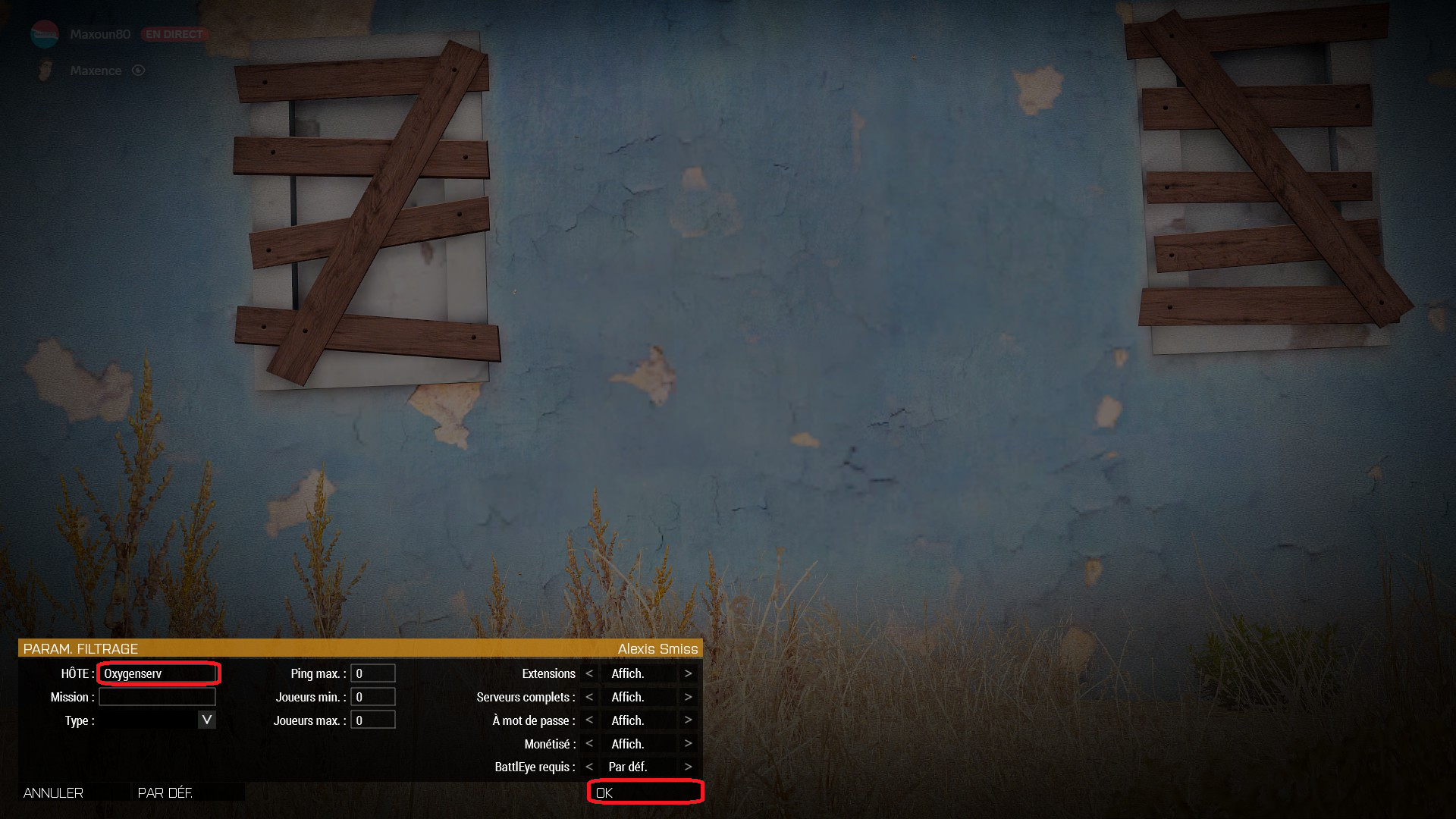
Ouvrez l’onglet **Internet**, puis **Filtrer**.
Dans **Options de filtrage**, renseignez **Hôte** avec le nom du serveur.
Validez, puis rejoignez depuis la liste.
{% endstep %}
{% endstepper %}
### Problèmes fréquents
* **Serveur introuvable par nom** : testez la connexion directe en IP.
* **Connexion impossible** : vérifiez le port, puis redémarrez le serveur.
* **Serveur absent de la liste Internet** : attendez 1 à 2 minutes. Actualisez.
* **Timeout** : réessayez plus tard, ou contactez le support avec les logs.