> For the complete documentation index, see [llms.txt](https://docs.oxygenserv.com/llms.txt). Markdown versions of documentation pages are available by appending `.md` to page URLs; this page is available as [Markdown](https://docs.oxygenserv.com/en/ark-survival-ascended/installer-un-serveur-ark-survival-ascended.md).
# Install an ARK: Survival Ascended server
Step-by-step guide to install an ARK: Survival Ascended server on Oxygenserv (Steam validation, settings).
{% hint style="danger" %}
By installing **ARK: Survival Ascended Server** on our platform **Ark Server Cloud**, you confirm a **strictly personal and non-commercial use**.\
Any commercial use is forbidden by the Studio Wildcard license terms.
{% endhint %}
{% hint style="info" %}
This guide shows how to **install an ARK: Survival Ascended (ASA) server** on Oxygenserv.\
You will also see the Steam validation required by ARK.
{% endhint %}
### Objective
* Install ARK: Survival Ascended Server.
* Start the installation from the dashboard.
* Start the server and access the settings.
### Step-by-step guide
{% stepper %}
{% step %}
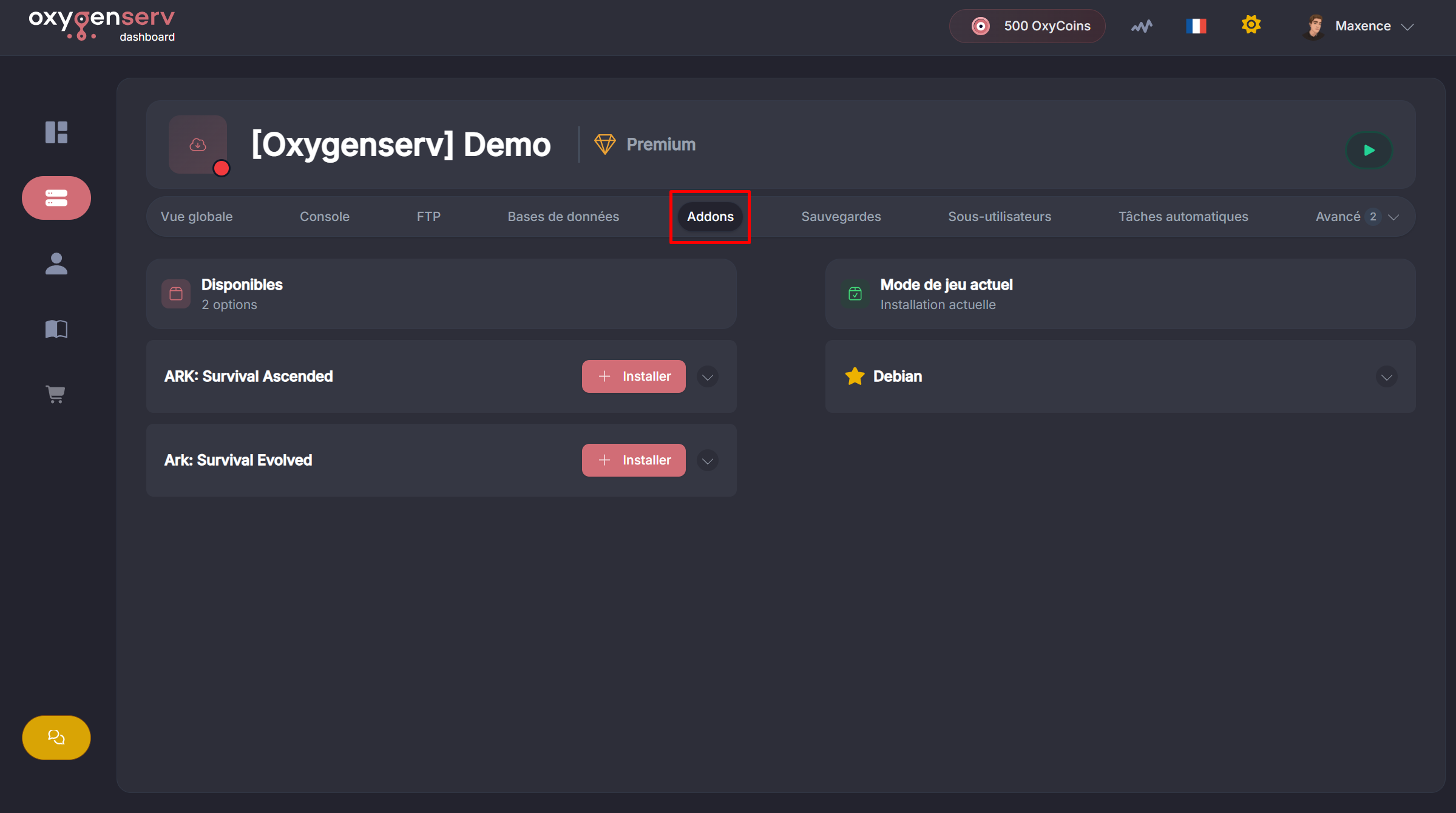
**Open the Installation tab**
On your server's dashboard, open **Installation**.
{% endstep %}
{% step %}
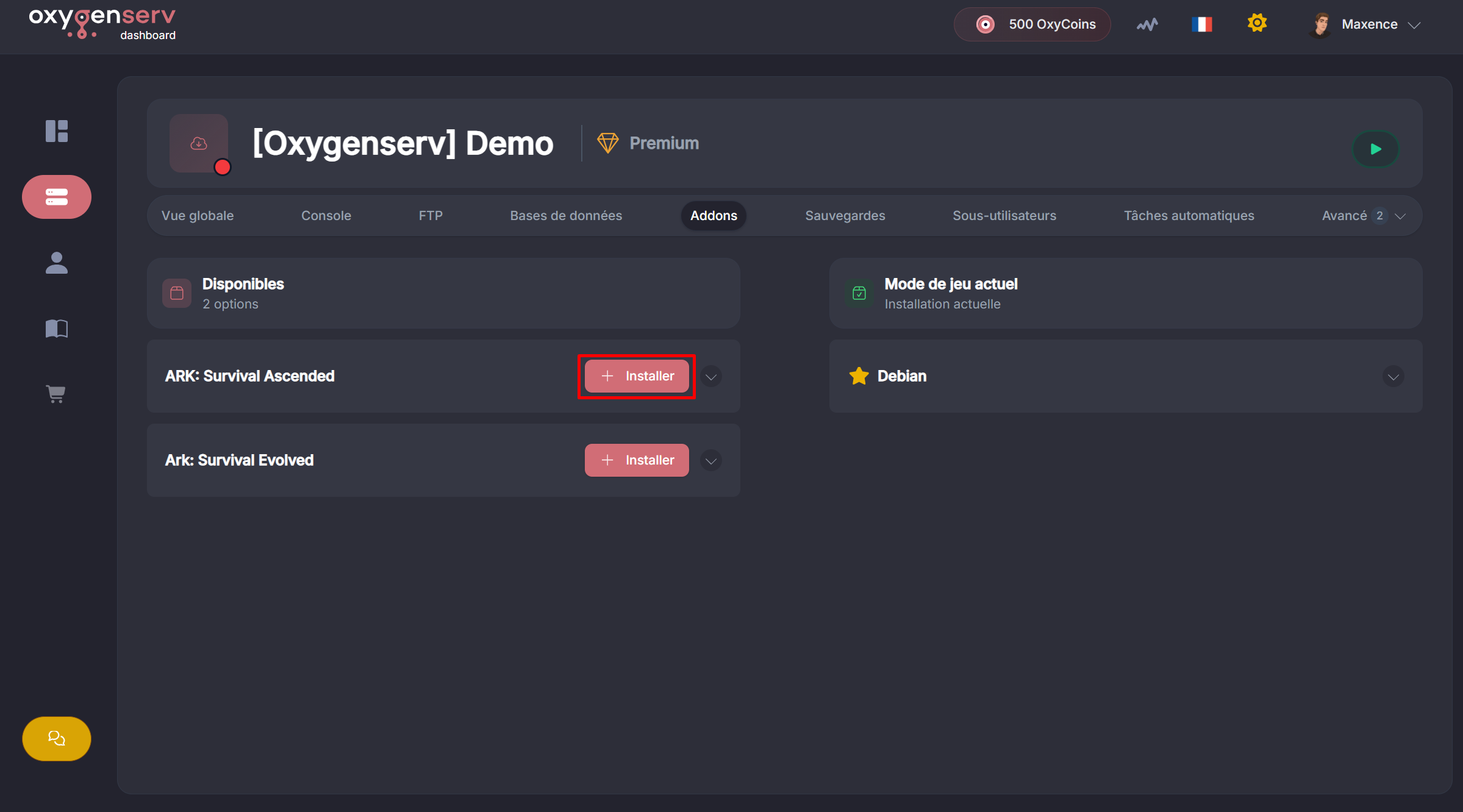
**Choose ARK: Survival Ascended**
Select **ARK: Survival Ascended** from the list.
{% endstep %}
{% step %}
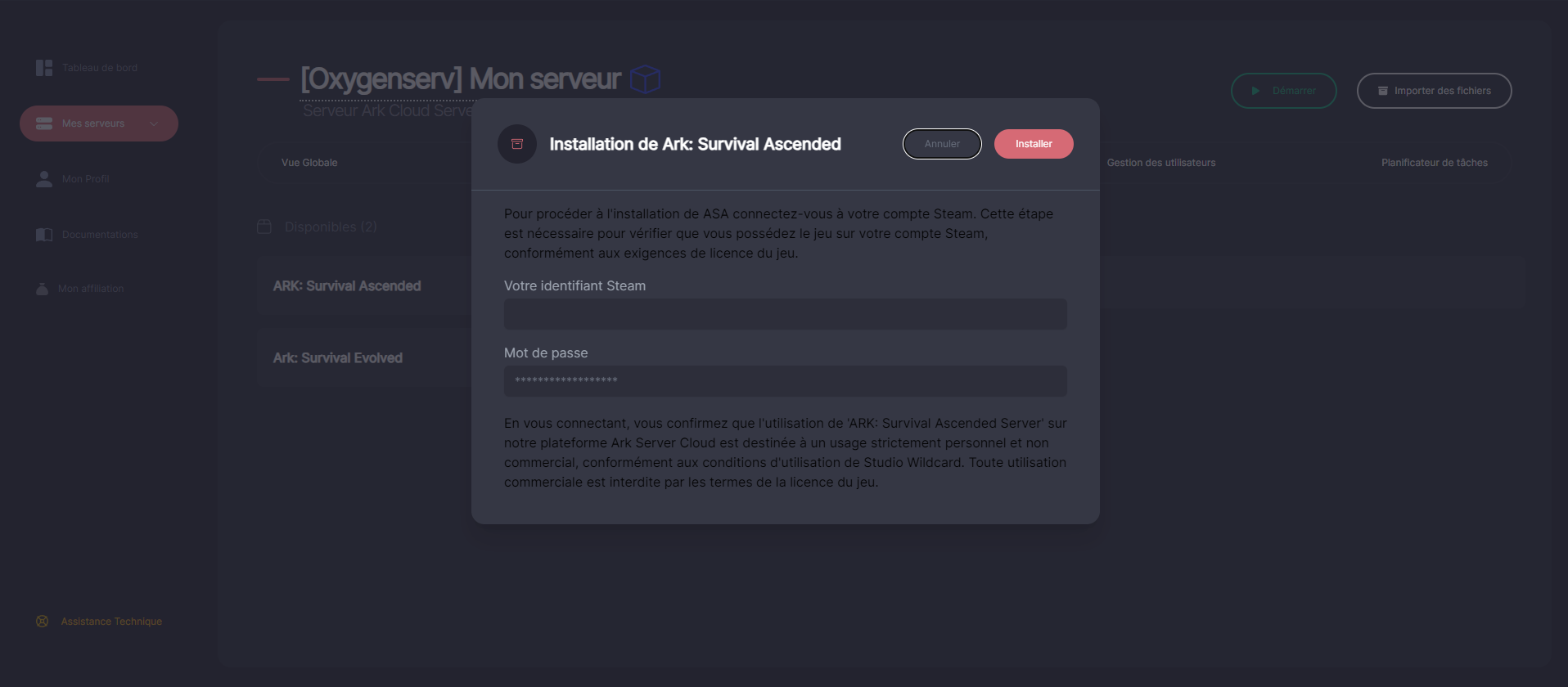
**Validate via Steam (required)**
{% hint style="info" %}
This validation is requested by ARK to authorize the installation.\
Your credentials **are not saved**. We do not have access to them.
{% endhint %}
{% endstep %}
{% step %}
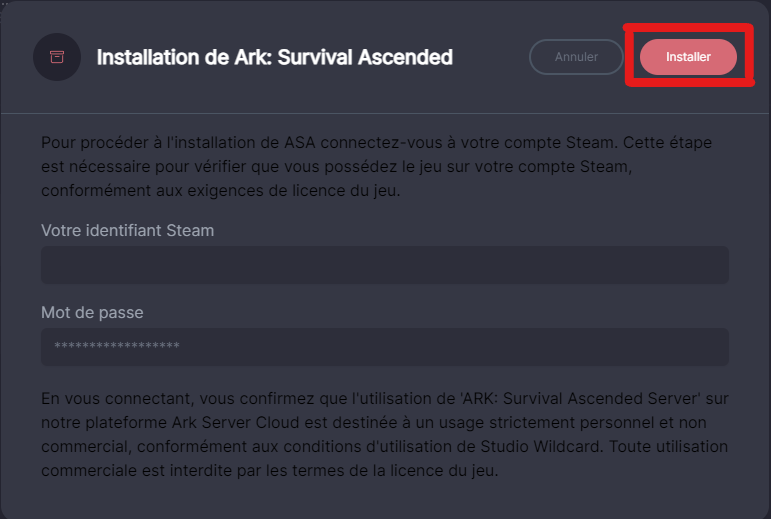
**Start the installation**
After connecting to Steam, click **Install**.
Once started, the server will be installing.
{% endstep %}
{% step %}
**Configure the server and start**
When the installation is complete:
* Open **Settings** to adjust your configuration.
* Start the server from the dashboard.
To then join the server: [Connect to my ARK: Survival Ascended server on PC and console](/en/ark-survival-ascended/se-connecter-a-mon-serveur-ark-survival-ascended-sur-pc-et-console.md).
{% endstep %}
{% endstepper %}
### FAQ
#### Why is Steam required?
ARK requires a validation step to allow the server installation.
#### Are my Steam credentials saved?
No. They are used only for validation. They are not stored.
#### Can I change the version later?
Yes, via the **Installation**.\
Make a backup before a major change.
{% hint style="info" %}
Supplementary video (ASFAX):\
[Configuring your solo game or your Ark Ascended server](https://www.youtube.com/watch?v=xVbZdbHJQso\&t=494s\&ab_channel=Asfax)
{% endhint %}