> For the complete documentation index, see [llms.txt](https://docs.oxygenserv.com/llms.txt). Markdown versions of documentation pages are available by appending `.md` to page URLs; this page is available as [Markdown](https://docs.oxygenserv.com/en/ark-survival-ascended/se-connecter-a-mon-serveur-ark-survival-ascended-sur-pc-et-console.md).
# Connect to my ARK: Survival Ascended server on PC and console
Step-by-step guide to connect to your ARK: Survival Ascended server on PC, PS5, and Xbox.
{% hint style="info" %}
The steps are identical on **PC**, **PS5** and **Xbox**.
The most important thing is to have the **exact name** of the server and the correct filters.
{% endhint %}
### Objective
* Retrieve the server name from the dashboard.
* Display the in-game list.
* Filter correctly to find your server.
### Step-by-step guide
{% stepper %}
{% step %}
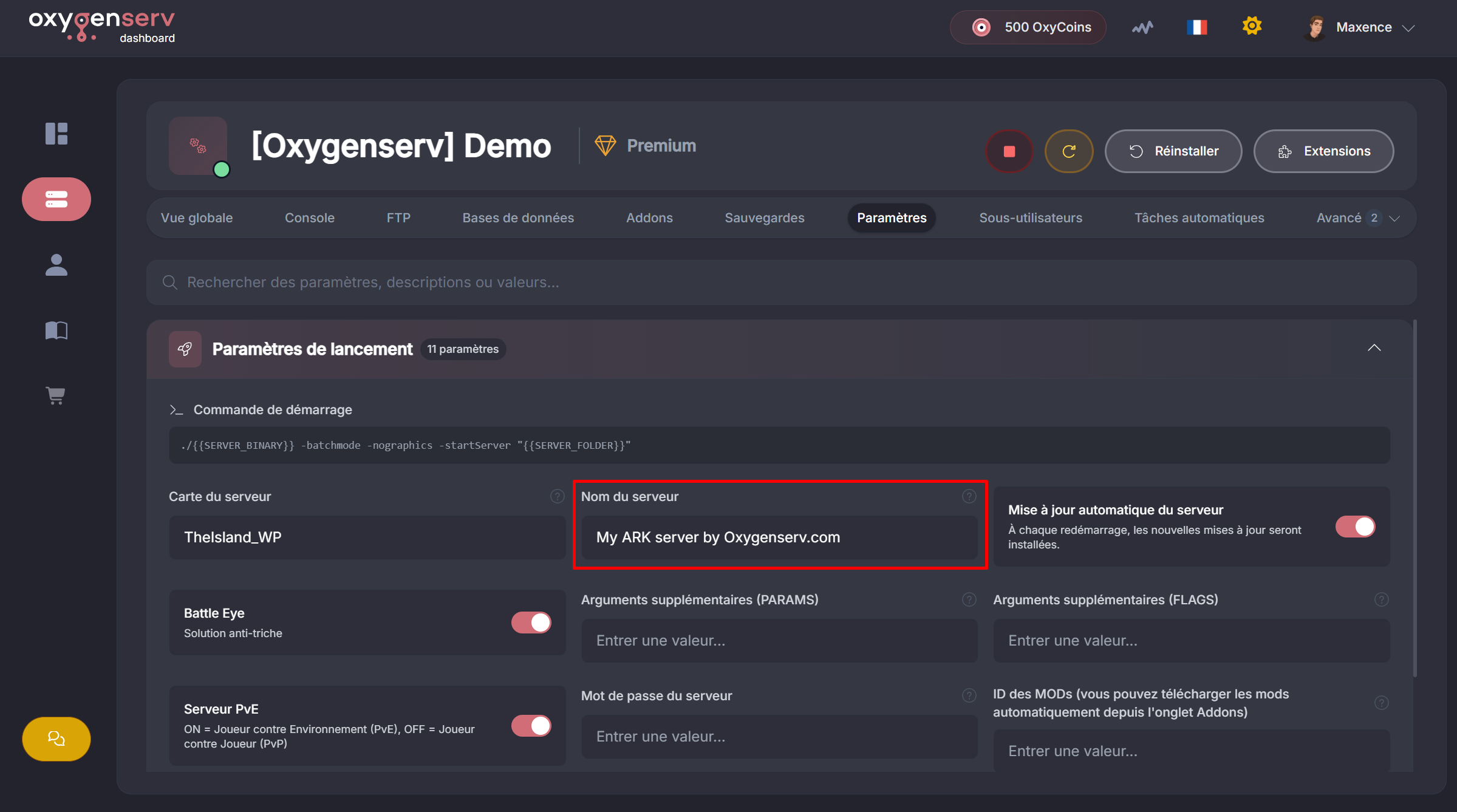
**Find the server name (dashboard)**
On the dashboard, open the **Settings**, then locate **Server Name**.
{% hint style="warning" %}
Make sure the server is **online** on the dashboard before continuing.
{% endhint %}
{% endstep %}
{% step %}
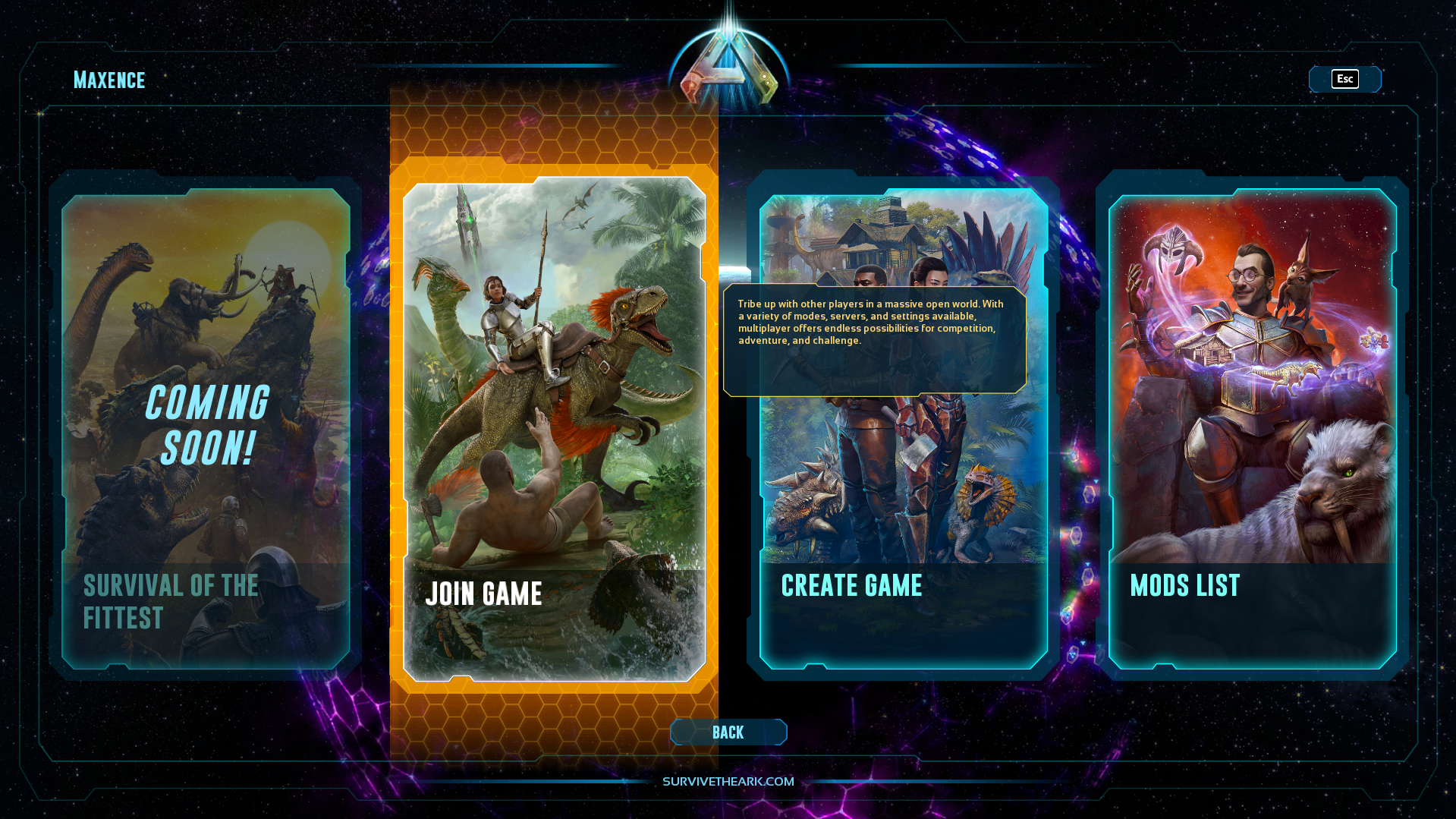
**Open the in-game server list**
In ARK, click **Join game**.
{% endstep %}
{% step %}
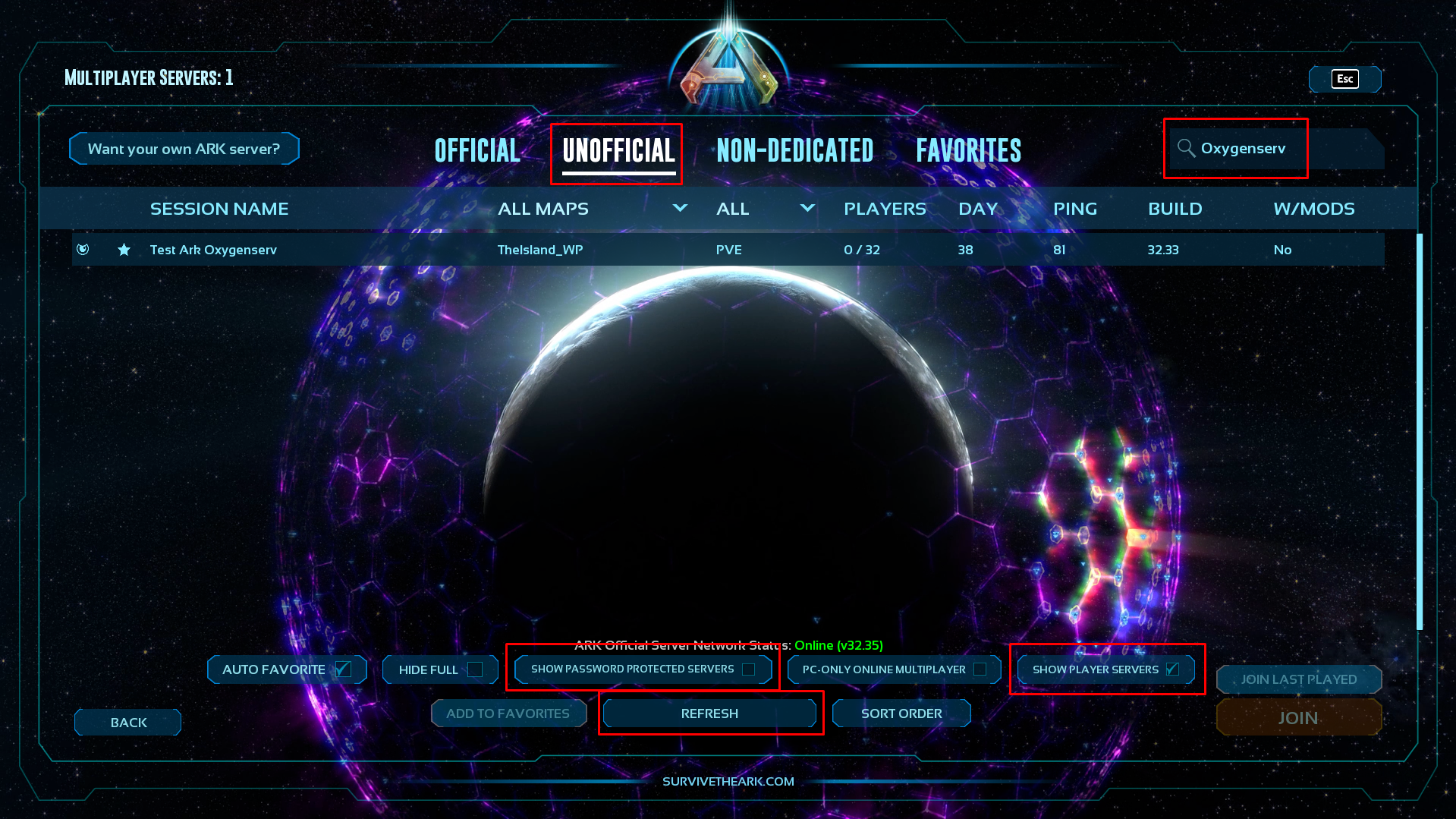
**Filter the list and find your server**
1. Category: **Unofficial**
2. Search for the server by **name** (full or partial)
3. If the server has a password: check **Show password protected servers**
4. In any case: check **Show player servers**
5. If you don't see it: click **Refresh**
{% endstep %}
{% step %}
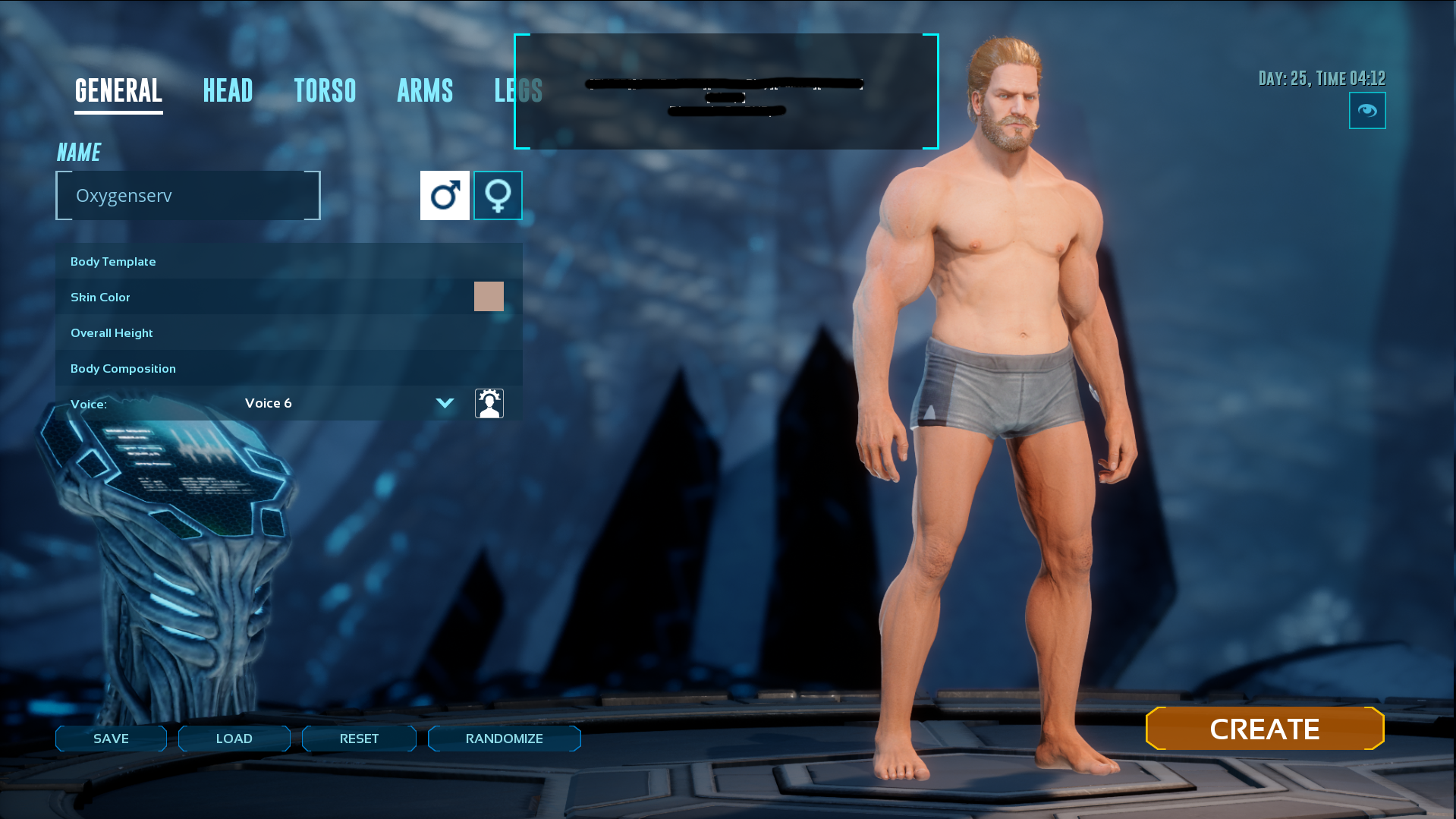
**Join the server and play**
After joining the server, create your character and start your game.
{% hint style="success" %}
You are connected to your ARK: Survival Ascended server.
{% endhint %}
{% endstep %}
{% endstepper %}
### Common issues
#### I can't find my server
* Check **Unofficial** + **Show player servers**.
* Search using a piece of the name.
* Click **Refresh**.
* Check that the server is **online** on the dashboard.
#### The server appears, but I can't join
* Check the password.
* Wait 1–2 minutes, then try again.
### FAQ
#### Do the steps change depending on the platform?
No. Menus and filters are the same on PC and console.