> For the complete documentation index, see [llms.txt](https://docs.oxygenserv.com/llms.txt). Markdown versions of documentation pages are available by appending `.md` to page URLs; this page is available as [Markdown](https://docs.oxygenserv.com/en/arma/etre-administrateur-sur-mon-serveur-arma-3.md).
# Be an administrator on my Arma 3 server
Step-by-step guide to obtain administrator rights on your Arma 3 server.
{% hint style="info" %}
This method goes through the **database**.\
If you have never joined the server, you are not in the players table.
{% endhint %}
### Objective
Give yourself admin rights on Arma 3 by modifying `adminlevel`.
### Step-by-step guide
{% stepper %}
{% step %}
**Open the server database**
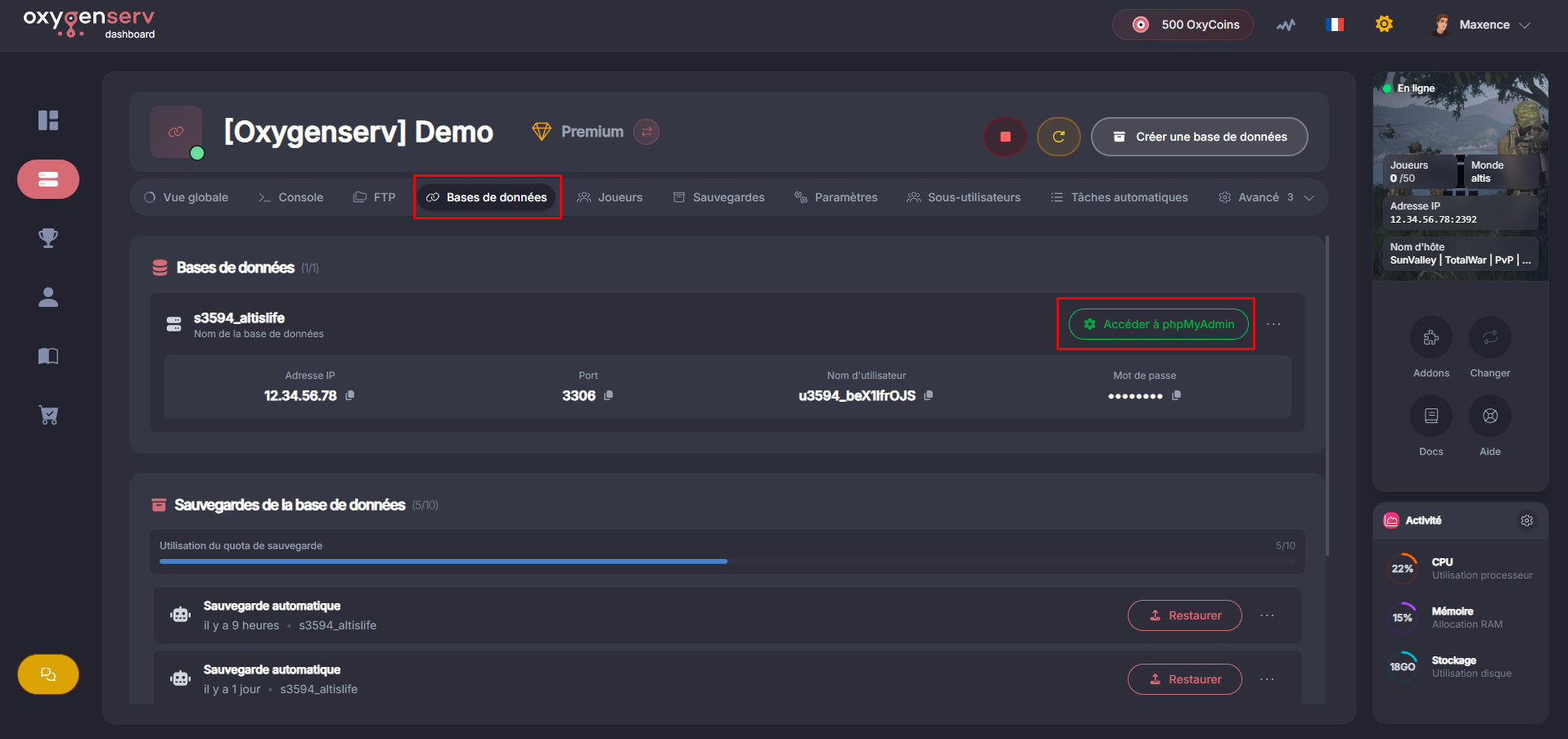
On the dashboard, open **Database** then click "**Access phpMyAdmin**".
{% endstep %}
{% step %}
**Edit the adminlevel in the players table**
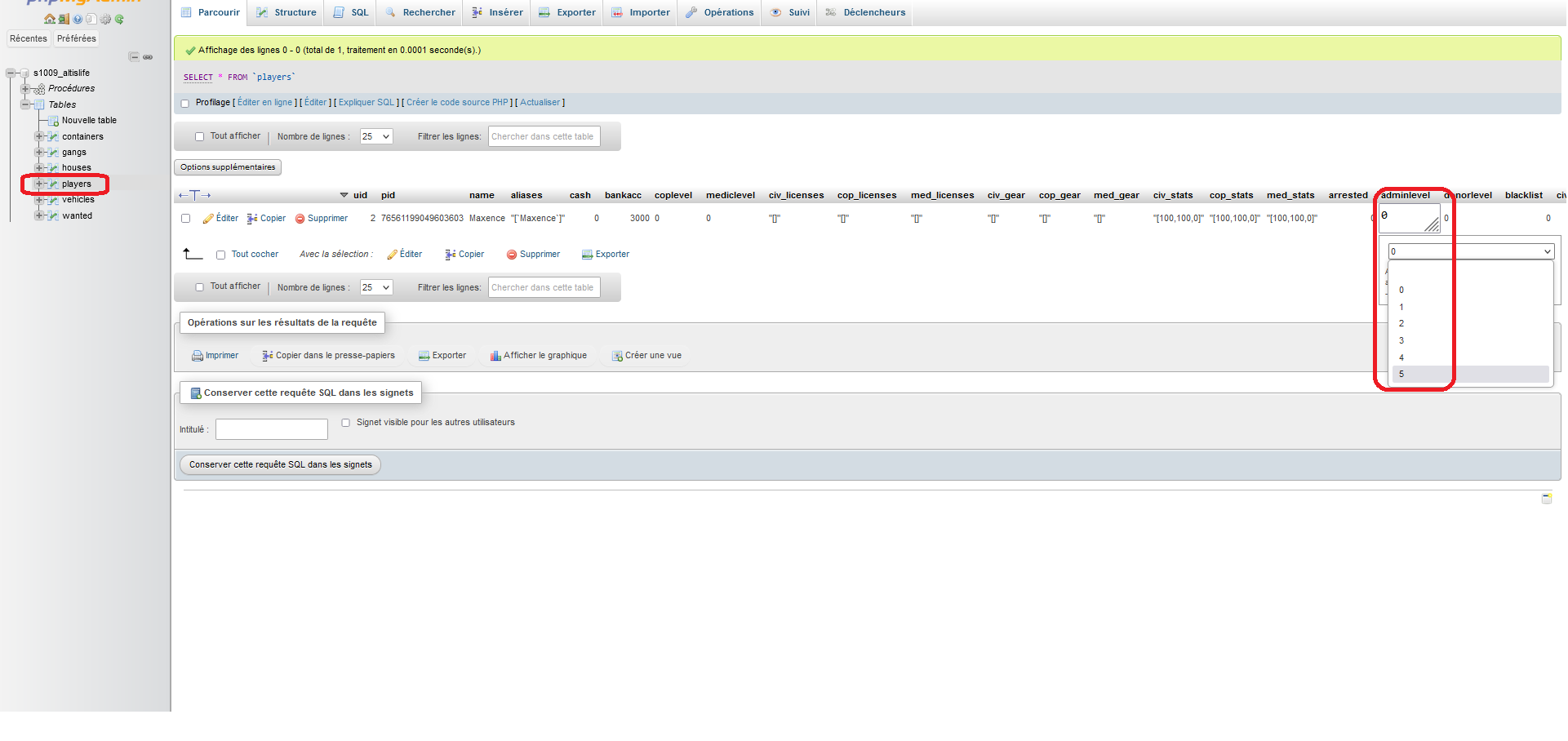
Open the table `players`, locate your player row.
{% hint style="info" %}
If you do not appear, connect to the server once.\
Then reload the page.
{% endhint %}
In the column `adminlevel`, put a value between **0** and **5**.\
`5` is the maximum level.
Players table on the database
{% endstep %}
{% step %}
**Check in-game**
Reconnect to the server.
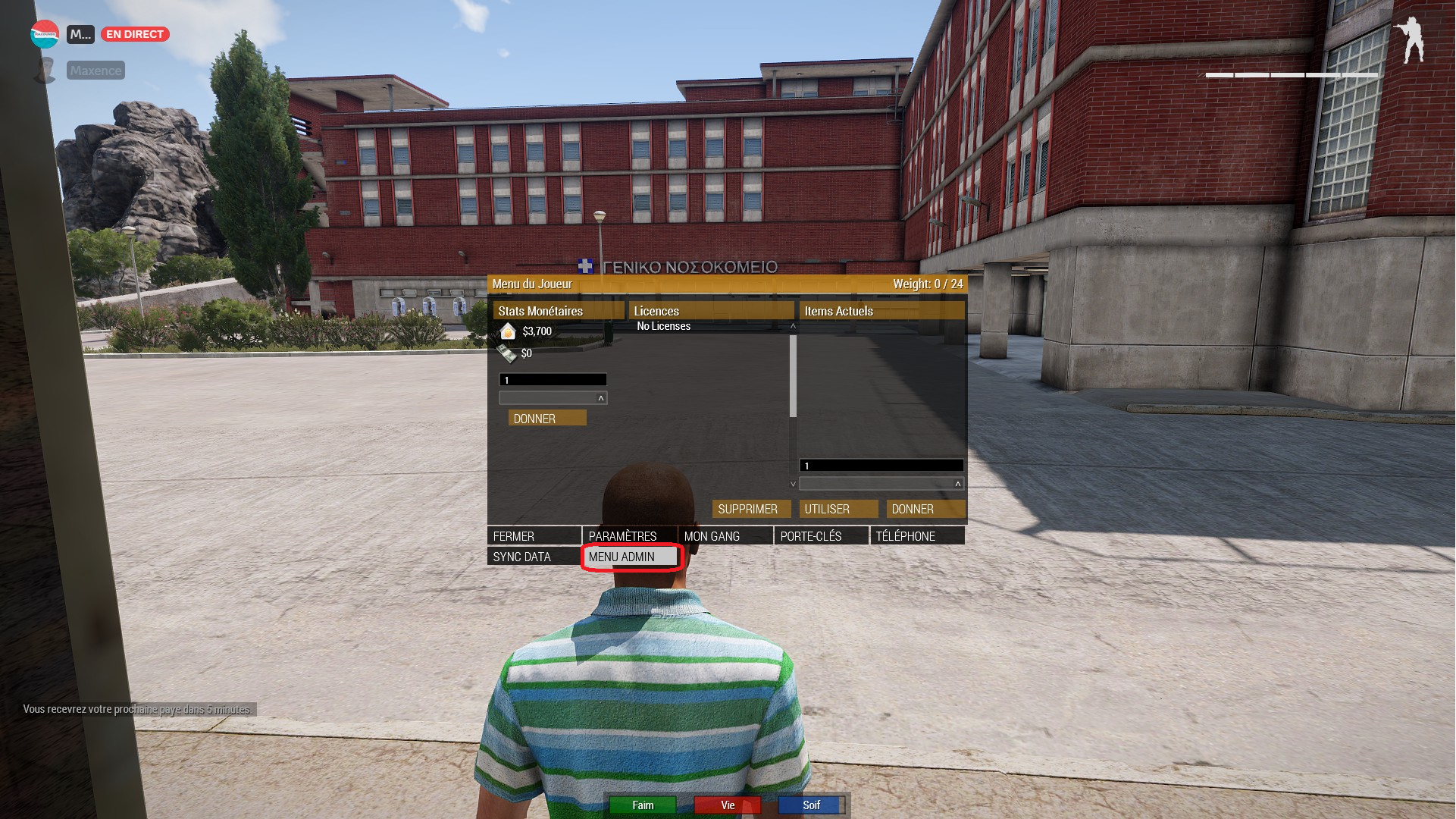
You should see **Admin menu** in the **Y**.
{% endstep %}
{% endstepper %}
### Common issues
* **I don't appear in `players`** : join the server for the first time.
* **The admin menu does not appear** : log out, then log back in.
* **The value does not save** : check that you have confirmed the edit.
### FAQ
#### Which adminlevel to choose?
Start with `1` or `2` to test.\
Move to `5` if you need everything.