> For the complete documentation index, see [llms.txt](https://docs.oxygenserv.com/llms.txt). Markdown versions of documentation pages are available by appending `.md` to page URLs; this page is available as [Markdown](https://docs.oxygenserv.com/en/dashboard/ajouter-des-sous-utilisateurs-sur-mon-serveur.md).
# Add sub-users
Step-by-step guide to add sub-users to your server (permissions, security, troubleshooting).
{% hint style="info" %}
A **sub-user** gives full or limited access to your Oxygenserv server. Use it to share access without giving your main account.
{% endhint %}
### Objective
Create a sub-user. Set their permissions. Edit or remove their access.
{% hint style="warning" %}
Do not share your main account. Only give the rights the sub-user needs.
{% endhint %}
### Step-by-step guide
{% stepper %}
{% step %}
**Create a new user**
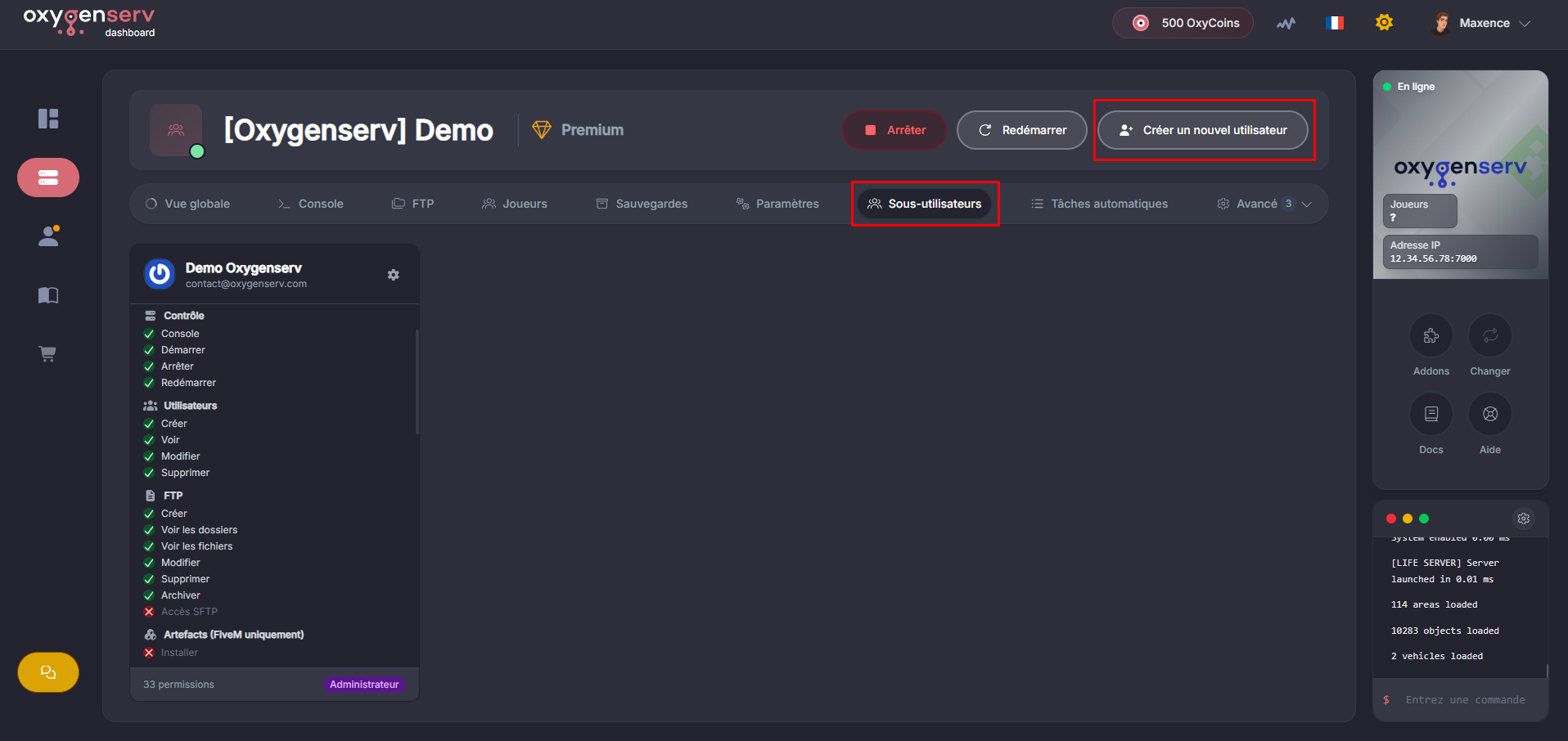
On the dashboard, open the **Sub-users**, then click **Create a new user** :
{% endstep %}
{% step %}
**Provide the email address**
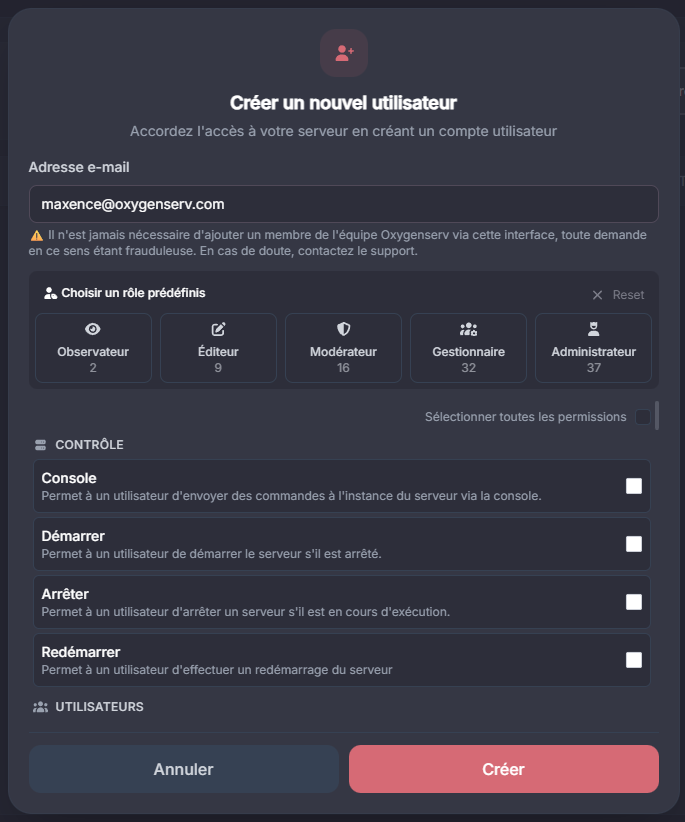
Enter the**email** of the user. Use an address the person controls.
{% endstep %}
{% step %}
**Choose permissions (access rights)**
Enable only the accesses that are useful. Common examples:
* **Console** : run server commands
* **Files / FTP** : file transfer and editing
* **Backups** : start, restore, download
* **Database** : create and manage databases
* **Scheduled tasks** : schedule restarts and backups
{% hint style="info" %}
Start “minimal”. You can add rights later.
Good practice:
* 1 sub-user per person.
* Remove access as soon as it is no longer necessary.
{% endhint %}
{% endstep %}
{% step %}
**Confirm creation**
Check the information. Click **Create**.
{% endstep %}
{% step %}
**Edit or delete a sub-user**
Go back to **Sub-users**. Click the icon at the top right to **modify the permissions**, or **delete** the access.
{% endstep %}
{% endstepper %}
### Common issues
* **The sub-user does not have access** : check their permissions.
* **FTP access impossible** : test with the credentials shown on the dashboard.
### FAQ
#### Can a sub-user manage my account and billing?
No, it is only for server access.
#### I want to secure my main account. What should I do?
Change your password regularly: [Change my account password](/en/dashboard/changer-le-mot-de-passe-de-mon-compte.md).