> For the complete documentation index, see [llms.txt](https://docs.oxygenserv.com/llms.txt). Markdown versions of documentation pages are available by appending `.md` to page URLs; this page is available as [Markdown](https://docs.oxygenserv.com/en/dashboard/contacter-le-support-oxygenserv-ticket-dashboard-et-discord.md).
# Contact Oxygenserv support (dashboard ticket and Discord)
Step-by-step guide to contact Oxygenserv support (dashboard ticket and Discord).
{% hint style="info" %}
The most effective way is the **support ticket** from the dashboard. Discord is useful for a quick question.
{% endhint %}
### Objective
Open a support ticket from the dashboard. Contact the team on Discord if needed. Send the right information for a quick resolution.
### Step-by-step guide
{% stepper %}
{% step %}
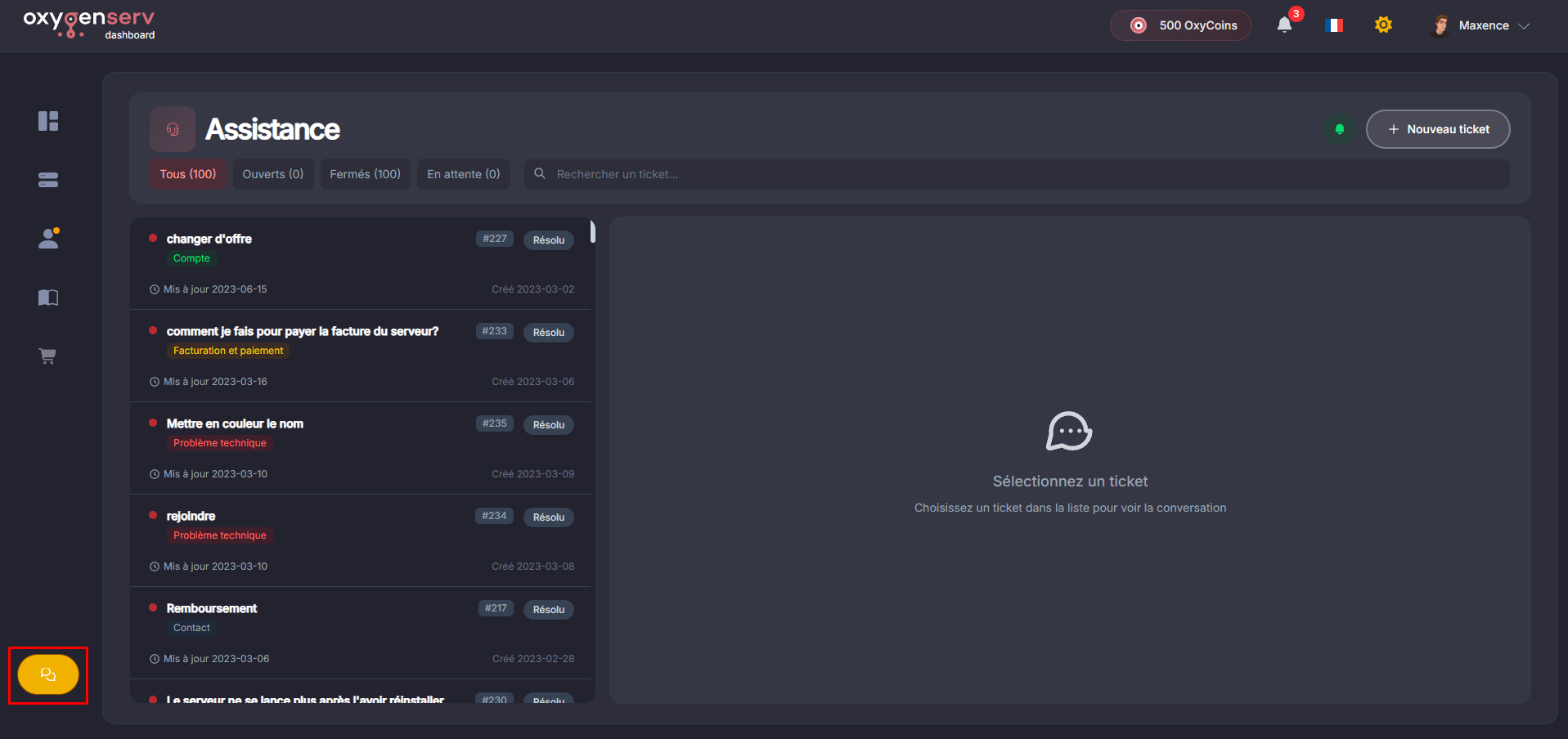
**Open the Support page**
On the dashboard, click **Technical Support** (bottom left).
{% endstep %}
{% step %}
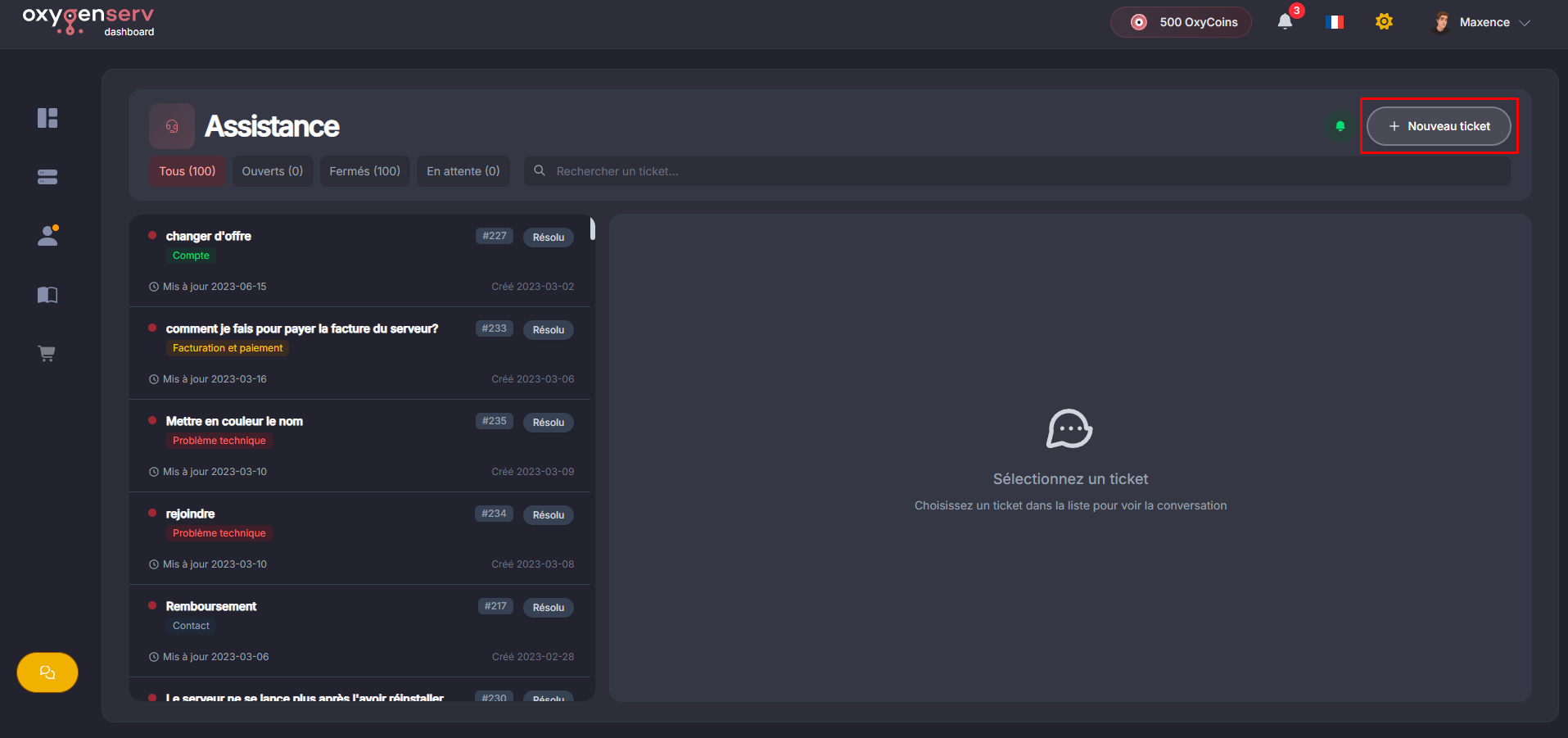
**Create a ticket**
Click on **New ticket**.
{% hint style="warning" %}
Never post secrets. Examples: passwords, tokens, API keys.
{% endhint %}
{% endstep %}
{% step %}
**Fill in the ticket information**
Fill in:
* the **type of issue**,
* a **title** clear,
* a **description** detailed,
* the **affected server** if requested.
Add useful items:
* time of the issue,
* what you were doing,
* error message,
* the logs: [Find and share your server logs](/en/dashboard/trouver-et-partager-ses-logs-serveur.md)
* screenshots or attachments if necessary.
{% endstep %}
{% step %}
**Follow the response and reply**
Monitor responses on the dashboard or your emails. Reply in the same ticket. Avoid duplicates.
{% endstep %}
{% endstepper %}
#### Contact support on Discord
Join the Discord: [https://discord.oxygenserv.com](https://discord.oxygenserv.com/)
{% hint style="info" %}
For a server incident, a ticket is still recommended. It keeps the history and information in one place.
{% endhint %}
### Common issues
#### I haven't received a response
* Avoid creating multiple tickets.
* Add information to the existing ticket.
* If it's urgent, also report it on Discord.
### FAQ
#### What speeds up handling?
A clear title and a clear description.
#### Do I need to share my credentials?
No. Support will never ask you for them.