> For the complete documentation index, see [llms.txt](https://docs.oxygenserv.com/llms.txt). Markdown versions of documentation pages are available by appending `.md` to page URLs; this page is available as [Markdown](https://docs.oxygenserv.com/en/dashboard/creer-une-sauvegarde-de-base-de-donnees-sur-son-serveur.md).
# Create a database backup
Step-by-step guide to create a database backup and restore it on Oxygenserv.
{% hint style="info" %}
A database backup allows you to roll back after an update or a mistake.\
You can also **download** the backup to keep it locally.
{% endhint %}
### Objective
Create a **backup** of the database, then **download** or the **restore** if necessary.
### Step-by-step guide
{% stepper %}
{% step %}
**Start creating a backup**
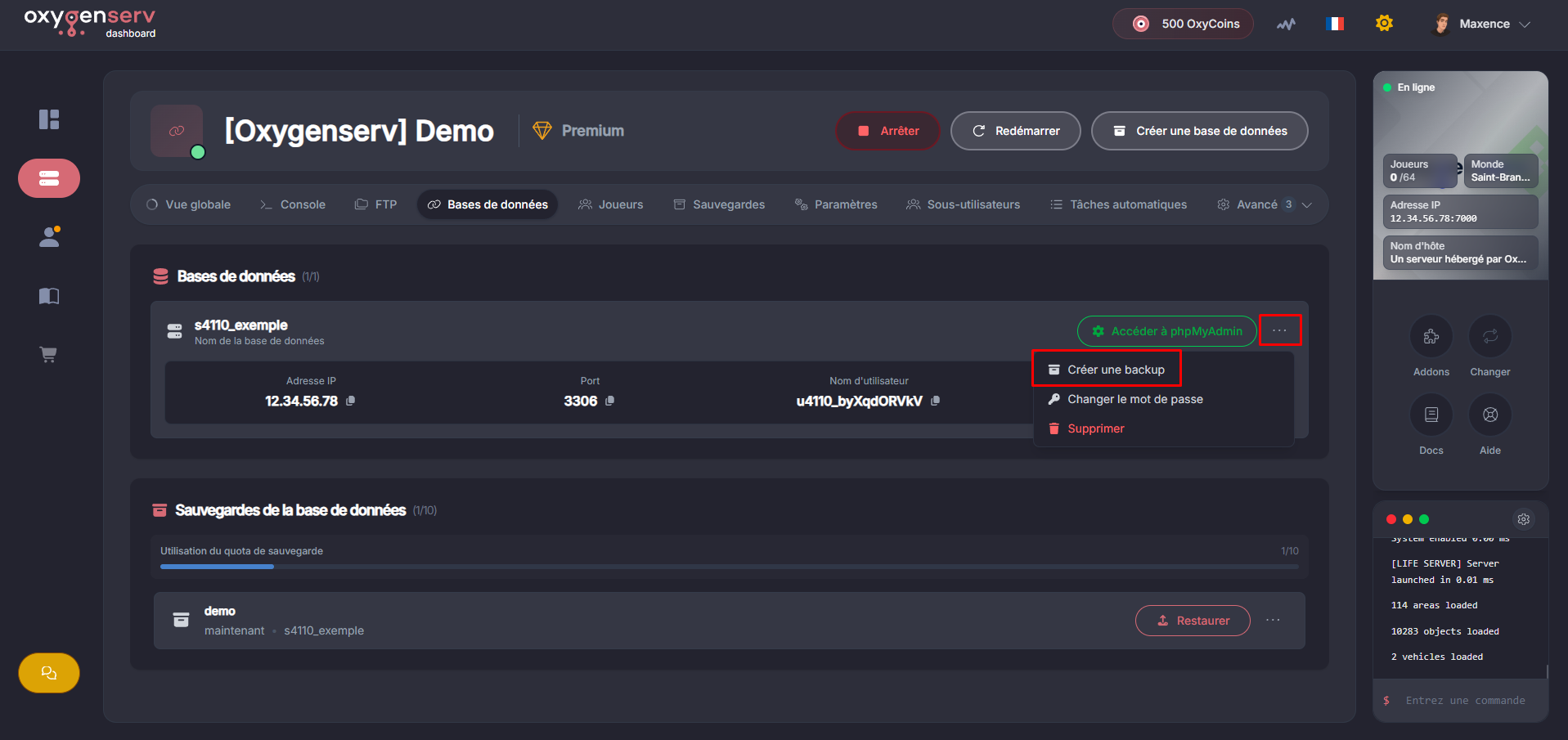
On the relevant database, open the menu **⋯** then click **Create a backup**.
{% endstep %}
{% step %}
**Name and confirm**
Give a **name** to the backup (e.g. `before-update-2026-01-06`) then confirm.
{% endstep %}
{% step %}
**Download the backup**
Wait for the backup to be in **finished** (or available).
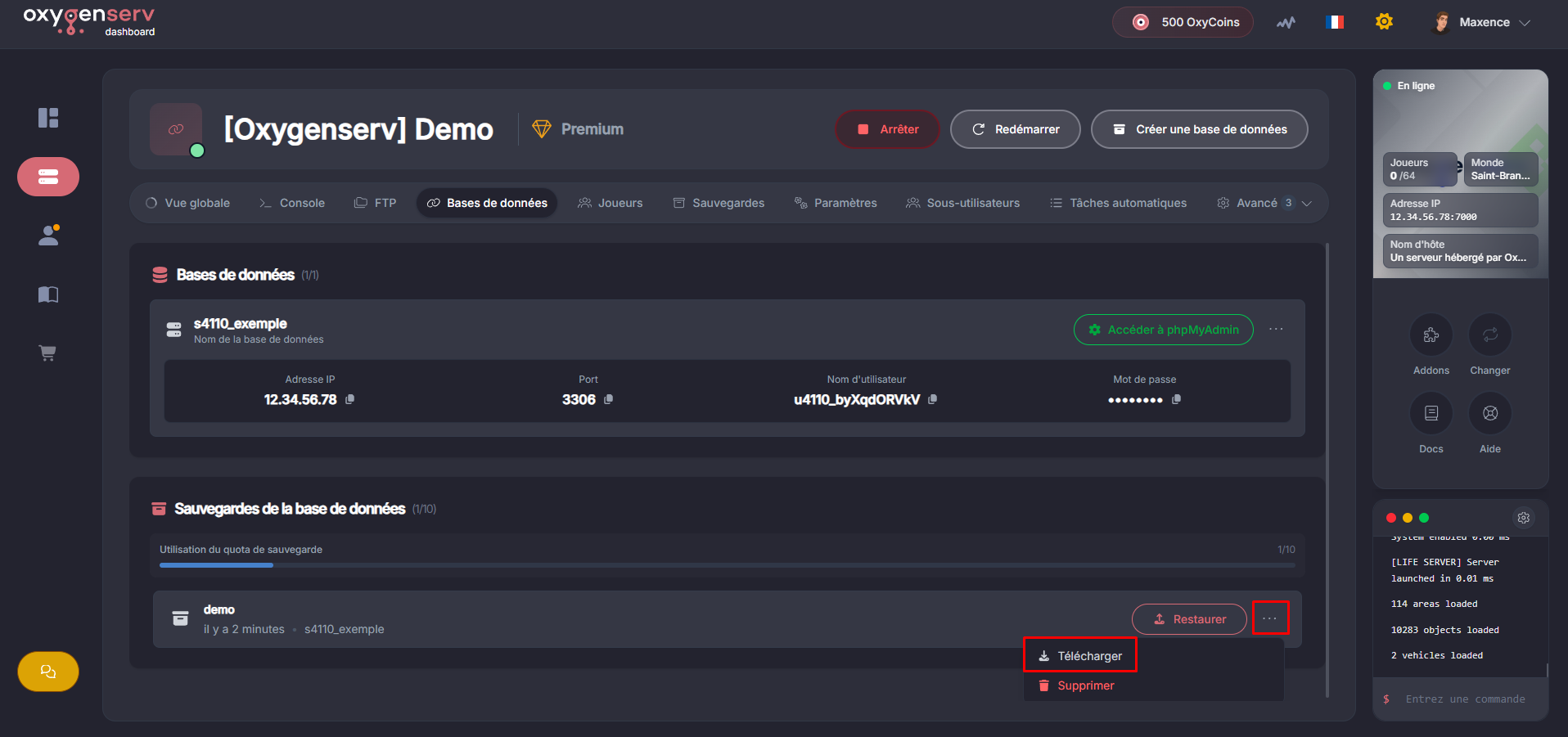
On the line for the backup, open the menu **⋯** then click **Download**.
You will get an export of the database (SQL file).
{% endstep %}
{% step %}
**Restore the backup**
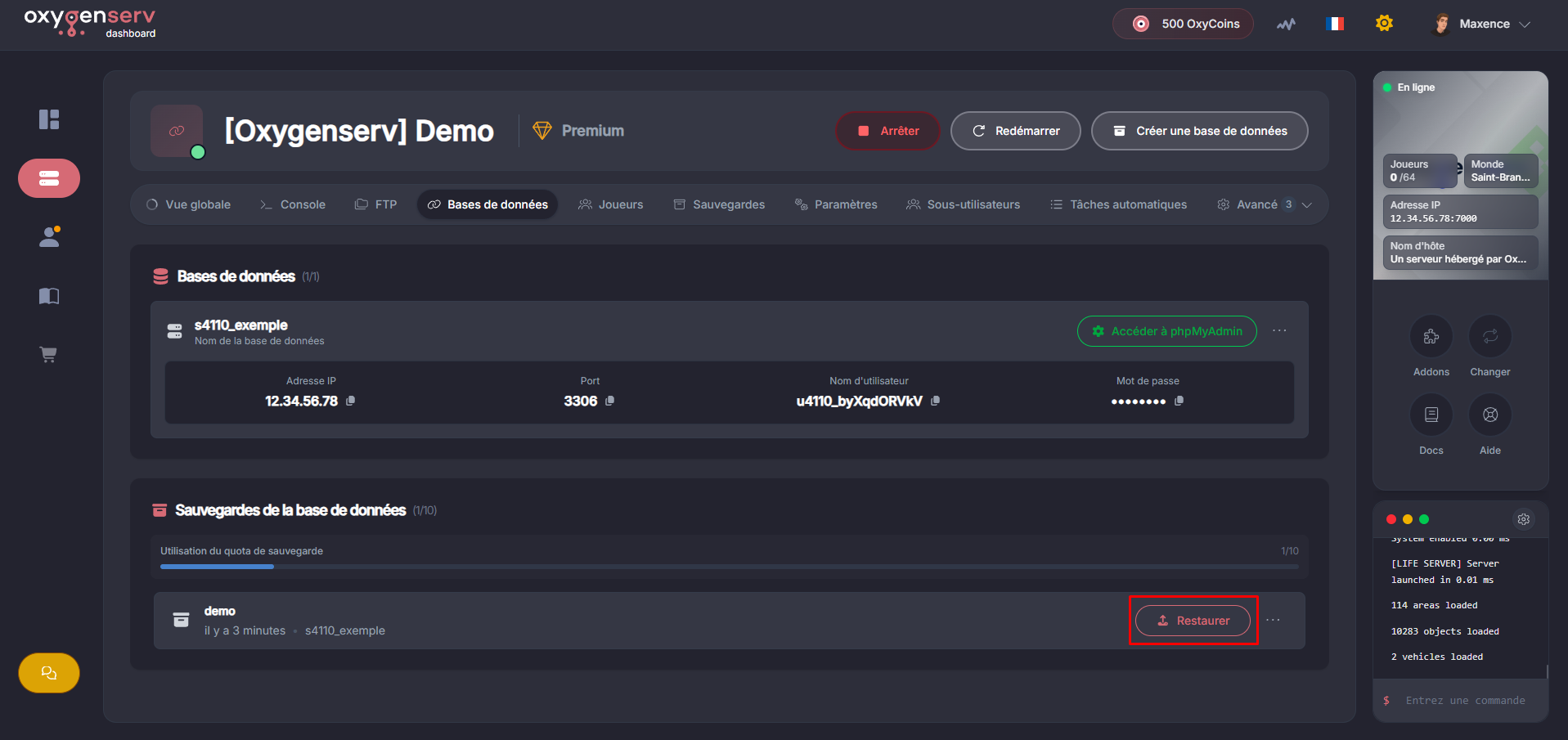
On the line of the backup to use, click **Restore**.
Confirm the operation, then wait for the restoration to complete.
{% hint style="warning" %}
The restoration **overwrites** the current state of the database.\
Make a “before restore” backup if you are unsure.
{% endhint %}
{% endstep %}
{% endstepper %}
### Common issues
* **Very long backup** : wait for the operation to finish, especially on a large database.
* **Error during restoration** : restore an older backup, then contact support with the name + time of the test.
### FAQ
#### What is the difference between “server backup” and “database backup”?
Server backup concerns the **files**.\
DB backup only concerns the **MySQL database** (application data).
#### When to make a database backup?
Before an update, adding a plugin/mod, or a migration.
#### What to provide to support if a backup/restoration fails?
The **backup name**, and a screenshot of the error if displayed: [Contact Oxygenserv support (ticket dashboard and Discord)](/en/dashboard/contacter-le-support-oxygenserv-ticket-dashboard-et-discord.md).