> For the complete documentation index, see [llms.txt](https://docs.oxygenserv.com/llms.txt). Markdown versions of documentation pages are available by appending `.md` to page URLs; this page is available as [Markdown](https://docs.oxygenserv.com/en/dashboard/creer-une-sauvegarde-et-la-restaurer-sur-son-serveur.md).
# Create a backup and restore it
Step-by-step guide to create a backup and restore it on your Oxygenserv server.
{% hint style="info" %}
Backups are useful before an update, adding a mod, or a major config change.
{% endhint %}
### Objective
Create a **file backup**, then the **restore** if needed.
### Step-by-step guide
{% stepper %}
{% step %}
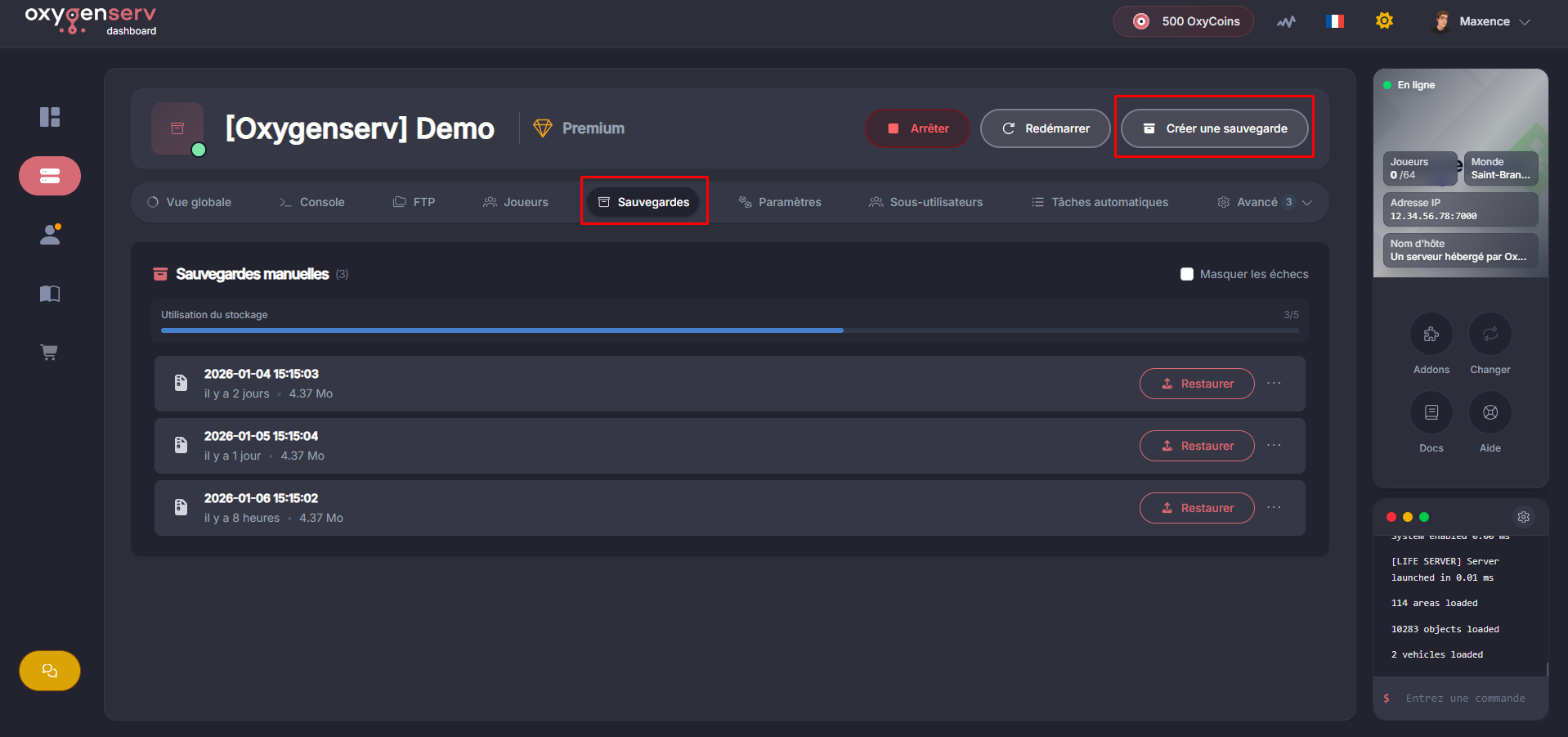
**Create a backup**
Click on **Create a backup**.
Fill in:
* **Name** (e.g. `Pre-update-2026-01-06`)
* **Files and folders to ignore** (optional)
* **Lock** (optional)
Click on **Create** to start the backup.
{% hint style="info" %}
The **lock** prevents accidental deletion.\
Enable it for an important “restore point” backup.
{% endhint %}
{% hint style="warning" %}
You have a **limited number of backups**.\
If needed, delete an old backup before creating a new one.
{% endhint %}
{% endstep %}
{% step %}
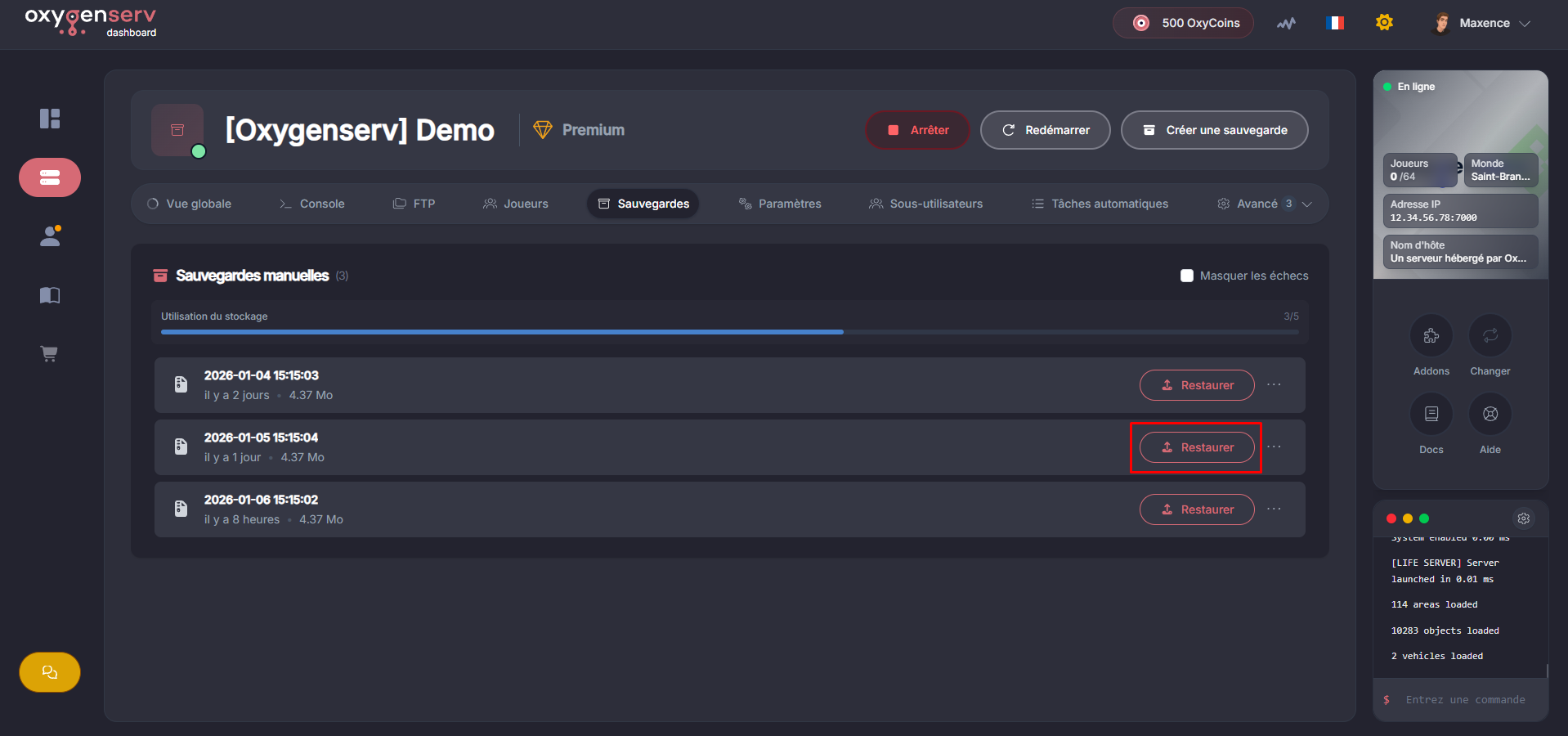
**Restore a backup**
In **Backups**, find the backup to use then click **Restore**.
{% hint style="warning" %}
A restore **overwrites** replaces the current files with those from the backup.\
Make a “before restore” backup if you are unsure.
{% endhint %}
{% endstep %}
{% endstepper %}
### Common issues
* **Unable to create a backup** : check that you have not reached the limit. Delete an unneeded backup.
* **Backup stuck / very long** : try again later if the server is under heavy load.
* **After restore, the server won't start** : restore an older backup, then contact support with the time and names of the backups.
### FAQ
#### Do I need to stop the server before a backup or restore?
For the **restore**, it's generally preferable.\
It limits files being written (depending on the game and plugins).
#### What is “Folders to ignore” for?
To exclude large or regenerable folders.\
Typical examples: `cache`, `logs`, temporary files.
#### What should I send to support if a restore fails?
The **backup name**, and a screenshot of the error message if present.\
Then: [Contact Oxygenserv support (ticket dashboard and Discord)](/en/dashboard/contacter-le-support-oxygenserv-ticket-dashboard-et-discord.md).