> For the complete documentation index, see [llms.txt](https://docs.oxygenserv.com/llms.txt). Markdown versions of documentation pages are available by appending `.md` to page URLs; this page is available as [Markdown](https://docs.oxygenserv.com/en/dashboard/inviter-et-configurer-oxybot-sur-discord.md).
# Invite and configure OxyBot on Discord
Step-by-step guide to invite and configure OxyBot on Discord (API key, permissions, commands).
{% hint style="info" %}
OxyBot lets you control your Oxygenserv services from Discord. The connection is made via an **API key**.
{% endhint %}
### Objective
Invite OxyBot to your Discord server. Link your account via an Oxygenserv API key. Configure language and permissions. Test the commands.
### Step-by-step guide
{% stepper %}
{% step %}
**Invite OxyBot to your Discord server**
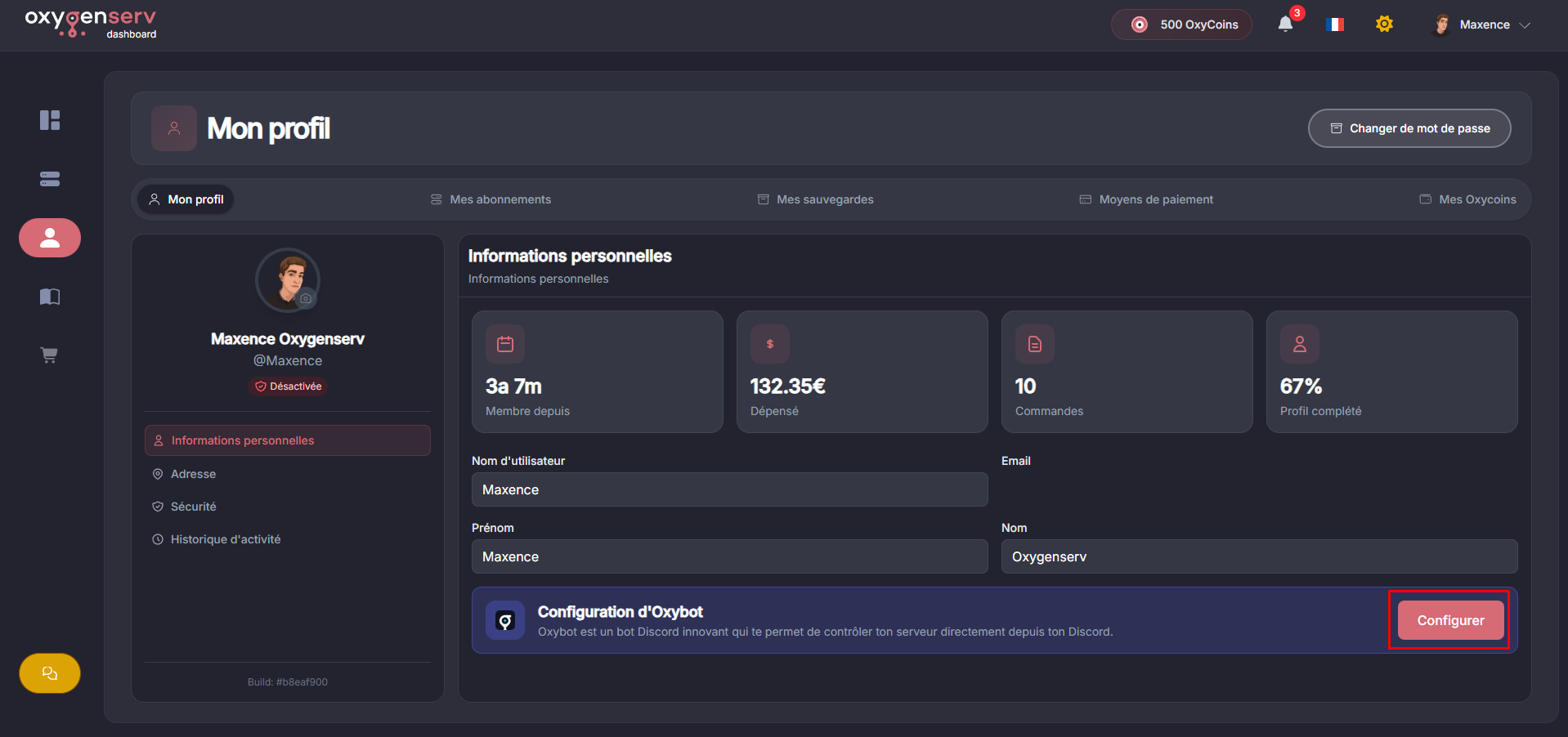
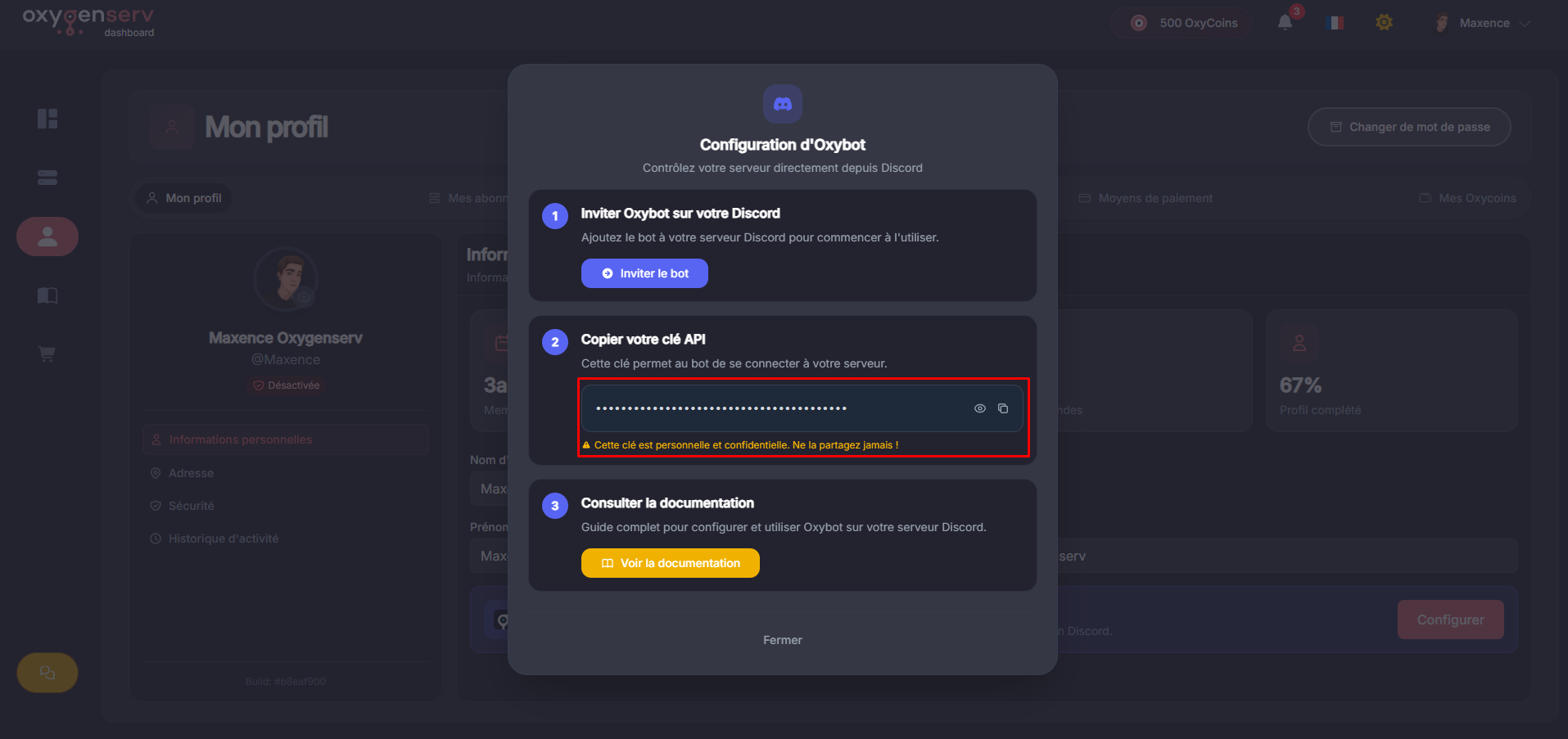
Recommended method: dashboard → **My profile** → **OxyBot setup**. A pop-up window displays useful information.
You can also use the direct invitation link: [Invite OxyBot](https://discord.com/oauth2/authorize?client_id=1107672334590025878\&scope=bot\&permissions=537201728)
{% endstep %}
{% step %}
**Retrieve your Oxygenserv API key**
Retrieve the API key from the pop-up window. Copy it.
{% hint style="danger" %}
Never share your **API key**. It grants access to manage your servers via the bot.
{% endhint %}
{% endstep %}
{% step %}
**Link the API key to OxyBot**
On your Discord, run:
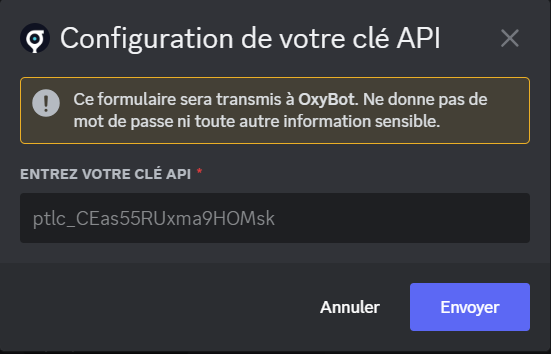
* `/setup api`
Then paste your API key into the window.
{% endstep %}
{% step %}
**Choose the bot language**
Run:
* `/setup language`
Choose **French** or **English**.
{% endstep %}
{% step %}
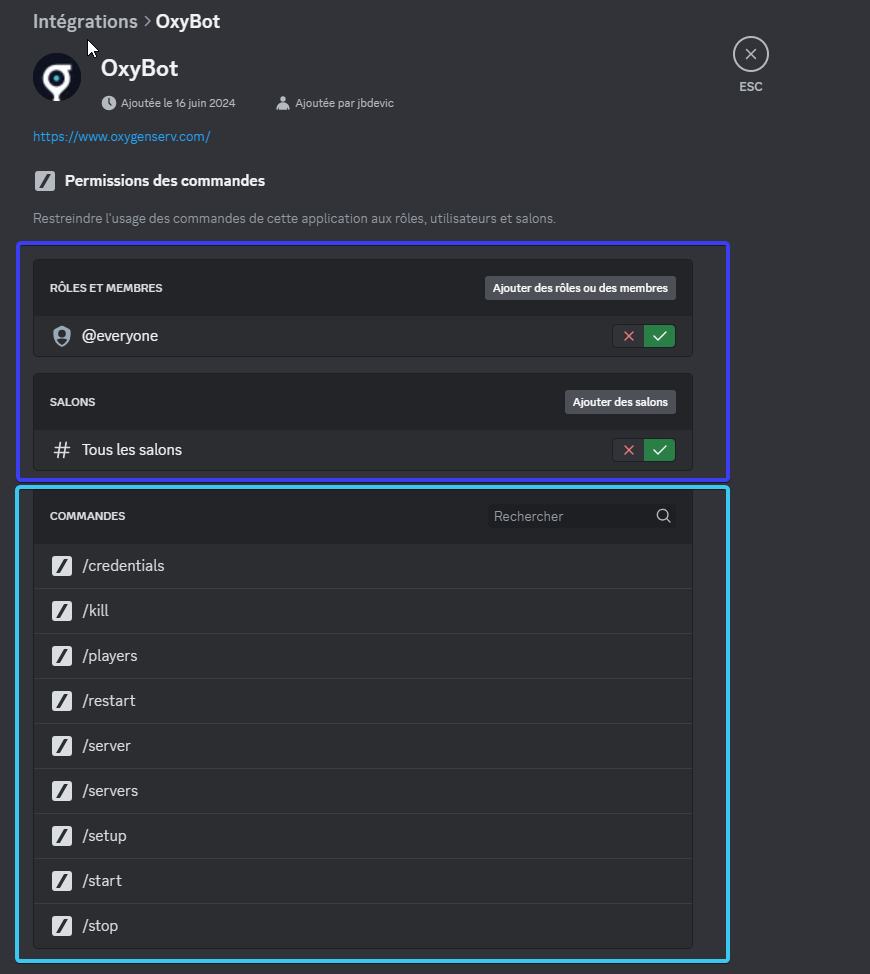
**Configure Discord permissions**
By default, sensitive commands are restricted. This is intentional. It prevents accidental misuse.
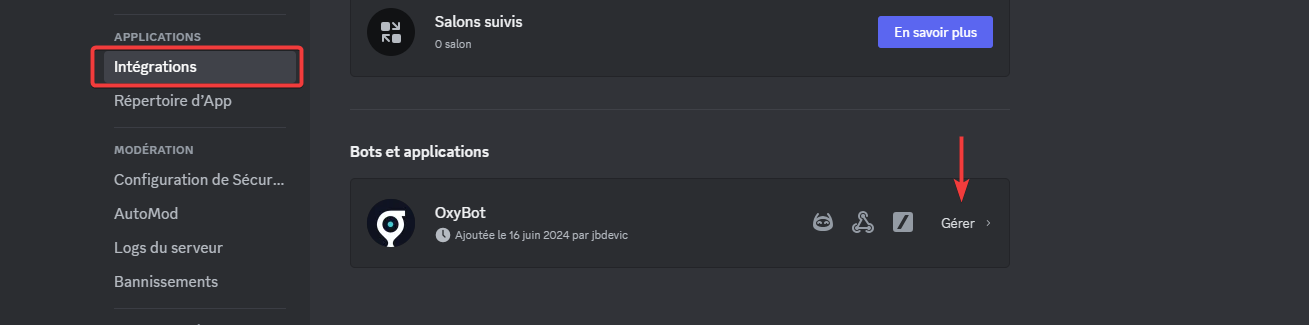
In Discord:
* **Server Settings**
* **Integrations**
* OxyBot → **Manage**
You can manage:
* allowed channels,
* allowed roles,
* command access.
{% endstep %}
{% step %}
**Test the bot**
Test with:
* `/server` for a server
* `/servers` for the list
{% endstep %}
{% endstepper %}
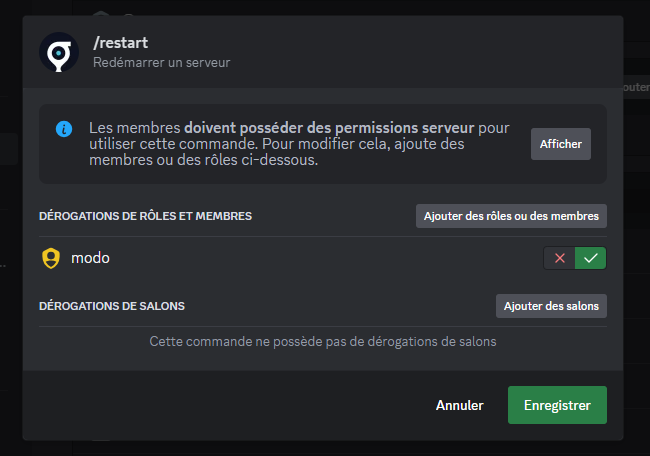
#### Give a non-admin role access to a command
In command permissions, add a role (e.g.: `mod`) on a command. Example: allow `/restart` for `mod` and `Administrator`. Keep a dedicated channel if possible.
Official Discord guide: [Command permissions](https://support.discord.com/hc/fr/articles/4644915651095-Permissions-de-Commandes)
### Common issues
#### Commands do not appear
* Check that the bot is indeed on the server.
* Check that the integration has the correct permissions.
* Try again after a few minutes (Discord sync).
#### I don’t have access to a command
* Check your Discord roles.
* Check the command permissions (Integrations → OxyBot → Manage).
#### I think my API key leaked
* Notify support immediately.
### FAQ
#### Why is everything blocked for @everyone?
To prevent a member from running a sensitive command. Allow only the necessary roles.
#### Can I limit the bot to one channel?
Yes. Allow commands only in a dedicated channel.