> For the complete documentation index, see [llms.txt](https://docs.oxygenserv.com/llms.txt). Markdown versions of documentation pages are available by appending `.md` to page URLs; this page is available as [Markdown](https://docs.oxygenserv.com/en/dashboard/mettre-son-serveur-en-hibernation.md).
# Put your server into hibernation
Step-by-step guide to put your server into hibernation (service pause, data retention, reduced cost).
{% hint style="info" %}
Hibernation puts your service on hold. Your data remains stored. The server is **unavailable** while it is in hibernation.
{% endhint %}
### Objective
Pause a server without losing data. Reduce cost by only paying for storage.
{% hint style="warning" %}
Hibernation applies to the **next renewal**. Please check the information before confirming.
{% endhint %}
### Step-by-step guide
{% stepper %}
{% step %}
**Open “My subscriptions”**
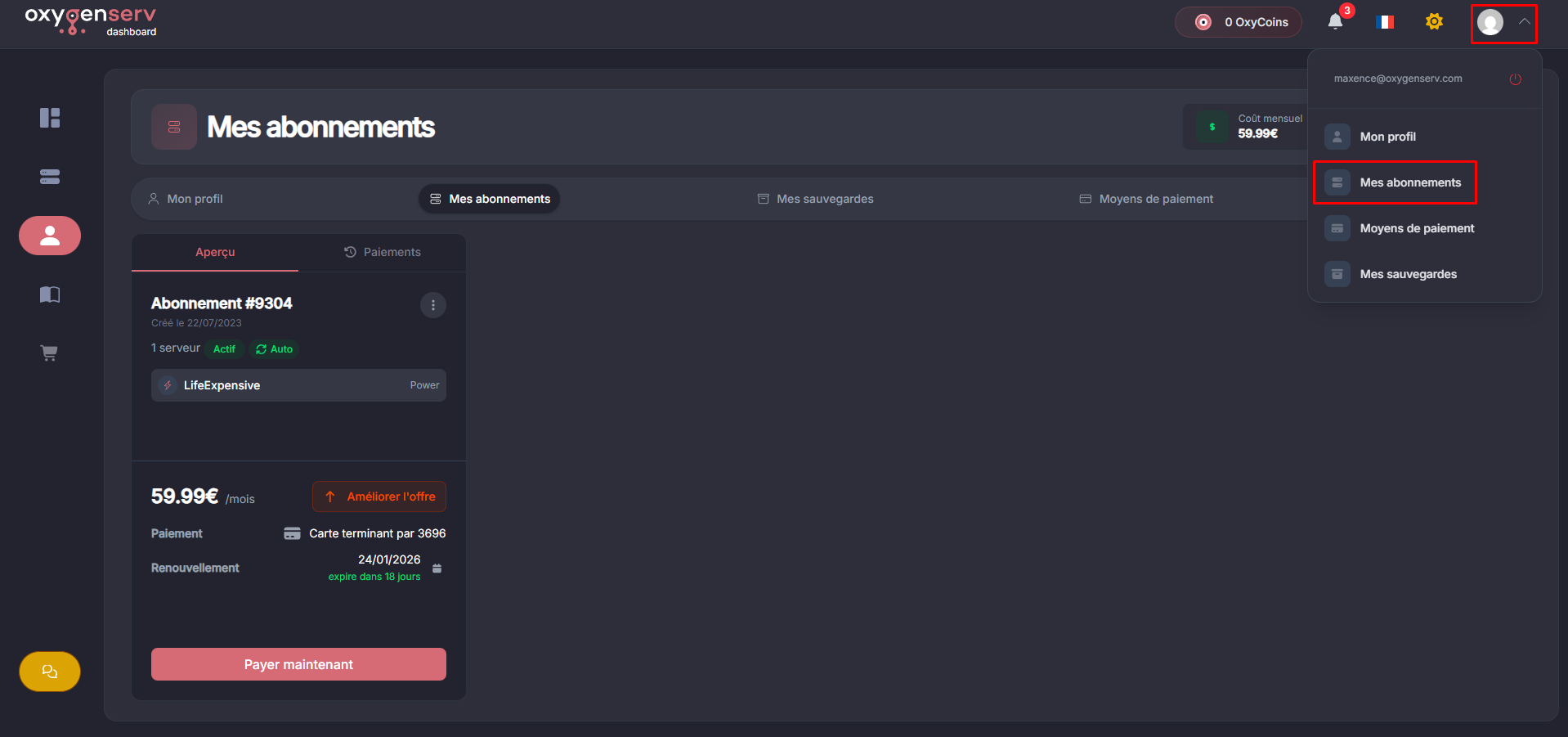
On the dashboard, go to **My profile** then **My subscriptions**.
{% endstep %}
{% step %}
**Open the service menu**
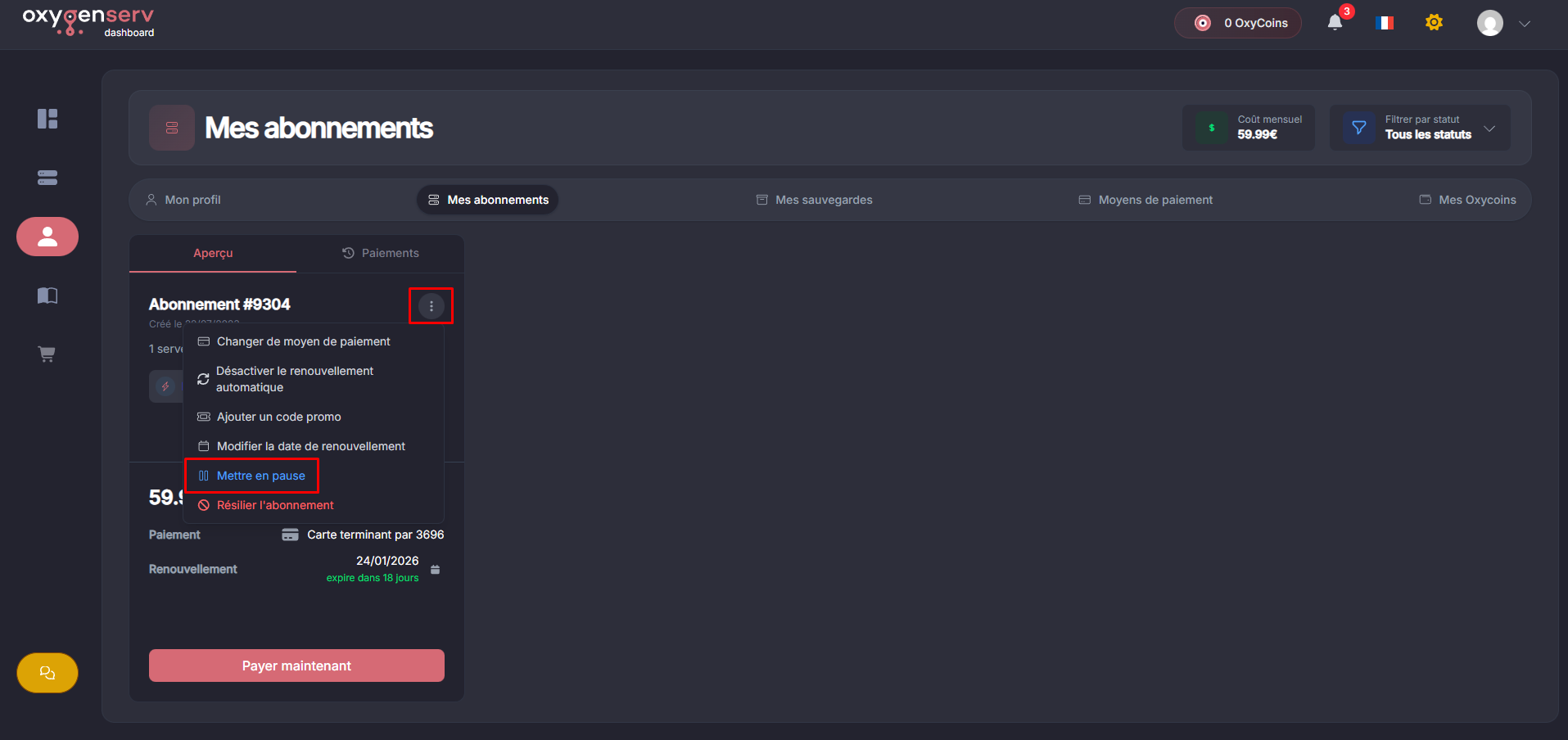
On the subscription of your choice, open the menu **⋯**, click on **Pause**.
{% endstep %}
{% step %}
**Review and confirm**
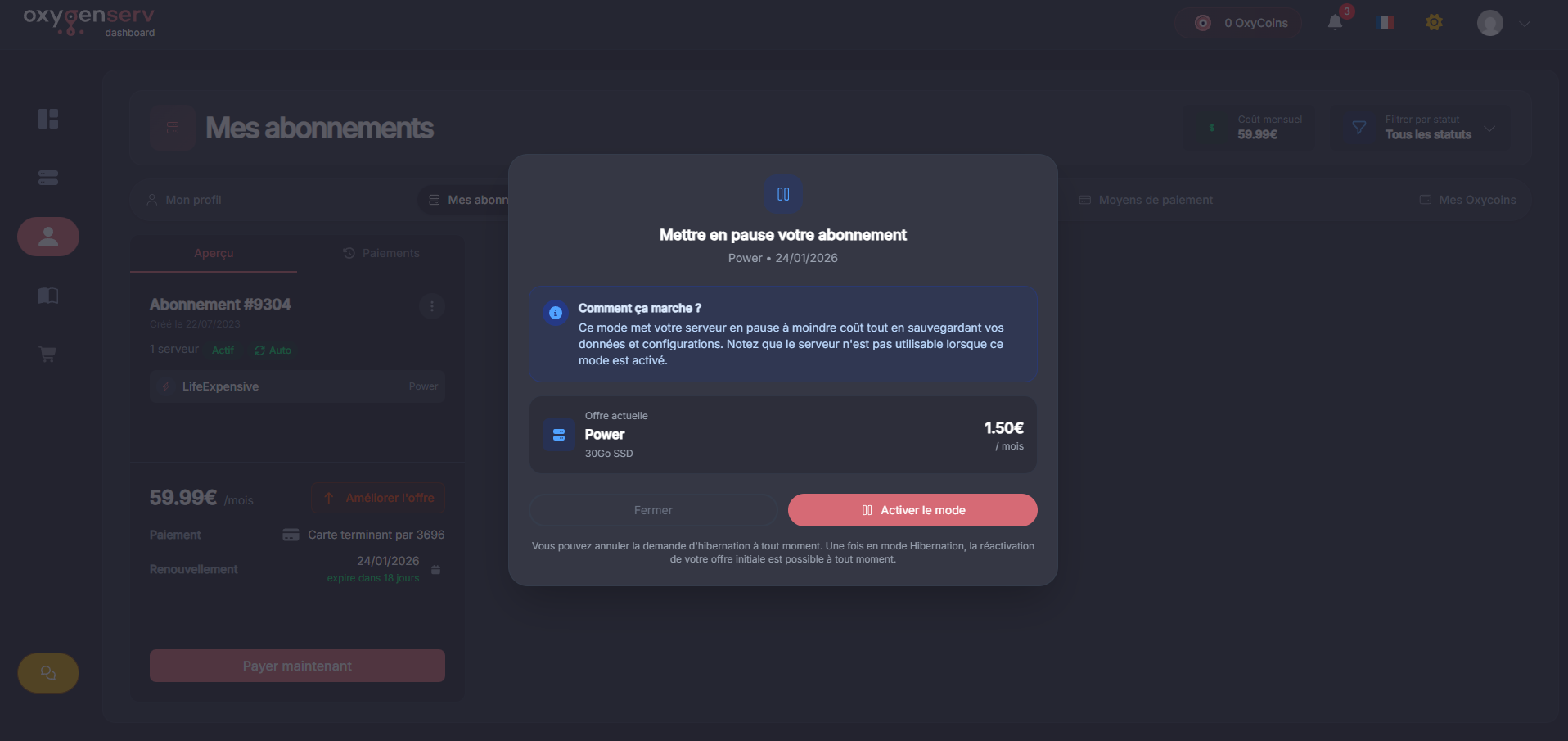
Check the information. Hibernation will be applied at the next renewal.
Example pricing shown: **€0.50 / 10 GB of storage**.
{% endstep %}
{% step %}
**Check status and billing**
Once activated, you will have an information banner on your server page.
{% endstep %}
{% endstepper %}
#### Reactivate a service
You can reactivate the service at any time from the dashboard.
### Common issues
* **I don't see “Pause”** : check that you are the owner of the subscription.
* **My server is still active** : hibernation applies to the **next renewal**.
* **The server is unavailable** : this is normal. The service is paused.
* **I don't understand the billing** : you only pay for storage during hibernation.
### FAQ
#### Are my data deleted?
No. They remain stored as long as the service is in hibernation.
#### Does the server run during hibernation?
No. The server is paused and inaccessible.