> For the complete documentation index, see [llms.txt](https://docs.oxygenserv.com/llms.txt). Markdown versions of documentation pages are available by appending `.md` to page URLs; this page is available as [Markdown](https://docs.oxygenserv.com/en/enshrouded/se-connecter-a-mon-serveur-enshrouded.md).
# Connect to my Enshrouded server
Step-by-step guide to connect to your Enshrouded server.
{% hint style="info" %}
You can join via **IP + port** or via **server name**.\
A domain name helps avoid sharing the IP: [Put a domain name on your server](/en/dashboard/mettre-un-nom-de-domaine-sur-son-serveur.md).
{% endhint %}
### Objective
Join your Enshrouded server from the game via:
* **IP + port** (recommended)
* **Server Name** (in-game search)
### Step-by-step guide
{% stepper %}
{% step %}
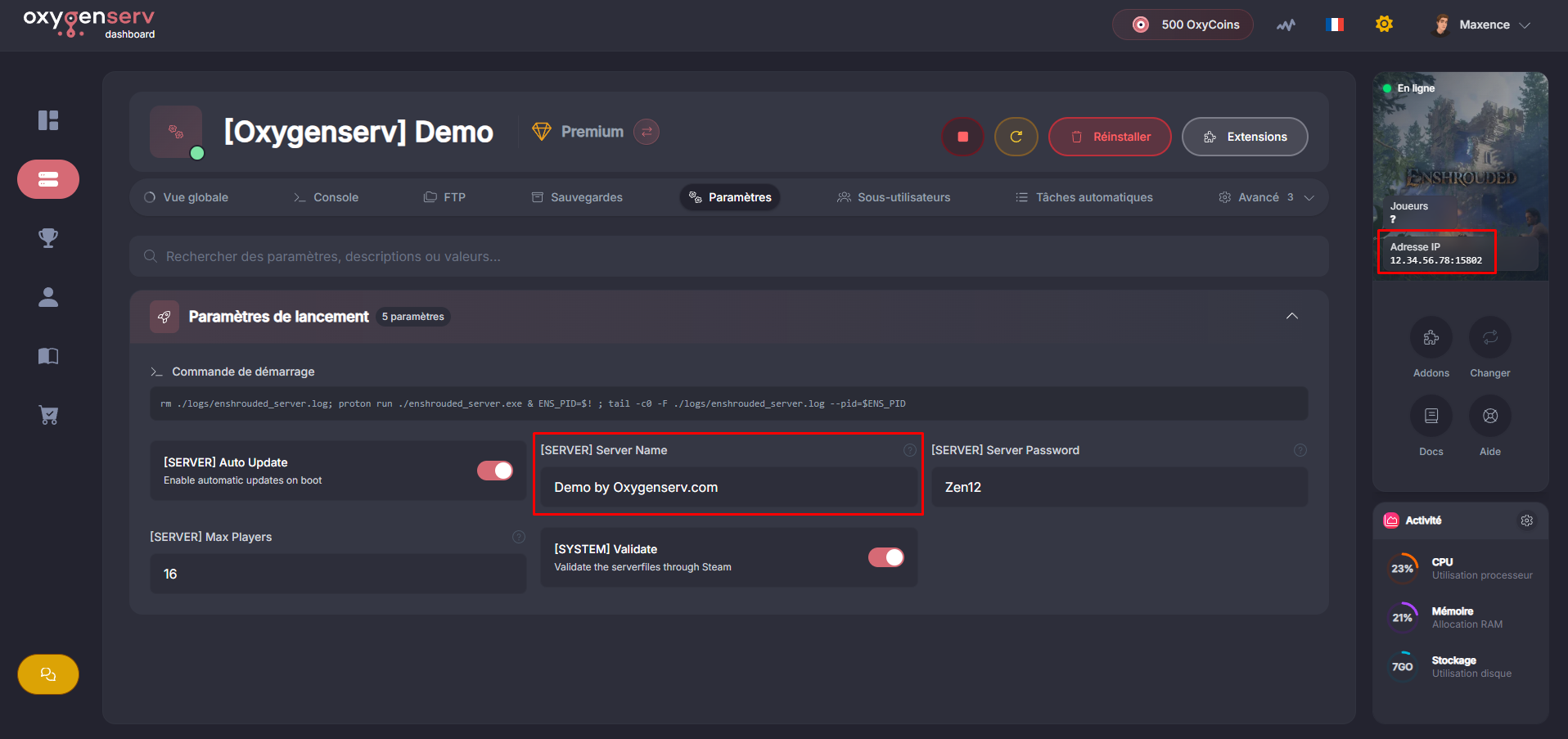
**Retrieve the server IP and name**
On the dashboard, open the **Settings** to find:
* the**IP address** and the **port**
* the **name** of the server
{% endstep %}
{% step %}
**Access the server list**
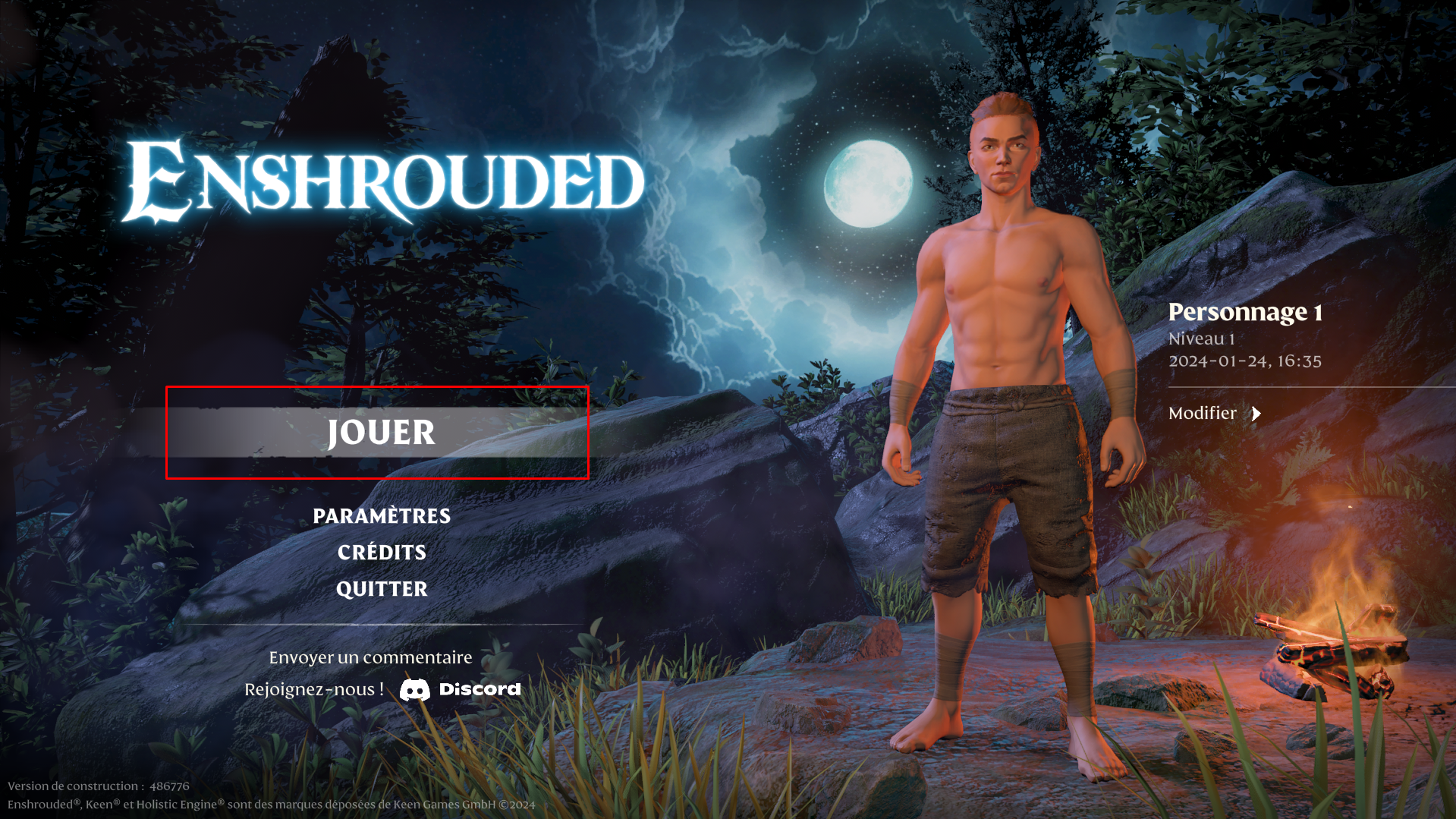
Open Enshrouded, then click on **Play**.
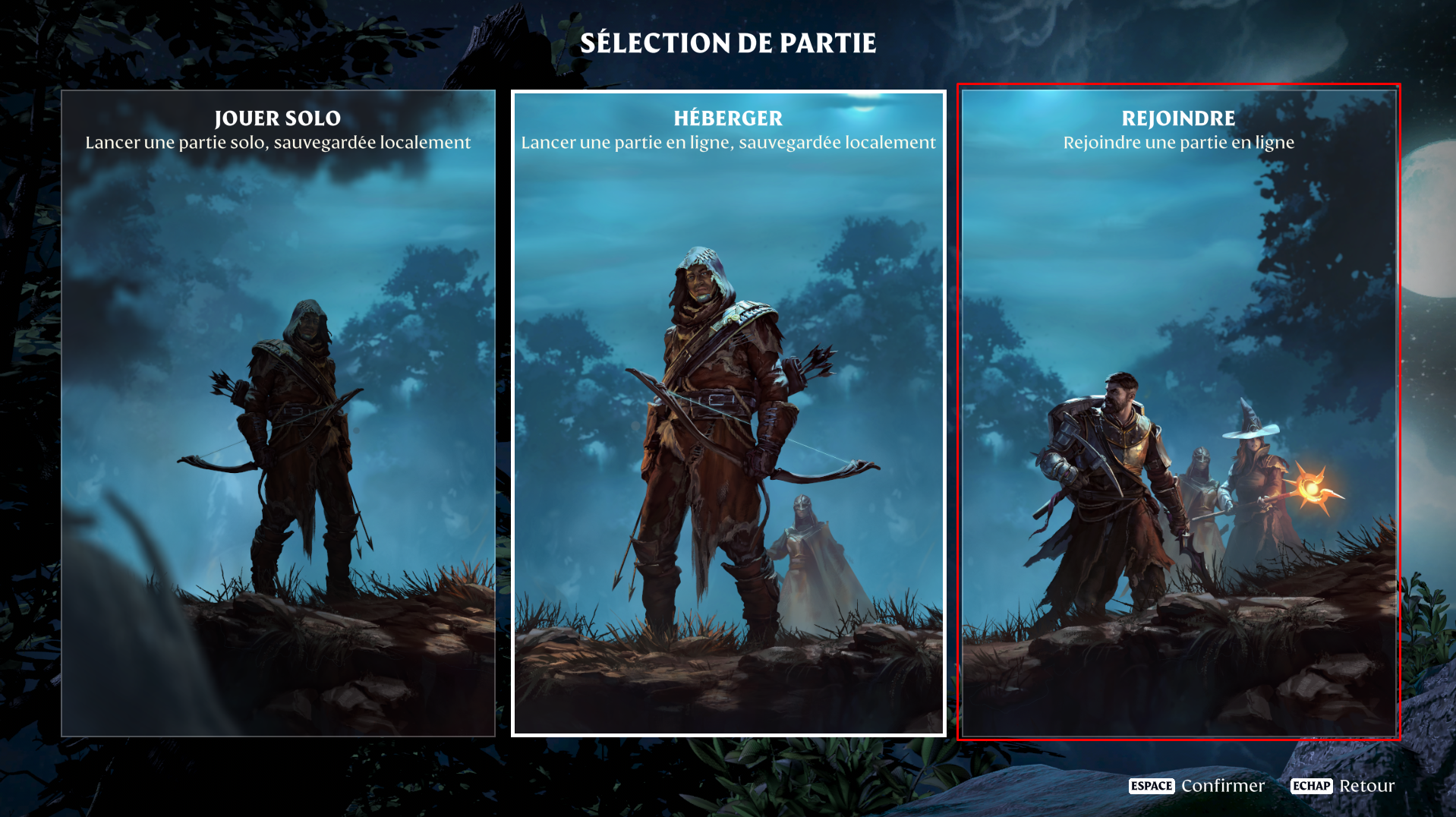
Then **Join**.
{% endstep %}
{% step %}
**Connect using the server's IP address**
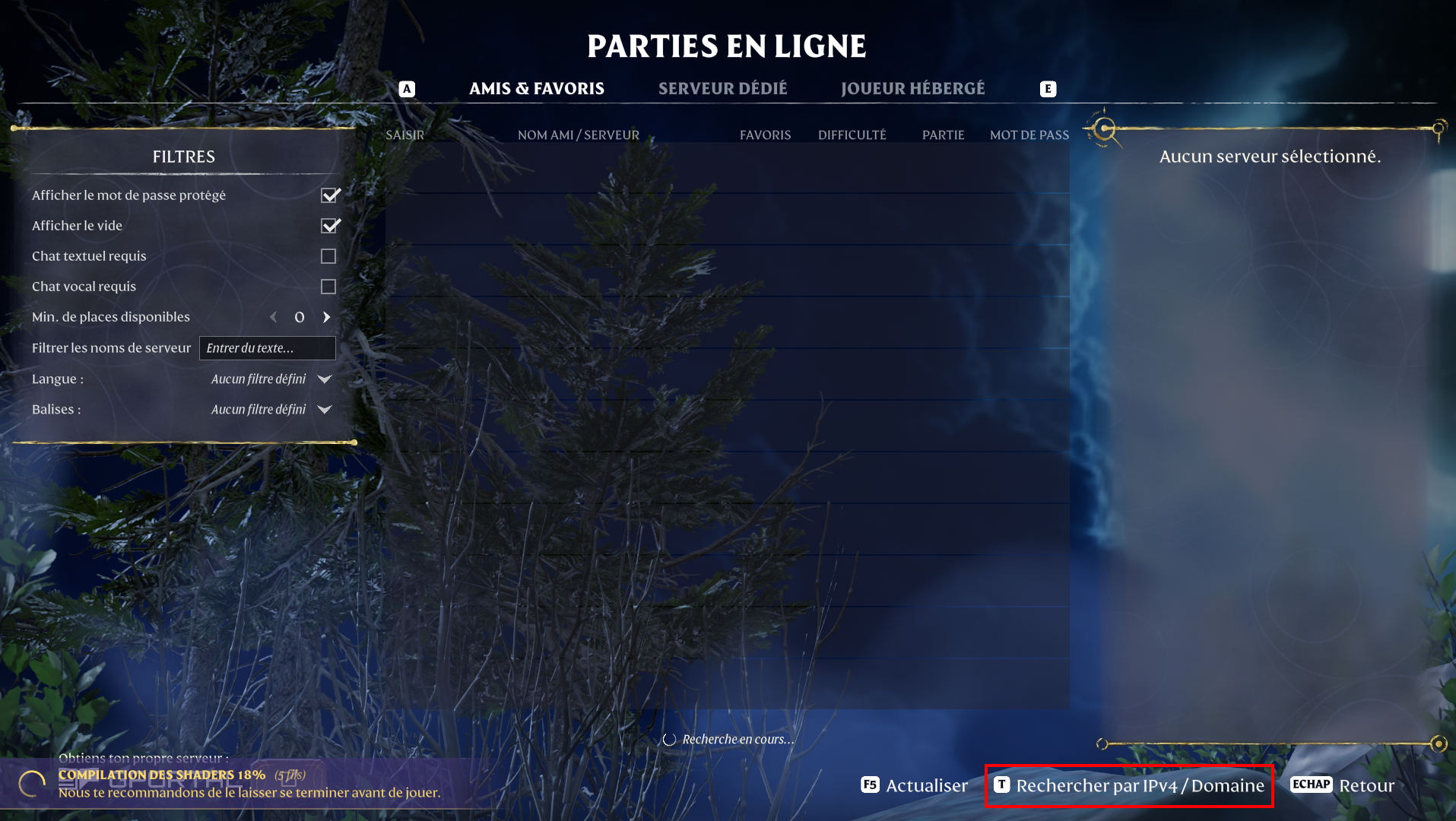
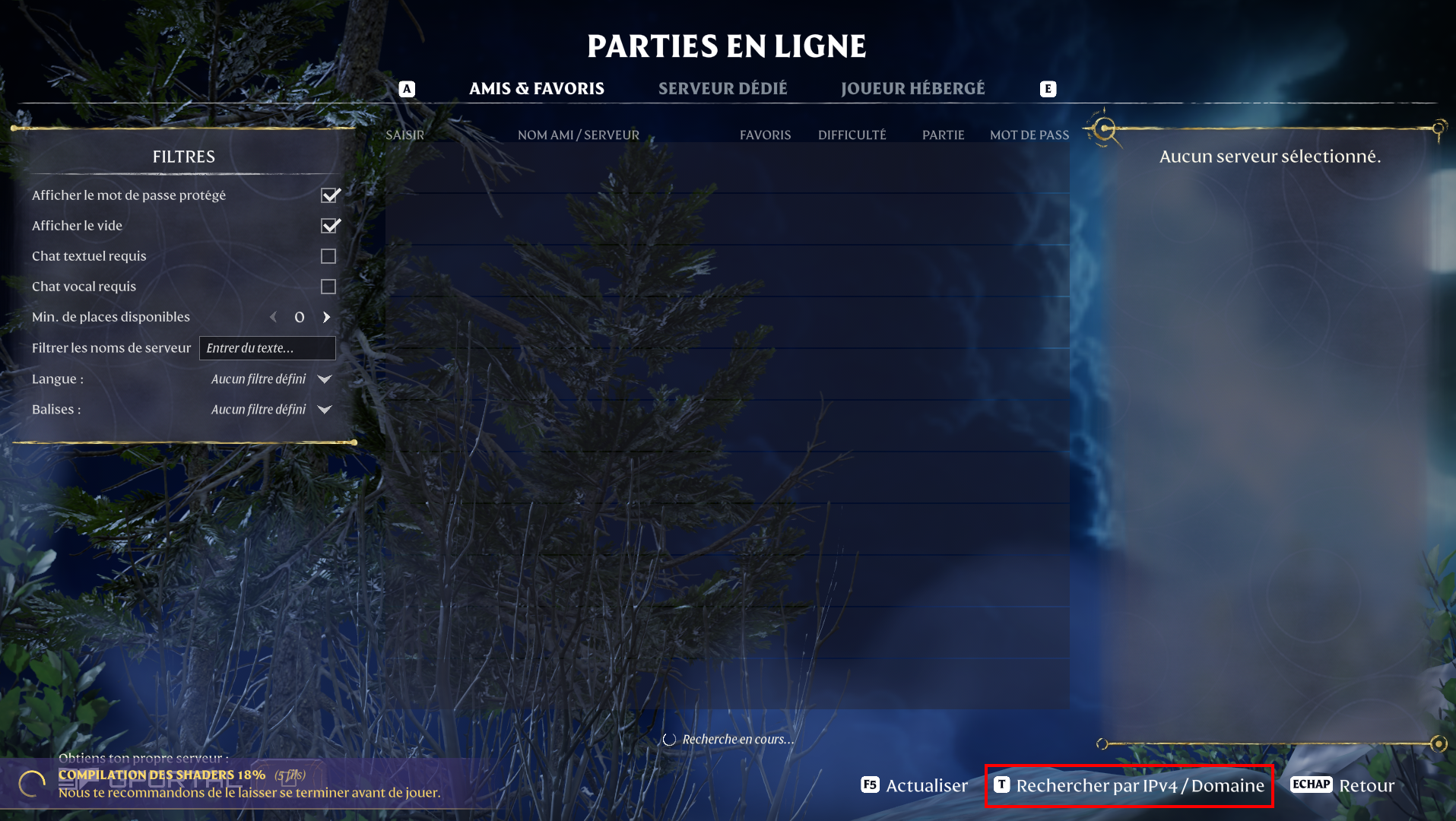
Click "**Search by IPv4 / Domain**".
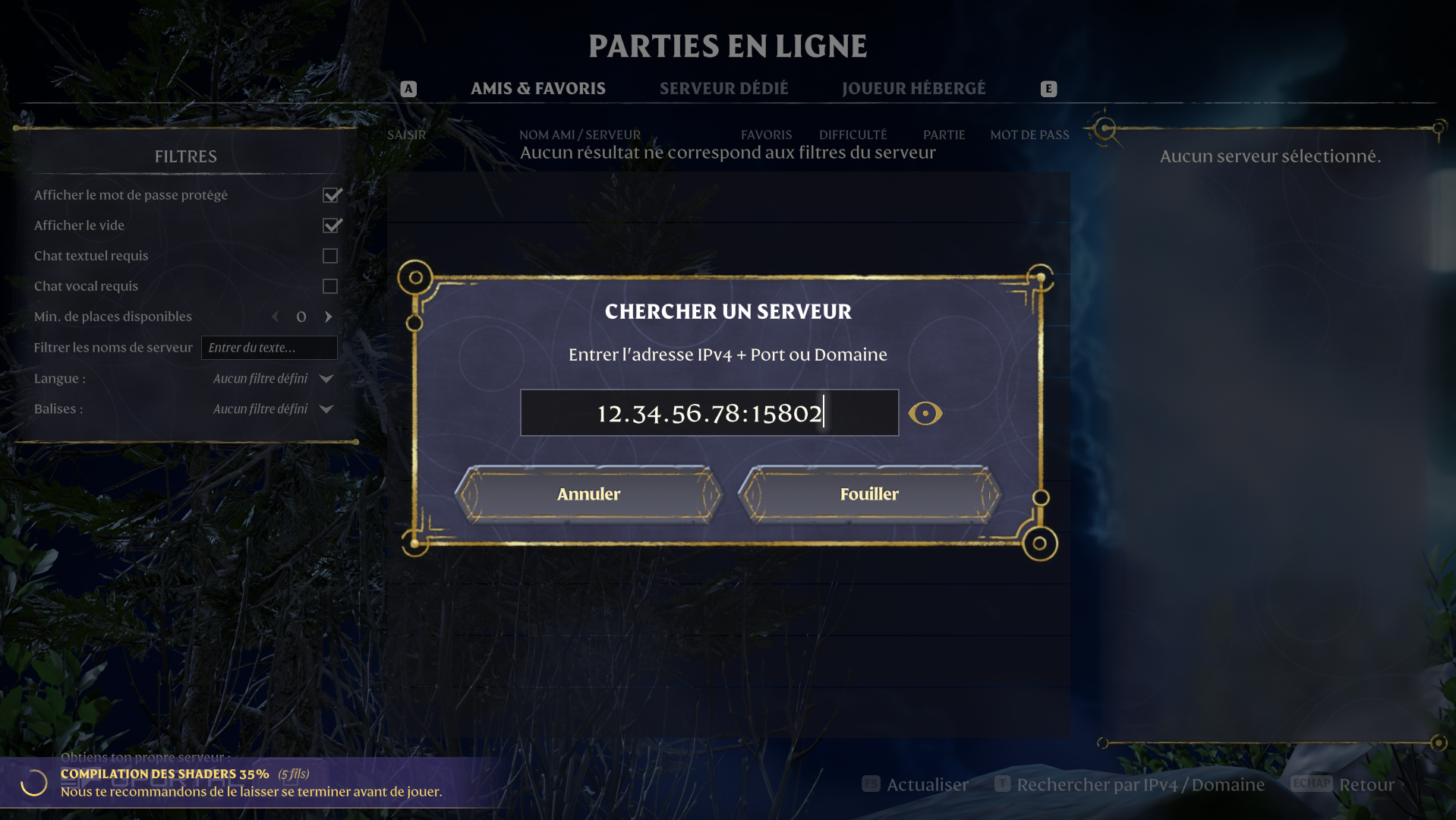
Enter your server's IP address then continue.
{% endstep %}
{% step %}
**Connect using the server name (slower)**
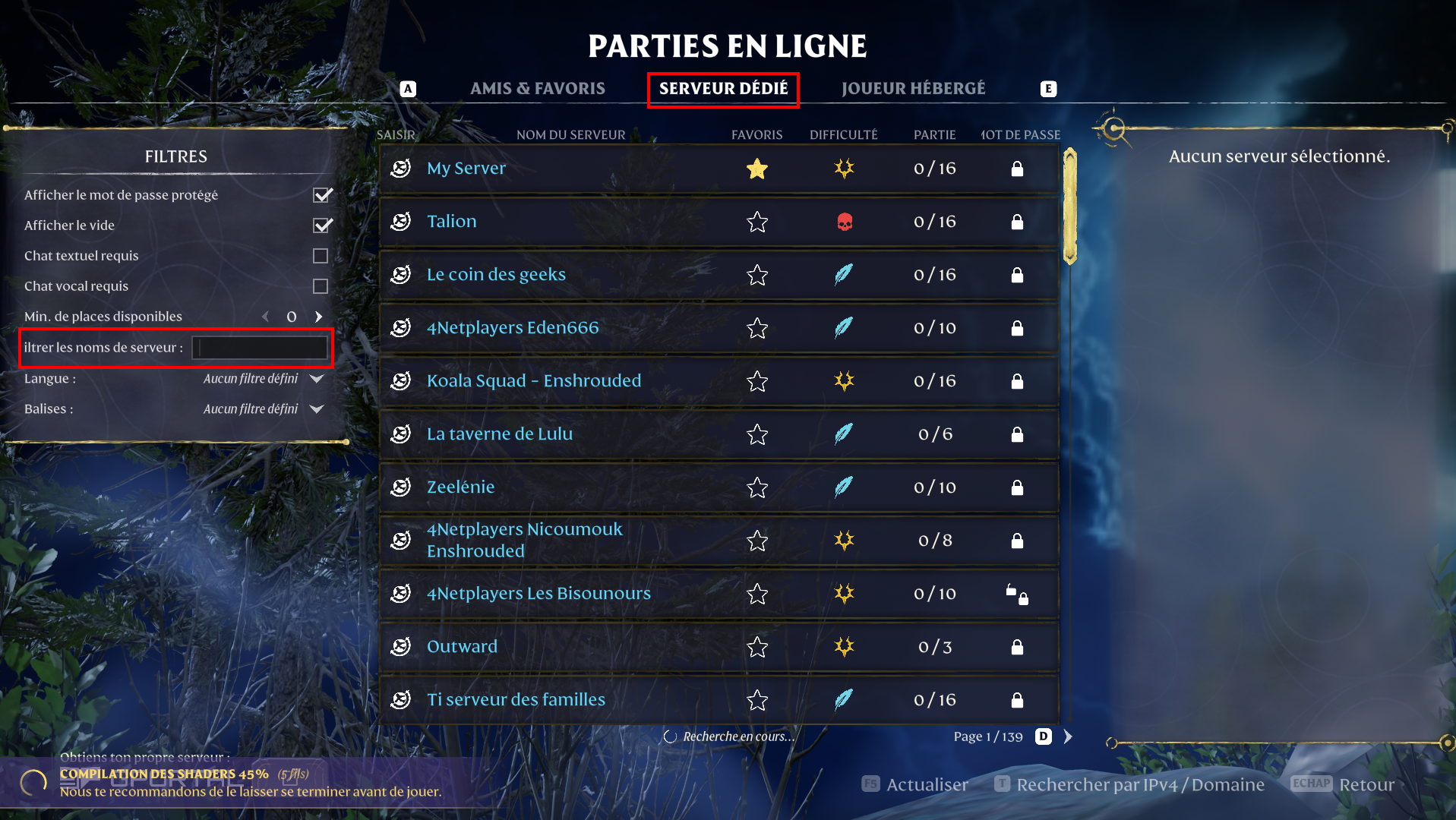
Go to the "**Dedicated Server**" tab then wait a few minutes for the server list to load.
Then type your server name in "**Filter server names**".
Your server appears in the list. Click to join.
{% endstep %}
{% endstepper %}
### Common issues
* **The server does not appear in-game** : wait 1 to 2 minutes after a startup. Then refresh the list.
* **Unable to join** : check that the server is **started**.
* **The server appears offline** : restart the server, then relaunch Enshrouded and Steam.
### FAQ
#### Do I have to use Steam or the in-game search?
Use **Steam (Favorites)** if you want a stable result.\
Use **the in-game search** if you prefer to join “as a public server”.