> For the complete documentation index, see [llms.txt](https://docs.oxygenserv.com/llms.txt). Markdown versions of documentation pages are available by appending `.md` to page URLs; this page is available as [Markdown](https://docs.oxygenserv.com/en/garrys-mod/ajouter-sa-collection-au-serveur.md).
# Add your collection to the server
Step-by-step guide to add your Steam Workshop collection to your Garry's Mod server.
{% hint style="info" %}
A Steam Workshop collection allows you to load multiple addons at once.\
You must provide the**Collection ID** (the number in the URL).
{% endhint %}
### Goal
Link a **Steam collection** to your Garry’s Mod server via the **Workshop ID**.
### Step-by-step guide
{% stepper %}
{% step %}
**Get the collection ID**
Open your collection on Steam.
Copy the number at the end of the URL (the ID).
{% endstep %}
{% step %}
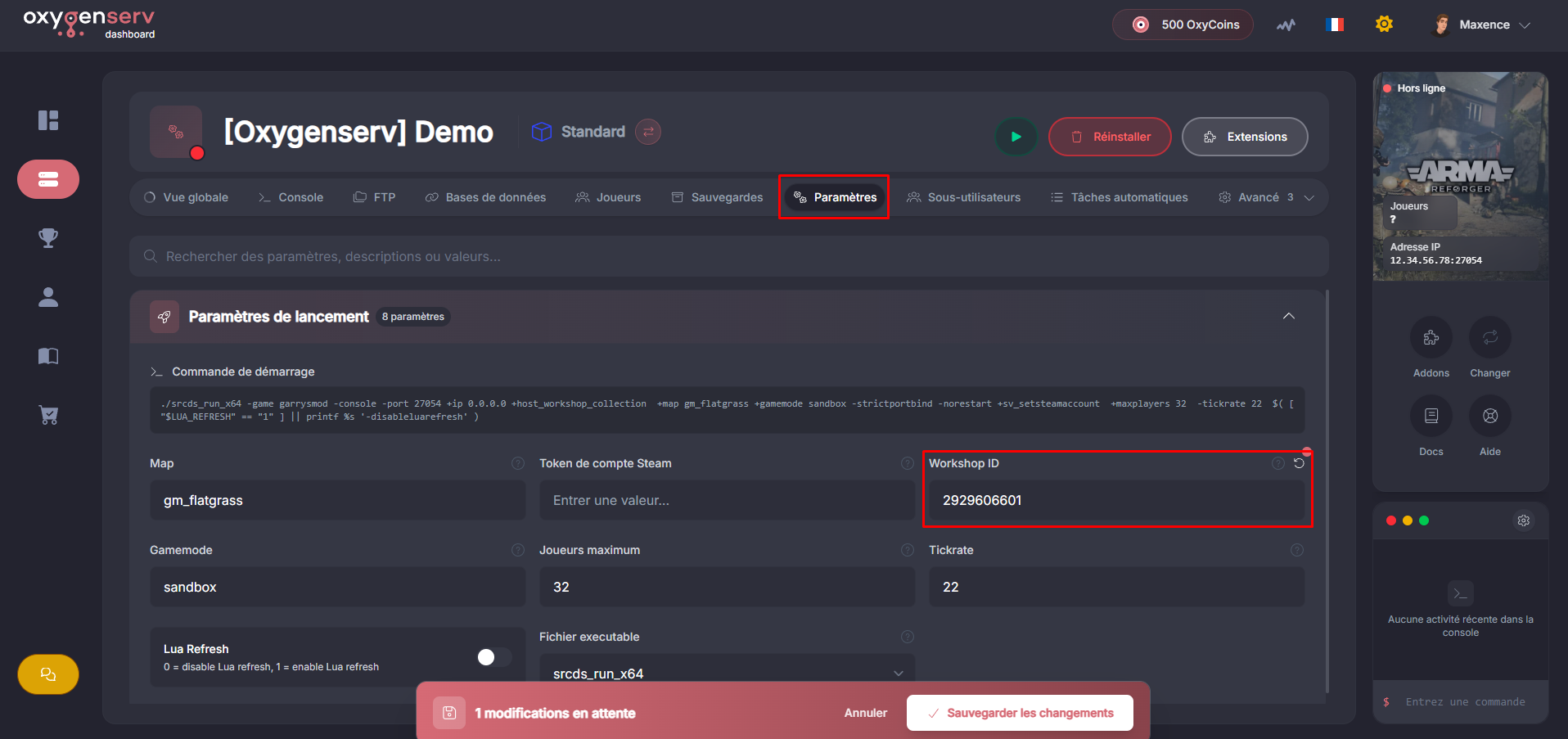
**Enter the Workshop ID on the dashboard**
On the dashboard, open **Settings**.
Paste the ID into the **Workshop ID**.
Start (or restart) the server.
{% endstep %}
{% endstepper %}
### Common issues
* **Addons are not downloading** : check that the ID is indeed a collection ID.
* **Some addons are missing** : check that they are marked as “included” in the collection.
* **Server loops on startup** : remove the ID, start, then try again.
### FAQ
#### Should I use the addon ID or the collection ID?
Use the **collection**.\
An individual addon also has an ID, but that is not what is expected here.