> For the complete documentation index, see [llms.txt](https://docs.oxygenserv.com/llms.txt). Markdown versions of documentation pages are available by appending `.md` to page URLs; this page is available as [Markdown](https://docs.oxygenserv.com/en/gta-v/changer-de-version-dartifact-fivem.md).
# Change Artifact version (FiveM)
Step-by-step guide to change the FiveM artifact version on Oxygenserv ("Server Artifact version is outdated" error).
{% hint style="info" %}
The error **“Server Artifact version is outdated”** indicates that your **FiveM artifact** is too old.
{% endhint %}
### Objective
Update (or change) the**FiveM artifact** from the dashboard.
### Prerequisites
* The server is stopped or in maintenance (recommended).
{% hint style="warning" %}
Make a backup before changing:\
[Create a backup and restore it](/en/dashboard/creer-une-sauvegarde-et-la-restaurer-sur-son-serveur.md).
{% endhint %}
### Step-by-step guide
{% stepper %}
{% step %}
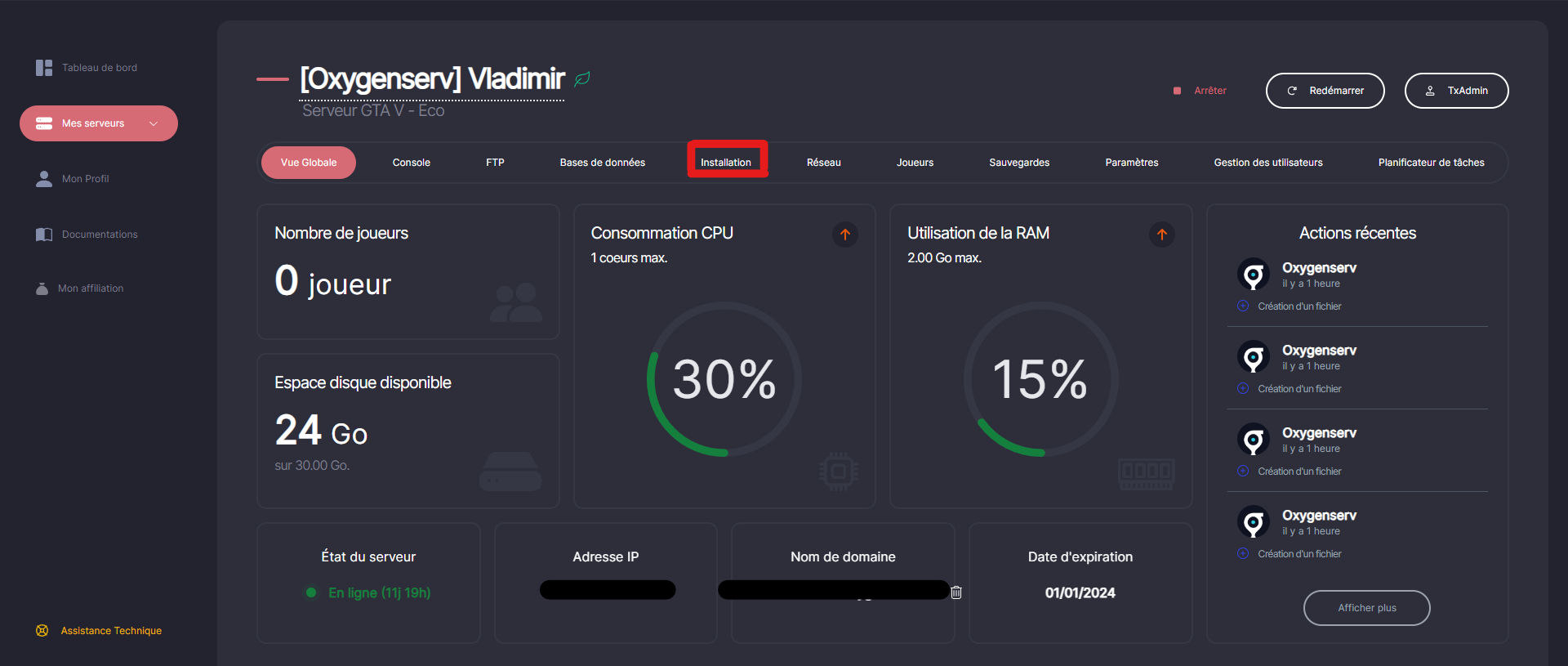
**Open the FiveM installation**
On the dashboard, open **Installation**.
{% endstep %}
{% step %}
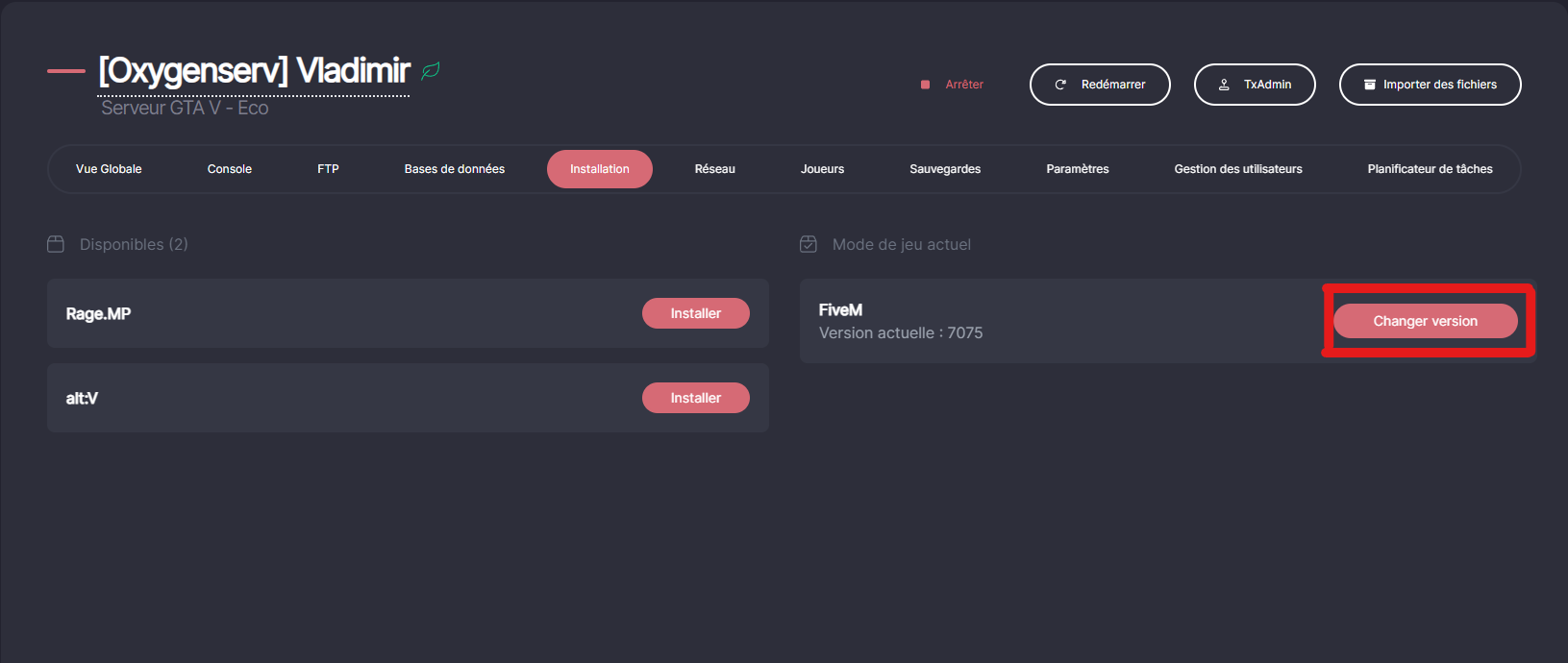
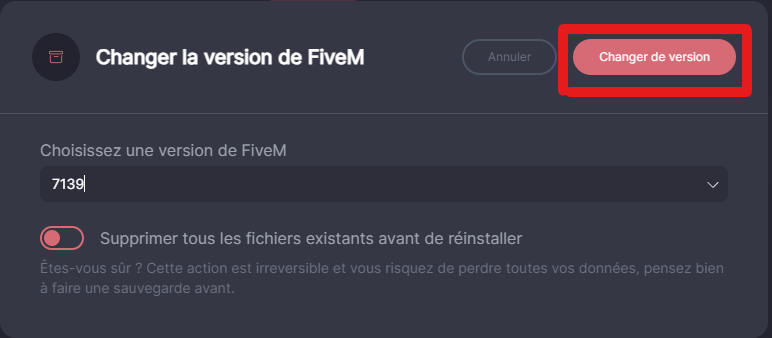
**Click on “Change version”**
The current version shows your current artifact.
{% endstep %}
{% step %}
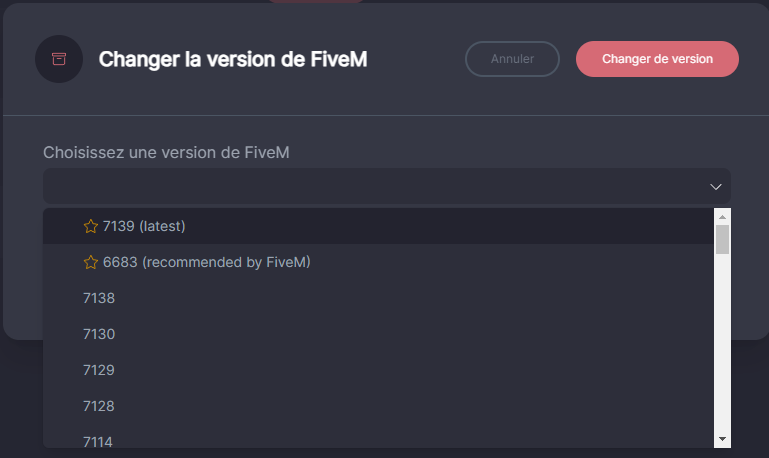
**Choose a stable version (or the latest)**
You can install any version you choose, but FiveM recommends using a version labeled 'stable'. Additionally, if you wish, you can confidently choose the latest available version, which will also fix the error.
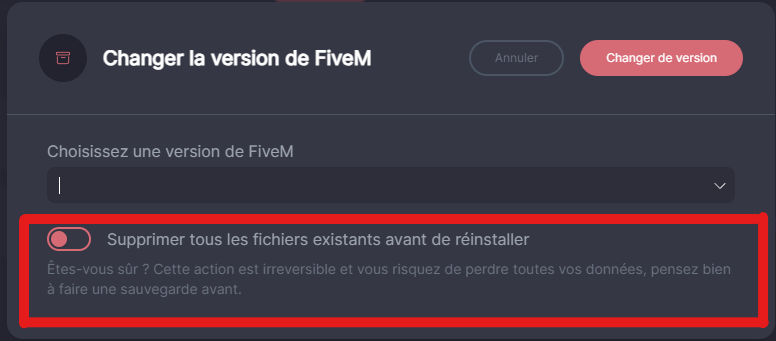
{% hint style="danger" %}
Do not enable deletion of existing files.\
With that, the action is irreversible and you risk losing all your data!
{% endhint %}
{% endstep %}
{% step %}
**Confirm, then restart**
Click on **Change version**, wait until it's finished, then start the server.
After that, start your server.
{% endstep %}
{% endstepper %}
### Common issues
#### Still “outdated” after updating
* Repeat the process and choose the latest version.
* Verify that the server has restarted properly.
#### I don't know which version to choose
Take a **stable**.\
Otherwise, take the **latest** if you want to fix it quickly.