> For the complete documentation index, see [llms.txt](https://docs.oxygenserv.com/llms.txt). Markdown versions of documentation pages are available by appending `.md` to page URLs; this page is available as [Markdown](https://docs.oxygenserv.com/en/gta-v/se-connecter-a-mon-serveur-fivem.md).
# Connect to my FiveM server
Step-by-step guide to connect to your FiveM server on Oxygenserv (IP/port, server name).
{% hint style="info" %}
You can join a FiveM server either via the **list** (by name), or by **direct connection** with `IP:PORT`.
{% endhint %}
### Objective
* Retrieve **IP/port** (or a domain).
* Join the server via FiveM.
### Step-by-step guide
{% stepper %}
{% step %}
**Retrieve the server's IP (and port)**
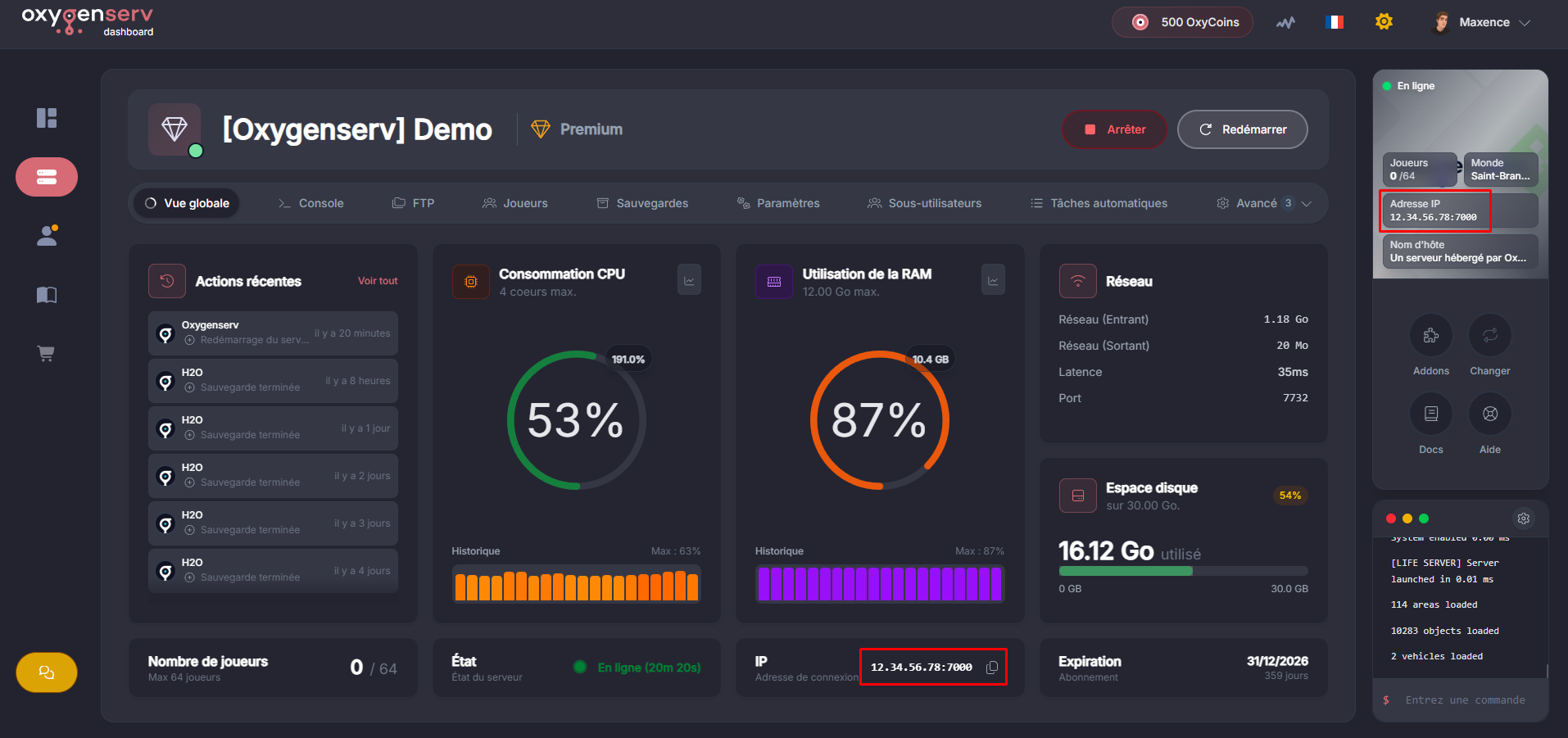
On the dashboard, locate **IP Address**.
{% hint style="info" %}
You can also use a domain to avoid sharing the IP:\
[Put a domain name on your server](/en/dashboard/mettre-un-nom-de-domaine-sur-son-serveur.md).
{% endhint %}
{% endstep %}
{% step %}
**Access the server list**
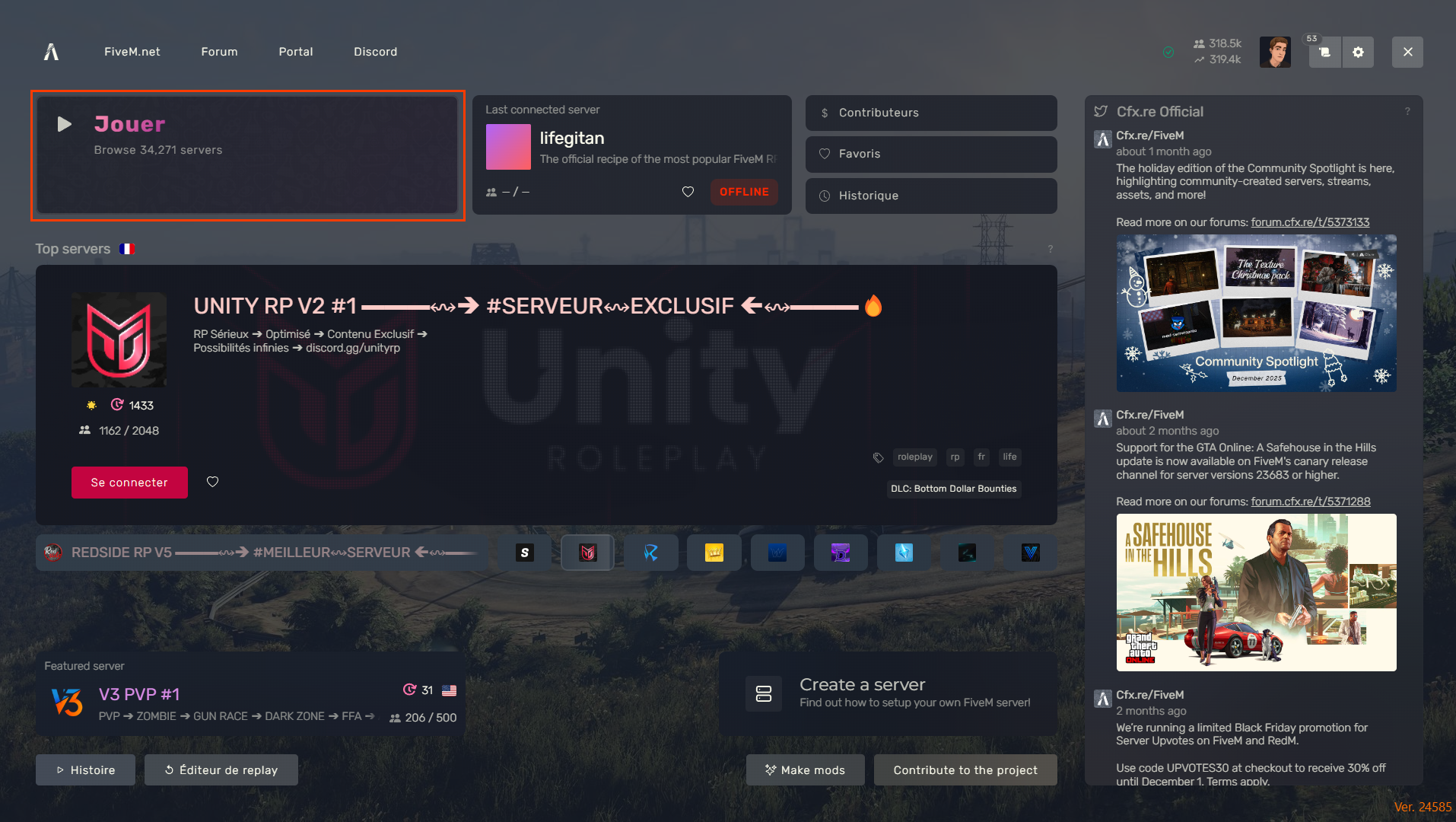
Open FiveM, then click **Play**.
{% endstep %}
{% step %}
**Connect using the server name**
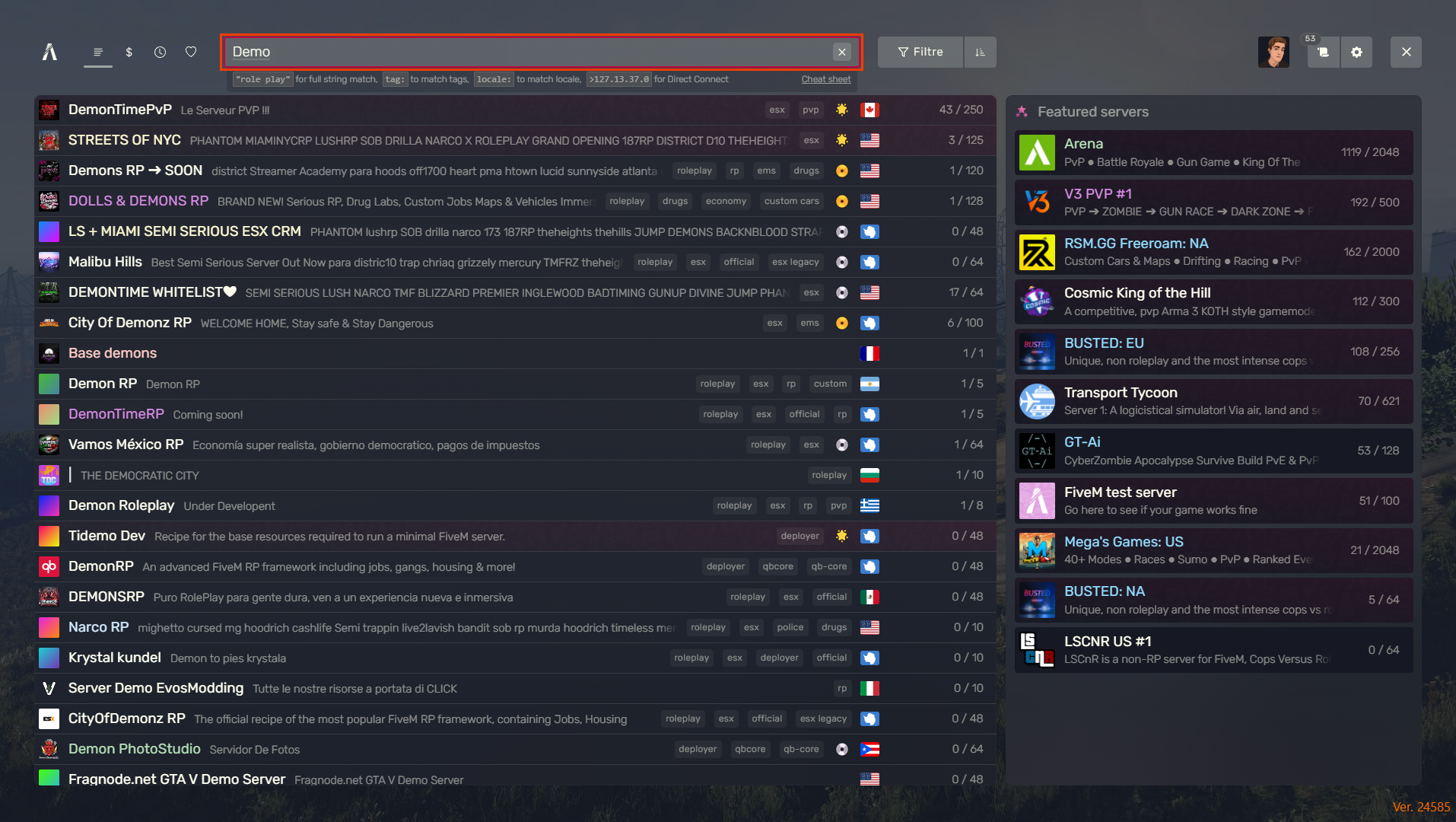
Search for the **name** of your server.
Click on **Connect**.
{% endstep %}
{% step %}
**Connect using the server's IP address**
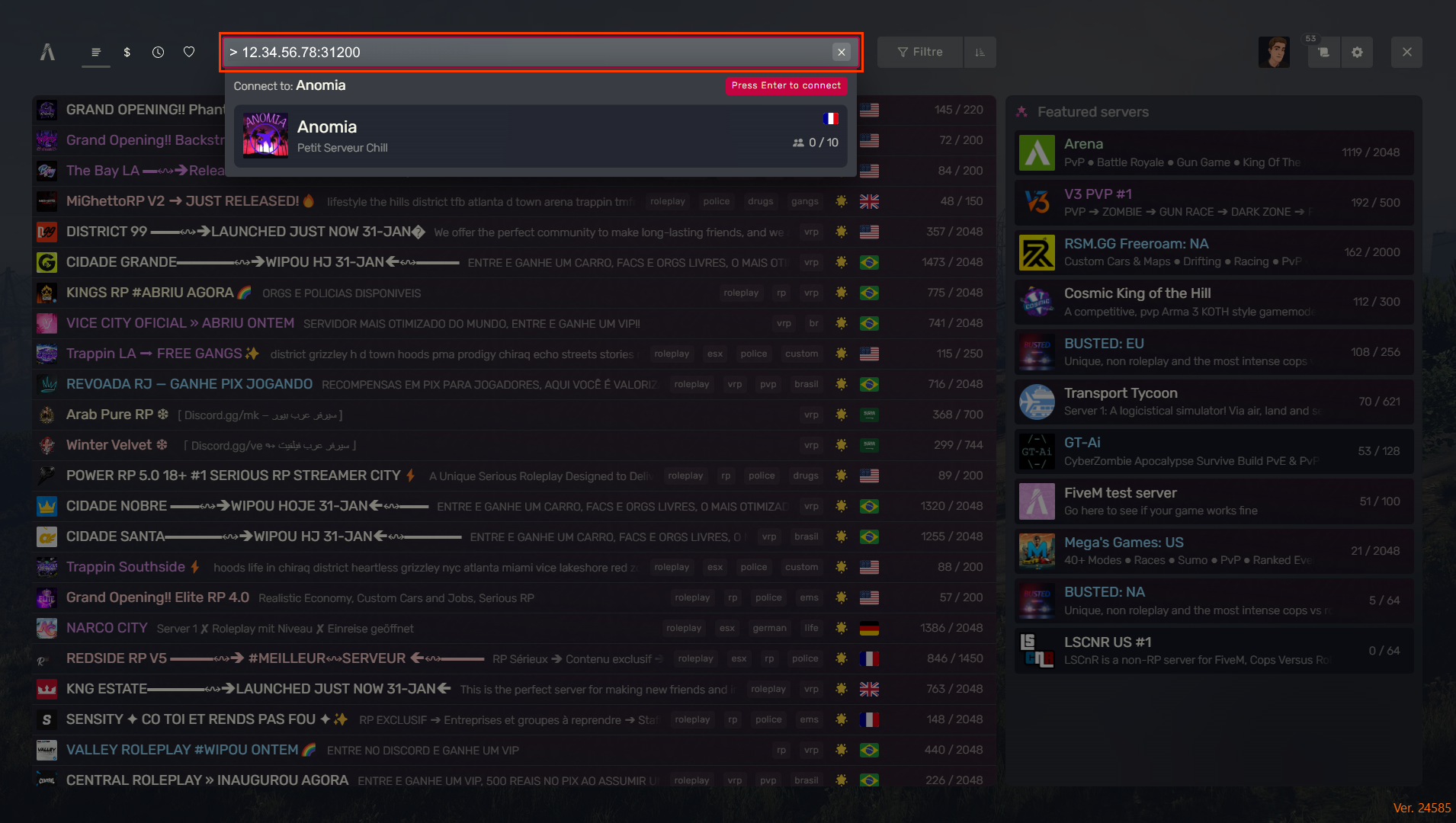
Type: `>IP:port`
Example:
Press **Enter**.
{% endstep %}
{% endstepper %}
### Common issues
#### The server does not appear in the list
* Test the connection by IP.
* Verify that the server is actually started.
* Wait 1 to 2 minutes. The listing may be delayed.
#### `Failed to connect` / timeout
* Check the IP/port (copy-paste from the dashboard).
* Try again after a server restart.