> For the complete documentation index, see [llms.txt](https://docs.oxygenserv.com/llms.txt). Markdown versions of documentation pages are available by appending `.md` to page URLs; this page is available as [Markdown](https://docs.oxygenserv.com/en/hytale/etre-administrateur-sur-mon-serveur-hytale.md).
# Be an administrator on my Hytale server
Step-by-step guide to give yourself rights on the server.
{% hint style="info" %}
The admin (op) status allows executing commands and managing the server.
{% endhint %}
### Objective
Grant yourself administrator rights on your Hytale server from the dashboard.
### Step-by-step guide
{% stepper %}
{% step %}
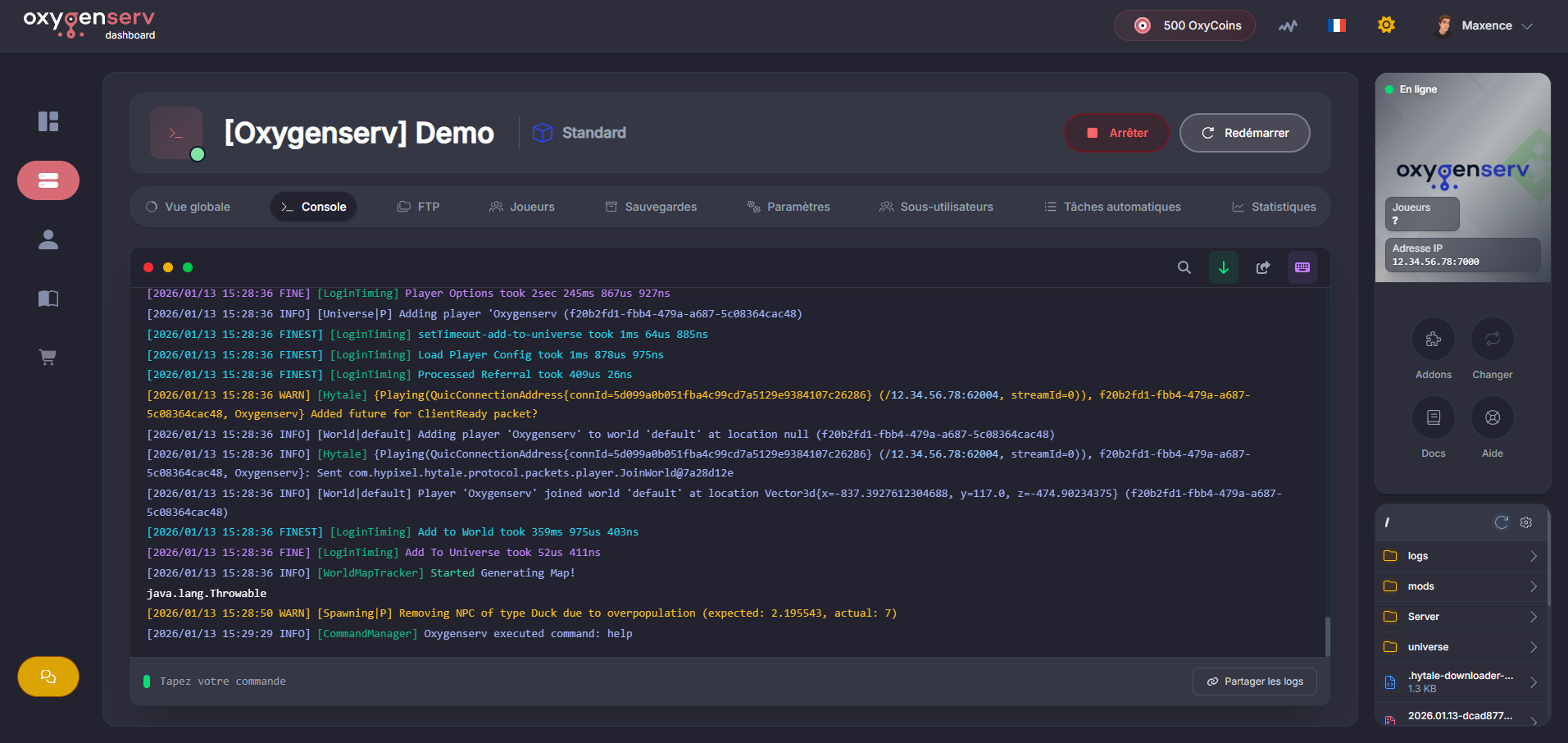
**Open the server console**
On the dashboard, open the **Console**.
{% endstep %}
{% step %}
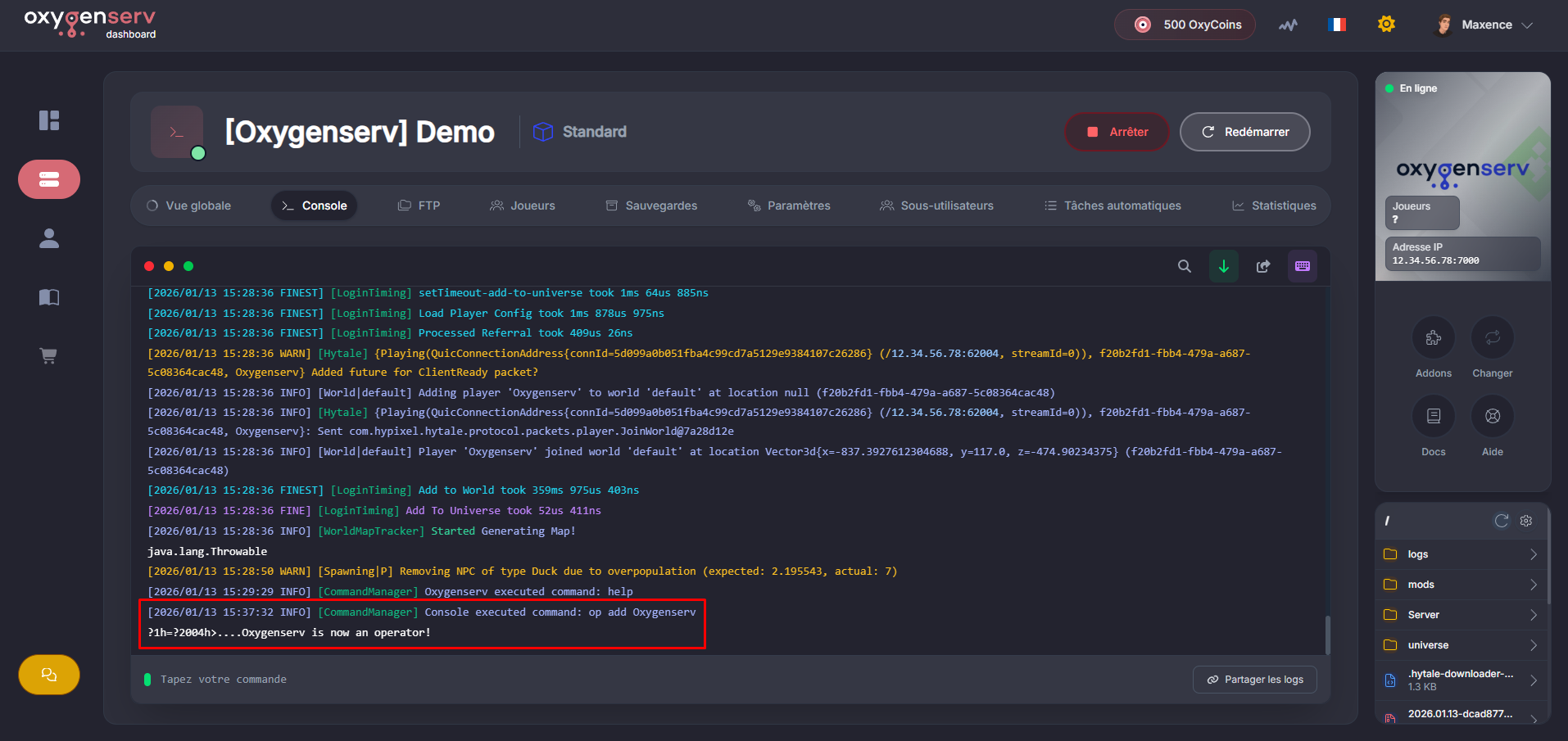
**Execute the admin (op) command**
In the console, type:
`/op add `
Replace `` with your in-game username. Then press **Enter**.
{% hint style="warning" %}
Give `op` only to trusted accounts.\
Otherwise, they will have full control of the server.
{% endhint %}
{% endstep %}
{% endstepper %}
### Common issues
* **The command does nothing** : make sure the server is started and that the console is receiving messages.
* **Wrong username** : retype the exact username (respect uppercase/lowercase).
### FAQ
#### How to remove admin rights?
Use:
`/op remove `