> For the complete documentation index, see [llms.txt](https://docs.oxygenserv.com/llms.txt). Markdown versions of documentation pages are available by appending `.md` to page URLs; this page is available as [Markdown](https://docs.oxygenserv.com/en/minecraft/activer-la-whitelist-sur-ton-serveur.md).
# Enable the whitelist on your server
Step-by-step guide to enable the whitelist on your Minecraft server.
{% hint style="info" %}
The whitelist limits access to authorized players.\
Ideal for a private server.
{% endhint %}
### Objective
Enable the whitelist and add authorized players.
### Step-by-step guide
{% stepper %}
{% step %}
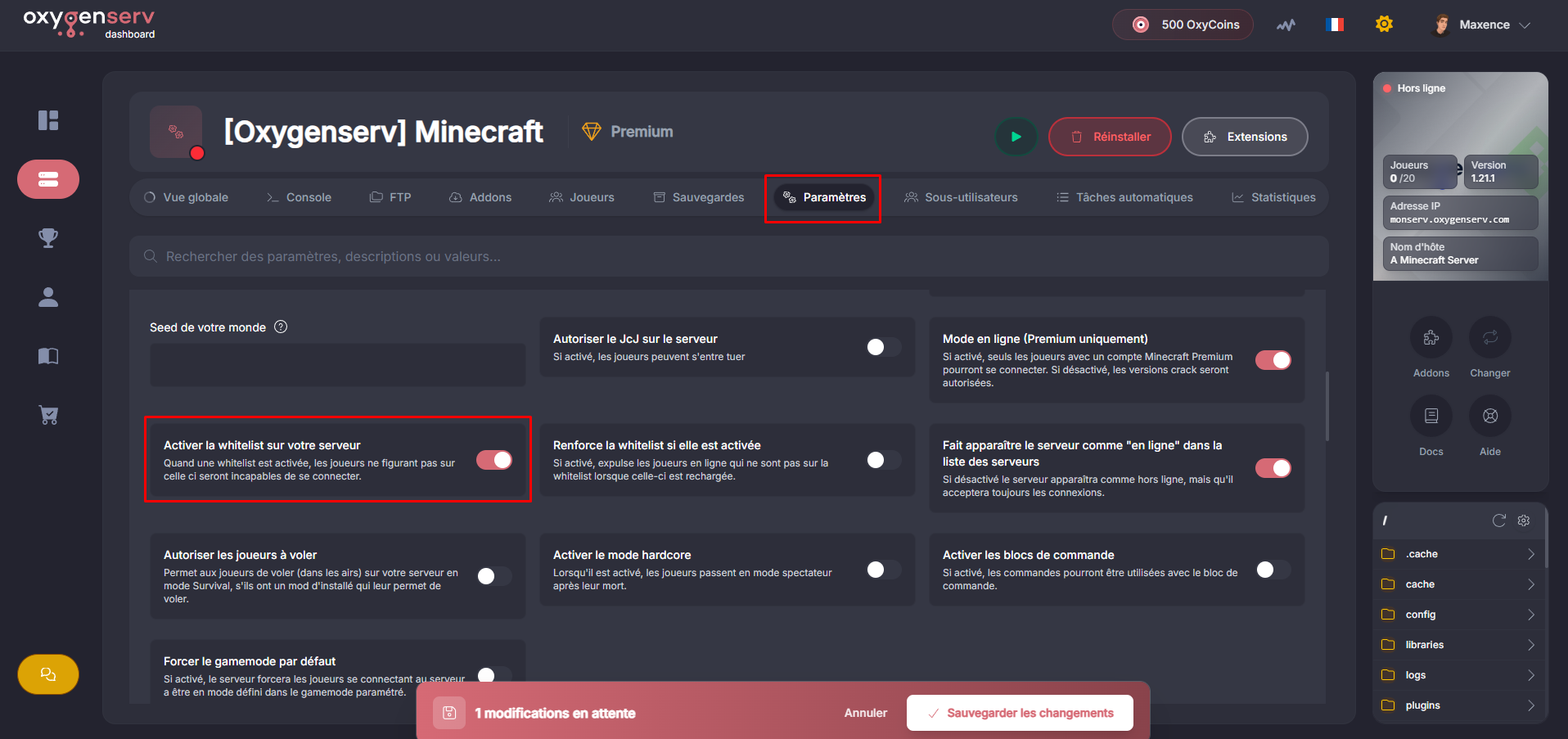
**Enable the whitelist**
On the dashboard, open the **Settings**.
Click on **Enable the whitelist on your server**.
{% endstep %}
{% step %}
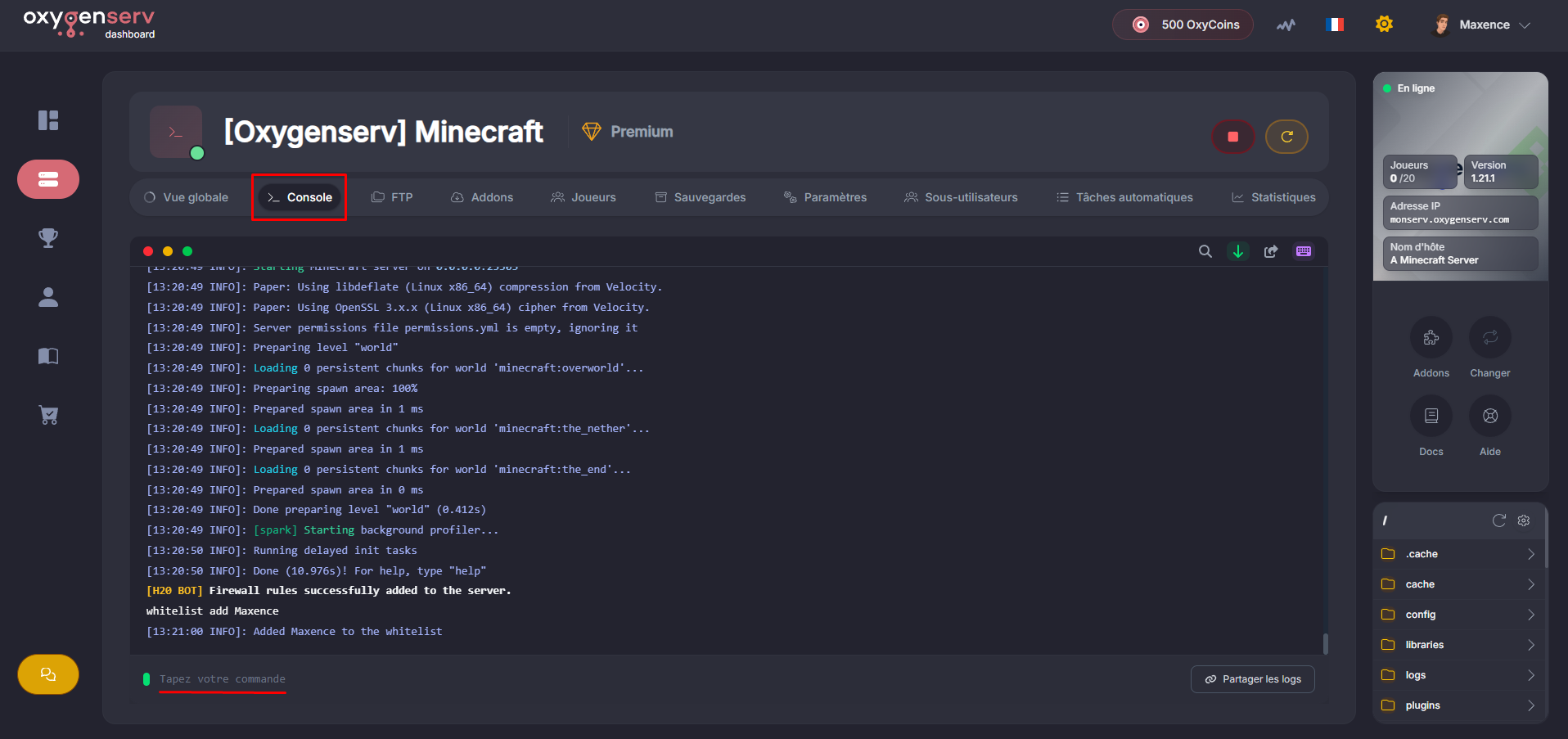
**Add a player to the whitelist**
In **Console**, run: `whitelist add Username`
{% endstep %}
{% endstepper %}
### Common issues
* **The player cannot join** : check the exact spelling of the username.
* **The whitelist is enabled but “everyone” can enter** : check `white-list=true` in `server.properties`.
* **Command denied** : make sure you are OP: [Be an administrator on my Minecraft server](/en/minecraft/etre-administrateur-sur-mon-serveur-minecraft.md).
### FAQ
#### How to remove a player?
Use: `whitelist remove Username`
#### How to disable the whitelist?
Use: `whitelist off`
Or go back through the dashboard settings.