> For the complete documentation index, see [llms.txt](https://docs.oxygenserv.com/llms.txt). Markdown versions of documentation pages are available by appending `.md` to page URLs; this page is available as [Markdown](https://docs.oxygenserv.com/en/minecraft/installer-spigot-bukkit-forge.md).
# Install Spigot / Bukkit / Forge
Step-by-step guide to install Spigot, Bukkit, or Forge on your Minecraft server.
{% hint style="warning" %}
Changing version/software can overwrite files.\
Make a backup beforehand: [Create a backup and restore it](/en/dashboard/creer-une-sauvegarde-et-la-restaurer-sur-son-serveur.md).
{% endhint %}
### Objective
Install a Minecraft server variant (Paper/Spigot/Bukkit/Forge) and the associated Minecraft version.
### Step-by-step guide
{% stepper %}
{% step %}
**Change the engine**
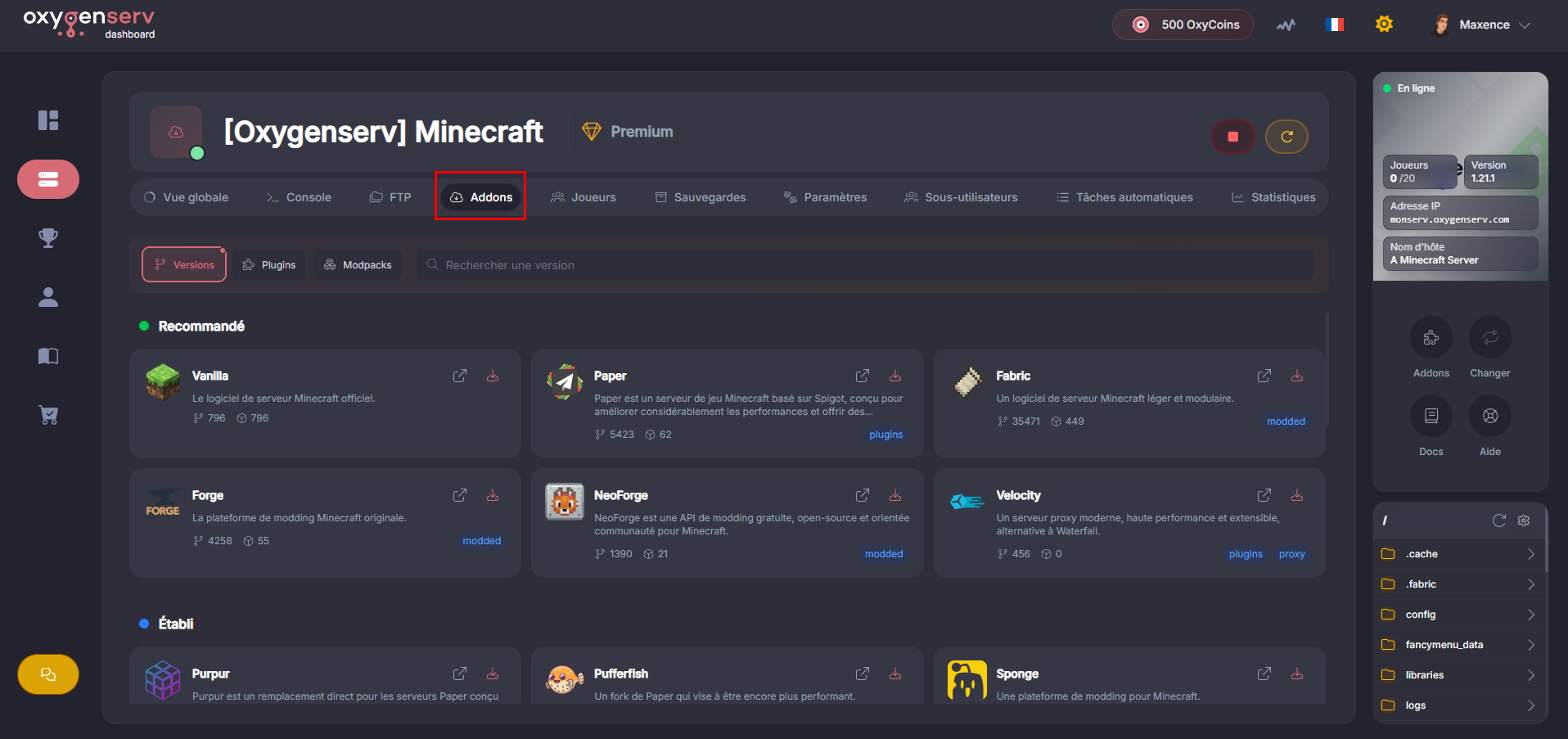
On the dashboard, open the **Addons**.
Select the engine of your choice.
{% endstep %}
{% step %}
**Choose the version and implementation**
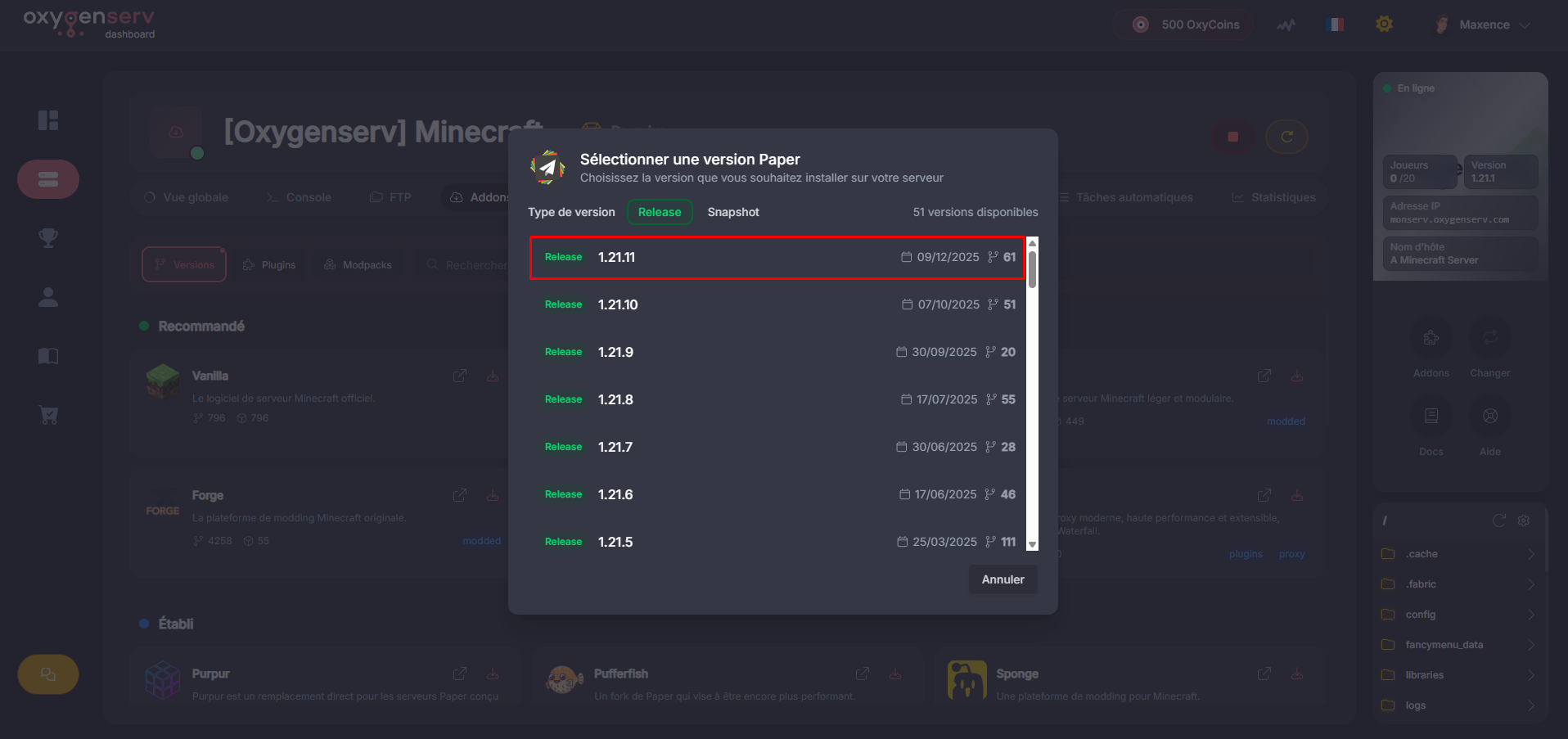
Choose the desired game version.
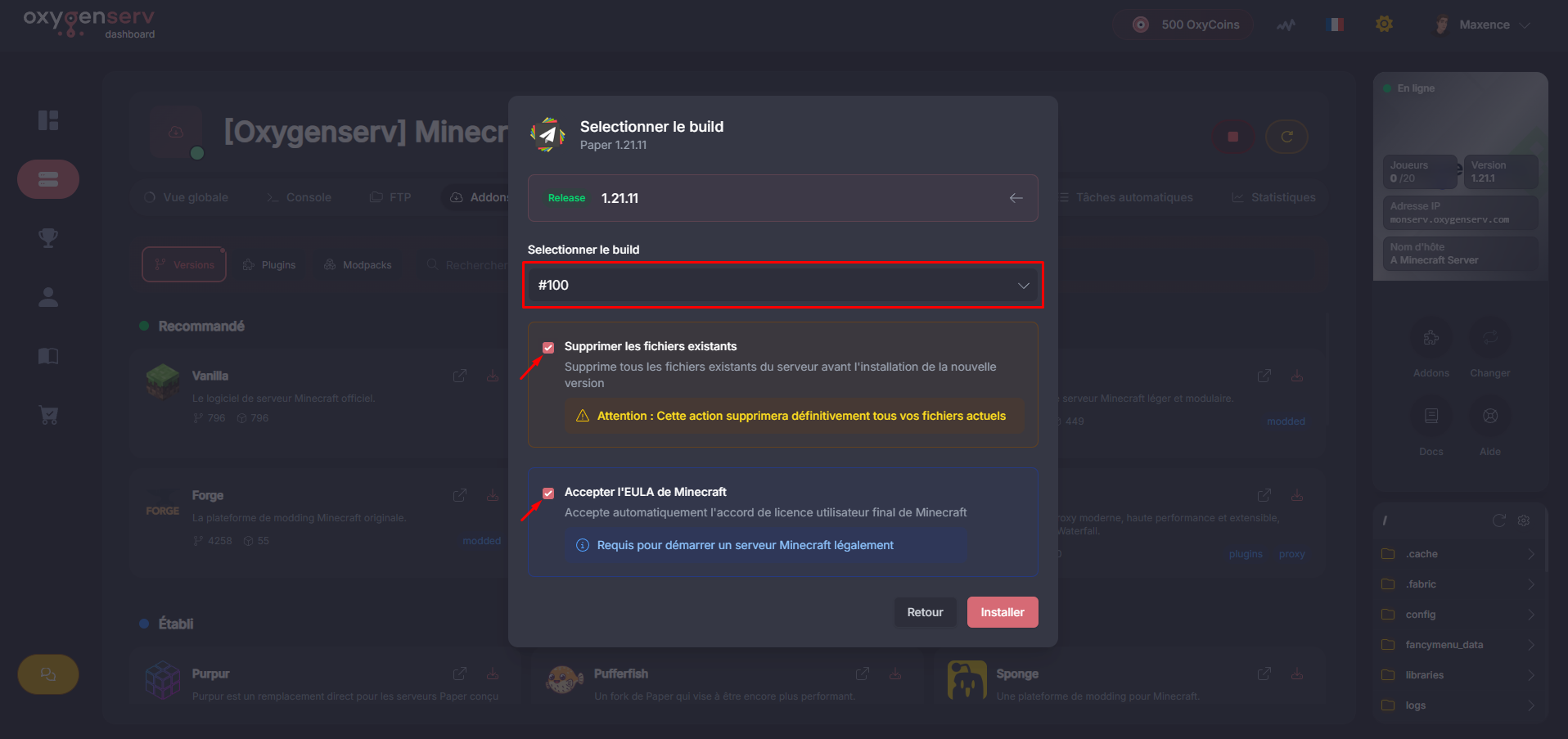
Then the build associated with that version, the latest is recommended.
{% endstep %}
{% step %}
**Start and validate**
Start the server.
Check the console to confirm the version and absence of errors.
{% endstep %}
{% endstepper %}
### Common issues
* **Server does not start after change** : wrong Java version or wrong build.
* **Plugins not loaded** : you might be on Vanilla/Forge. Bukkit/Spigot plugins require Paper/Spigot.
* **World “reset”** : the world folder has changed (see `level-name`).
### FAQ
#### Paper, Spigot, Forge: which should I choose?
* **Paper** : recommended for its performance and plugins.
* **Spigot** : plugins, more “vanilla-like”.
* **Forge** : mods (not classic Bukkit plugins).