> For the complete documentation index, see [llms.txt](https://docs.oxygenserv.com/llms.txt). Markdown versions of documentation pages are available by appending `.md` to page URLs; this page is available as [Markdown](https://docs.oxygenserv.com/en/minecraft/modifier-les-reglages-de-son-serveur.md).
# Modify your server settings
Step-by-step guide to modify your server settings.
{% hint style="warning" %}
Avoid editing `server.properties` while the server is running.\
Stop the server, make changes, then restart.
{% endhint %}
### Objective
Change Minecraft settings (game mode, difficulty, PvP, view distance, etc.).
### Step-by-step guide
{% stepper %}
{% step %}
**Open settings**
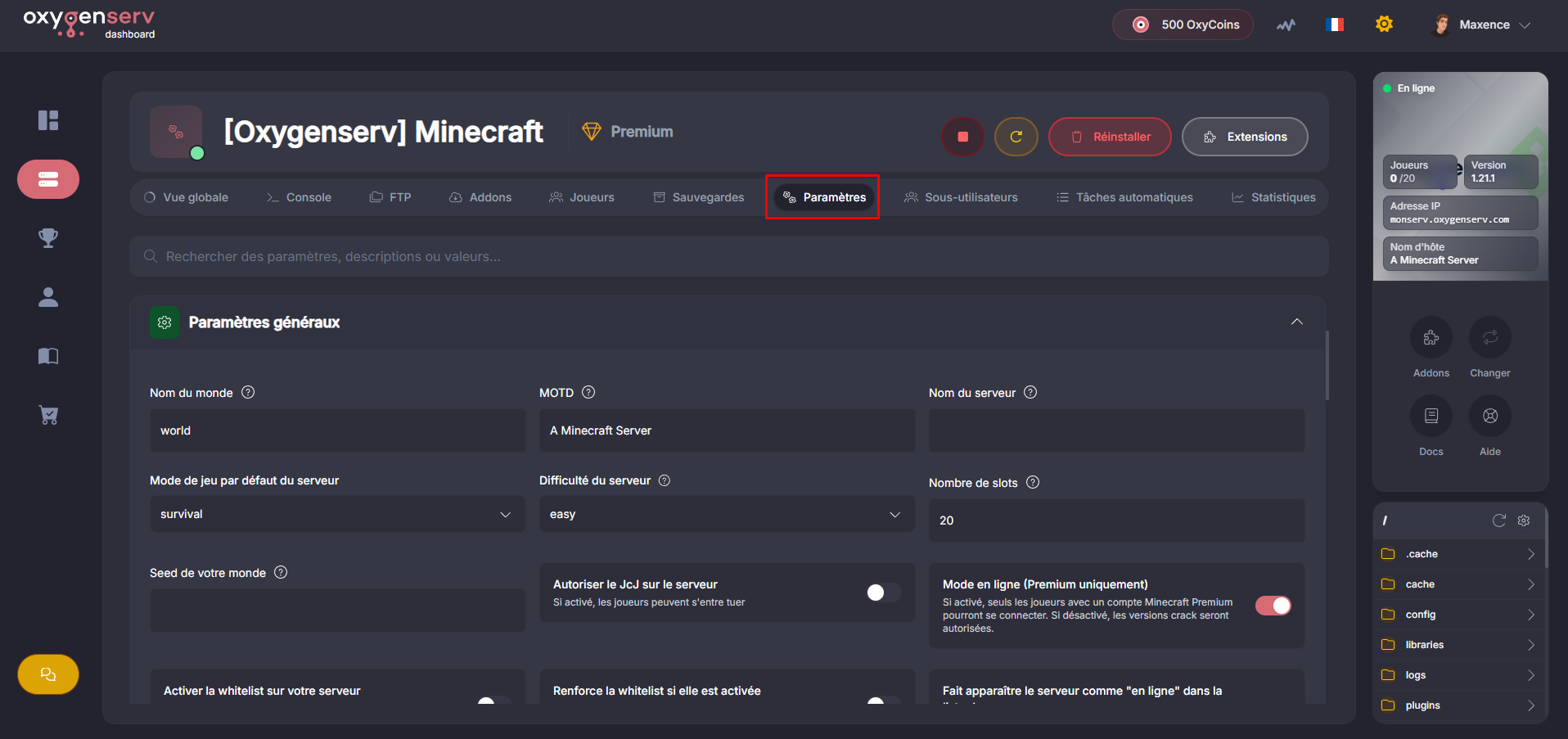
On the dashboard, open the **Settings**.
All file settings `server.properties` are shown here.
{% endstep %}
{% step %}
**Edit key settings**
Useful examples:
* `gamemode` : default game mode.
* `difficulty` : difficulty.
* `pvp` : enables/disables PvP.
* `enable-command-block` : enables command blocks.
* `online-mode` : premium only (enable for security).
* `view-distance` : view distance (performance impact).
* `level-name` : name of the world folder used.
* `motd` : message in the server list.
Useful generator:
* MOTD:
Click "**Save changes**".
{% endstep %}
{% step %}
**Restart and check**
Restart the server.
Check the console to ensure the server starts without errors.
{% endstep %}
{% endstepper %}
### Common issues
* **Changes not applied** : restart the server.
* **Server down after change** : undo the last change, then restart.
* **“Lost” world** : check `level-name` and the world folder.
### FAQ
#### Can I edit the MOTD elsewhere?
Yes, via the MOTD field on the dashboard: [Customize its MOTD in the server list](/en/minecraft/personnaliser-son-motd-dans-la-liste-des-serveurs.md).