> For the complete documentation index, see [llms.txt](https://docs.oxygenserv.com/llms.txt). Markdown versions of documentation pages are available by appending `.md` to page URLs; this page is available as [Markdown](https://docs.oxygenserv.com/en/minecraft/personnaliser-son-motd-dans-la-liste-des-serveurs.md).
# Customize your MOTD in the server list
Step-by-step guide to customize your Minecraft server MOTD in the server list.
{% hint style="info" %}
The MOTD is the text displayed in the Minecraft server list.\
You can put colors there, and a second line.
{% endhint %}
### Objective
Change the server MOTD from the dashboard.
### Step-by-step guide
{% stepper %}
{% step %}
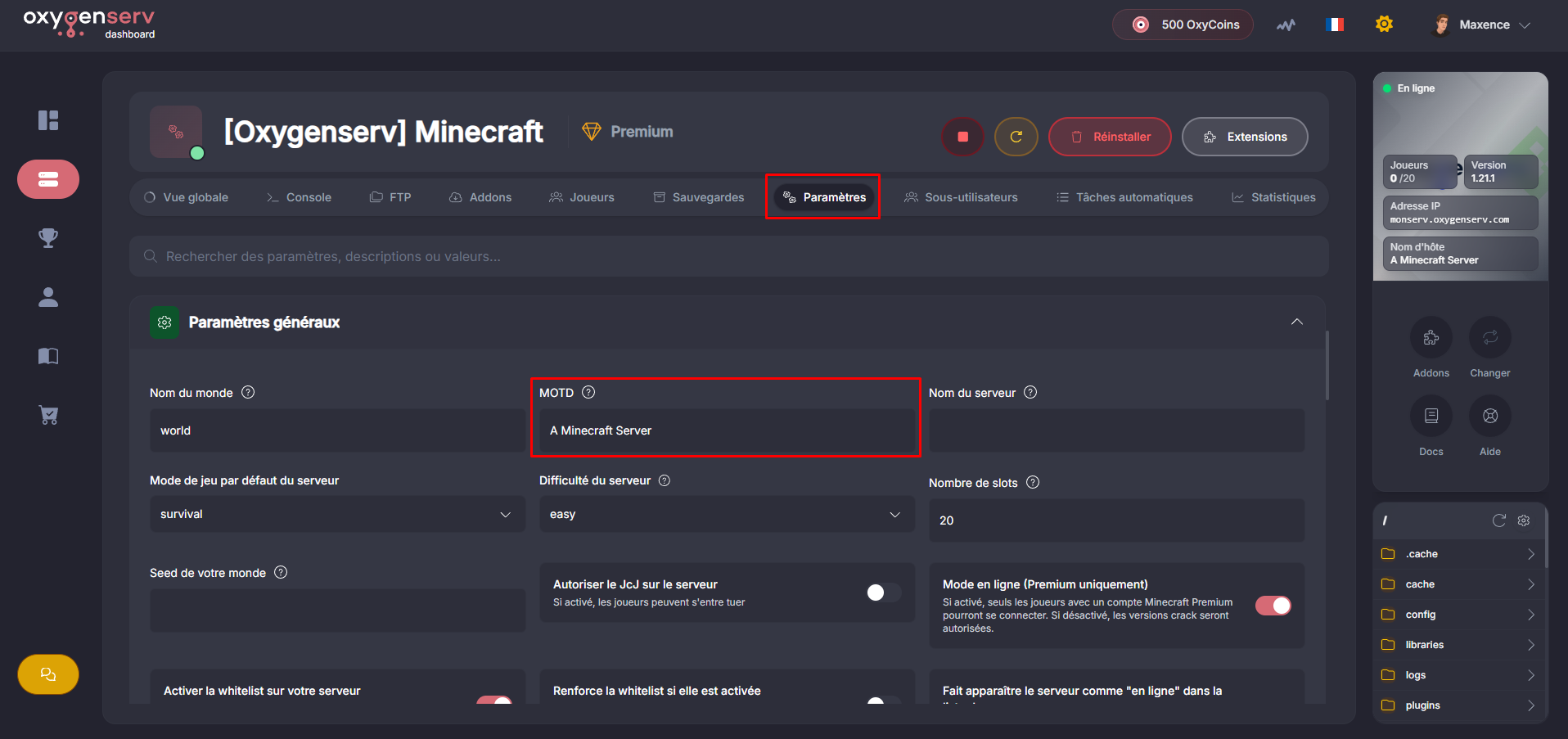
**Open the MOTD field**
On the dashboard, open the **Settings**.
Locate the field **MOTD**.
{% endstep %}
{% step %}
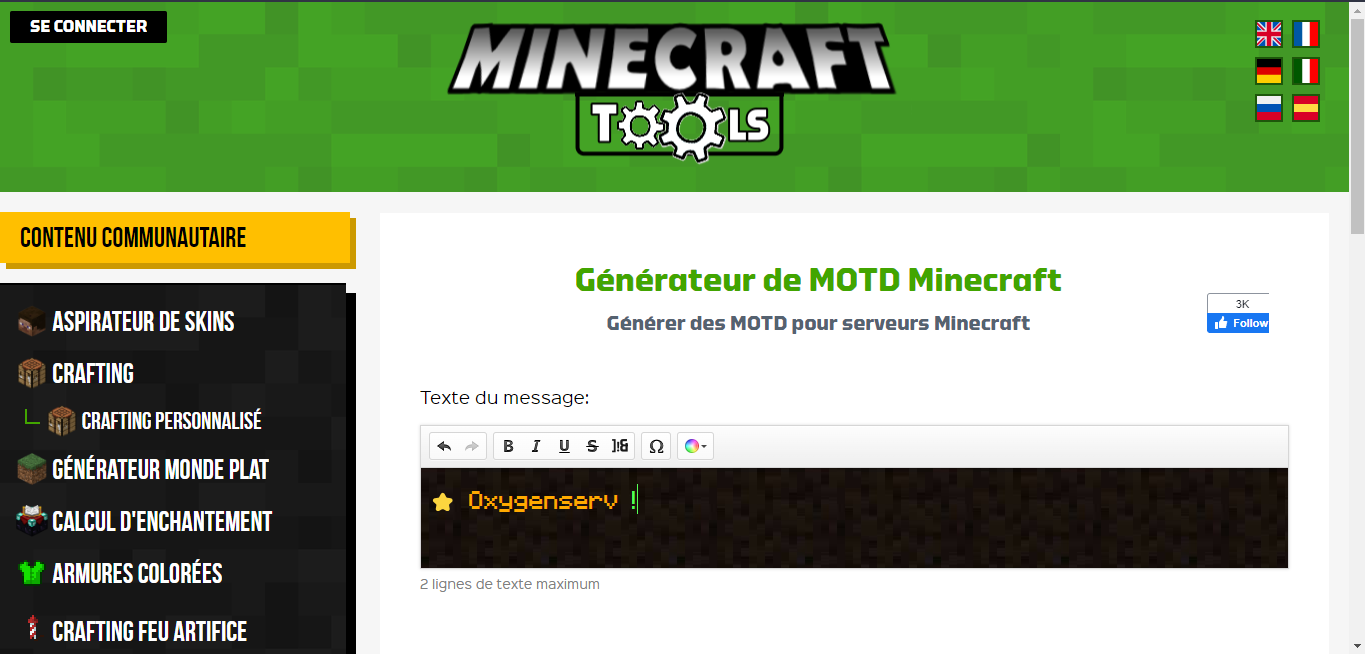
**Generate and paste your MOTD**
You can generate an MOTD here:
How to generate your MOTD
Paste the result into the MOTD field, then save.
{% endstep %}
{% endstepper %}
### Common issues
* **The MOTD does not change** : restart the server, then refresh the list in the game.
* **“Broken” colors** : check the generator format and avoid exotic characters.
### FAQ
#### Can I do it via server.properties?
Yes, via `motd=` in `server.properties`.