> For the complete documentation index, see [llms.txt](https://docs.oxygenserv.com/llms.txt). Markdown versions of documentation pages are available by appending `.md` to page URLs; this page is available as [Markdown](https://docs.oxygenserv.com/en/nova-life/etre-administrateur-sur-mon-serveur-nova-life.md).
# Be an administrator on my Nova-Life server
Step-by-step guide to be an administrator on your Nova-Life server (SQLite database, FTP).
{% hint style="info" %}
On Nova Life, the admin level is stored in a **SQLite database**.\
You can grant yourself rights by changing the **`adminlevel`** of the player.
{% endhint %}
### Objective
* Download the server database via FTP.
* Edit **`adminlevel`** for your player (0 to 5).
* Re-upload the file and restart the server.
{% hint style="warning" %}
Before modifying a database, make a backup.\
Guide: [Create a backup and restore it](/en/dashboard/creer-une-sauvegarde-et-la-restaurer-sur-son-serveur.md).
{% endhint %}
### Step-by-step guide
{% stepper %}
{% step %}
**Register your character in the database**
Log into your server at least once. This creates your player row in the database.
Then shut down the server.
{% hint style="info" %}
If you use an FTP client, follow: [Access my server files via FTP with FileZilla](/en/dashboard/acceder-aux-fichiers-de-mon-serveur-ftp-avec-filezilla.md).
{% endhint %}
{% endstep %}
{% step %}
**Access server files (FTP)**
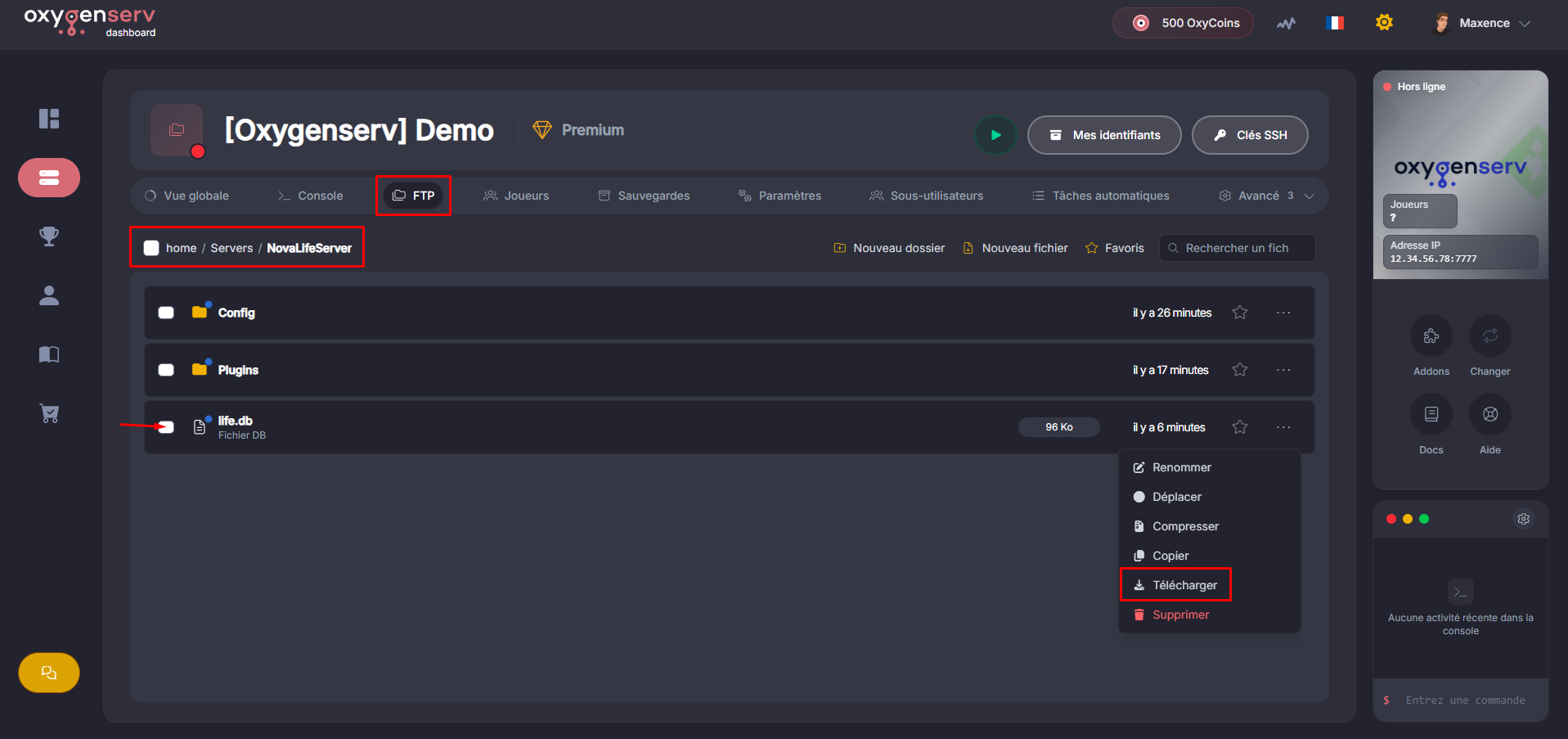
On the dashboard, open the **FTP**.
Go to `Servers NovaLifeServer` then download the file `life.db` :
{% endstep %}
{% step %}
**Change your adminlevel**
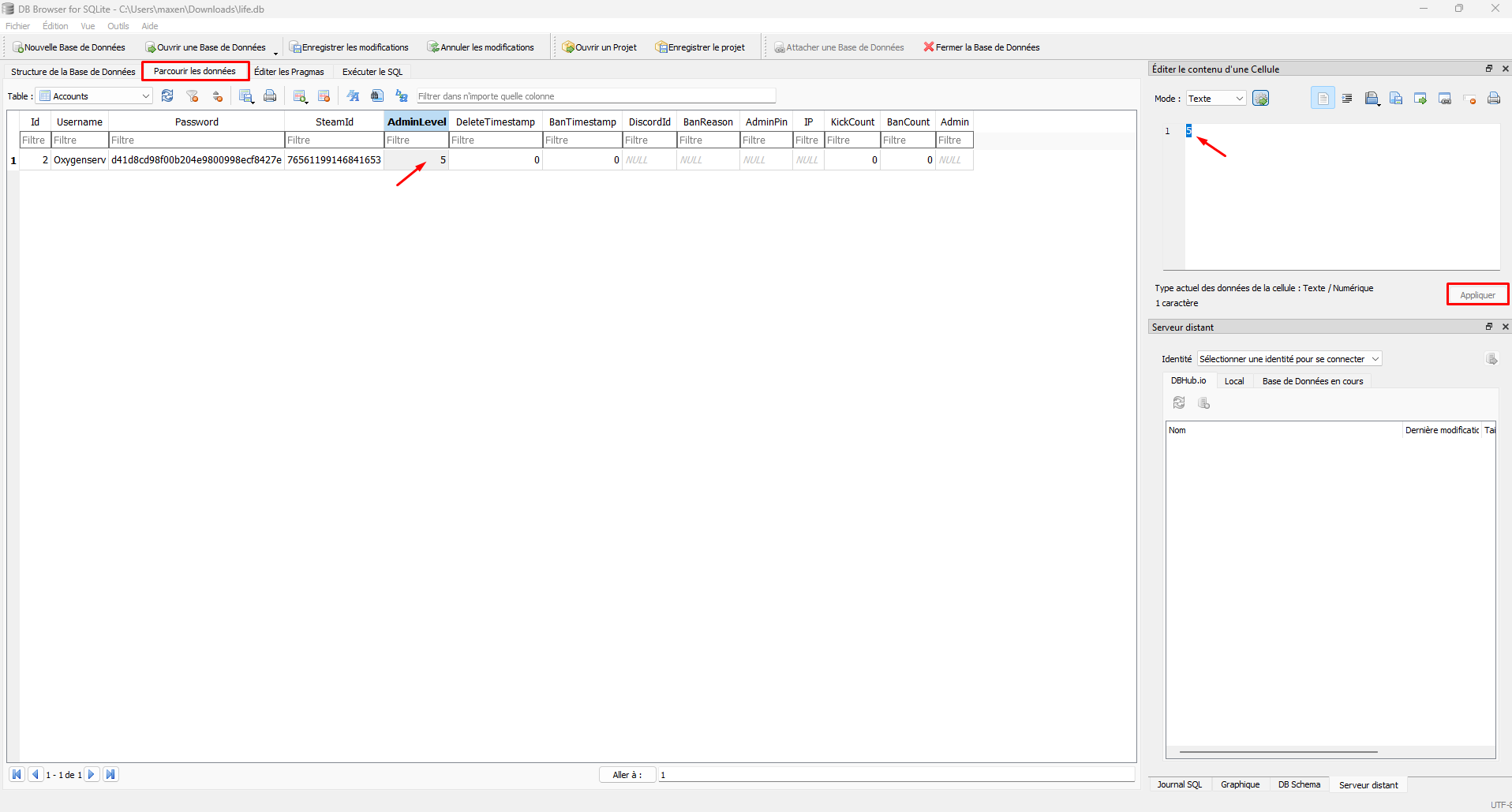
To manually edit the database, download DB Browser from the official site: [sqlitebrowser.org/dl](https://sqlitebrowser.org/dl/). Make sure to choose the version compatible with your operating system.
Open the file `life.db`, then go to **Browse Data**.
Find your player, then the column **`adminlevel`**.
Choose a value:
* `0` : normal player
* `1` to `4` : partial access (depending on the server)
* `5` : maximum admin
{% hint style="warning" %}
Edit only your player's row.
{% endhint %}
Save the database with CTRL S (or File > Write Changes).
{% endstep %}
{% step %}
**Re-upload the database to the server**
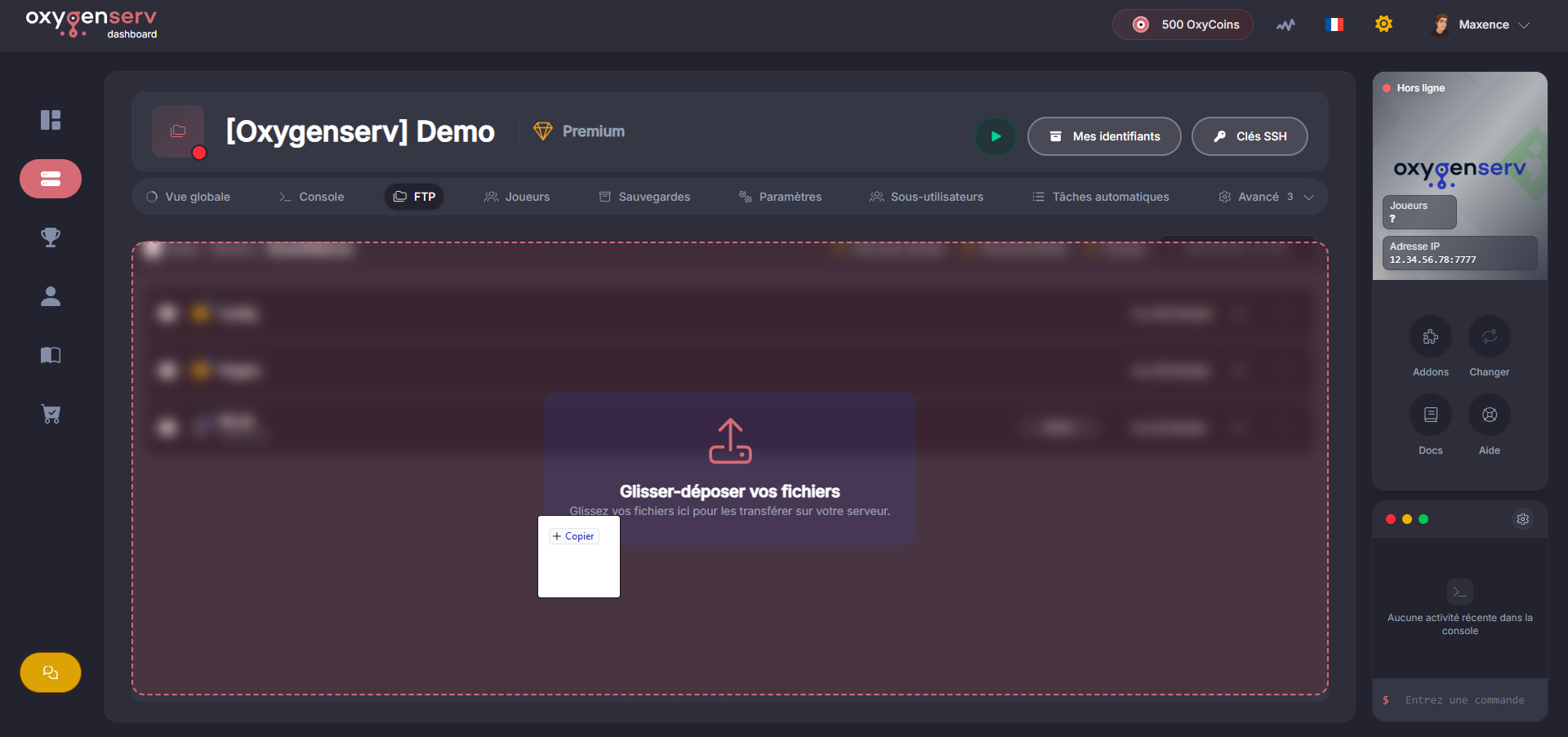
Return to the FTP explorer.
Upload the modified file to the same location (replace) by dragging it onto the interface:
{% endstep %}
{% step %}
**Restart the server and open the admin menu**
Restart your server to apply the change.
In-game, use **F5** to open the administrator menu.
{% endstep %}
{% endstepper %}
### Common issues
#### I'm not in the database (I can't find myself)
Log into the game at least once.\
Then re-download the database and check again.
#### After upload, nothing changes in-game
* You did not replace the correct file.
* The server was not restarted.