> For the complete documentation index, see [llms.txt](https://docs.oxygenserv.com/llms.txt). Markdown versions of documentation pages are available by appending `.md` to page URLs; this page is available as [Markdown](https://docs.oxygenserv.com/en/nova-life/installer-un-plugin-sur-mon-serveur-nova-life.md).
# Install a plugin on my Nova-Life server
Step-by-step guide to install a Nova Life plugin (.dll) on your server via FTP.
{% hint style="info" %}
Nova Life plugins are files **`.dll`**.\
To install them, you must place the file in the folder **Plugins** of the server, then **restart**.
{% endhint %}
### Objective
Download a Nova Life plugin. Upload it to your server via the file access. Check that it is in the right place. Restart.
### Step-by-step guide
{% stepper %}
{% step %}
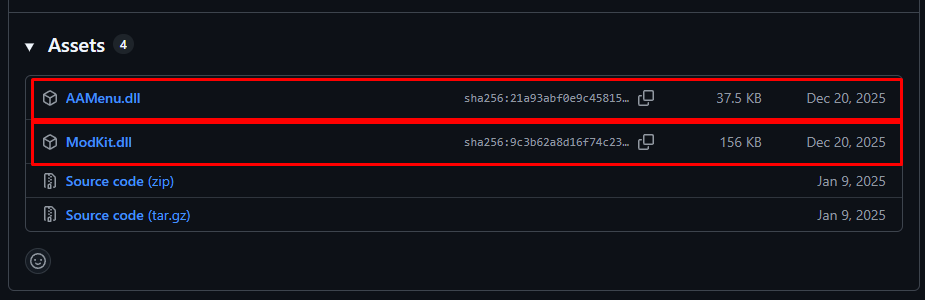
**Download the plugin ( .dll file )**
Obtain the plugin from a trusted source.
Download the file **`.dll`** to your PC.
{% hint style="warning" %}
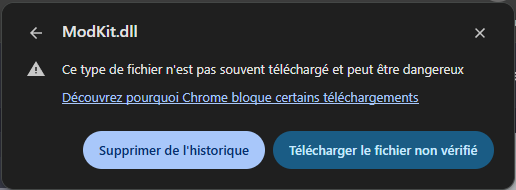
Some browsers may block file downloads `.dll`, you can force the download. Always verify the source before “Download unverified file”.
{% endhint %}
{% endstep %}
{% step %}
**Access server files (FTP)**
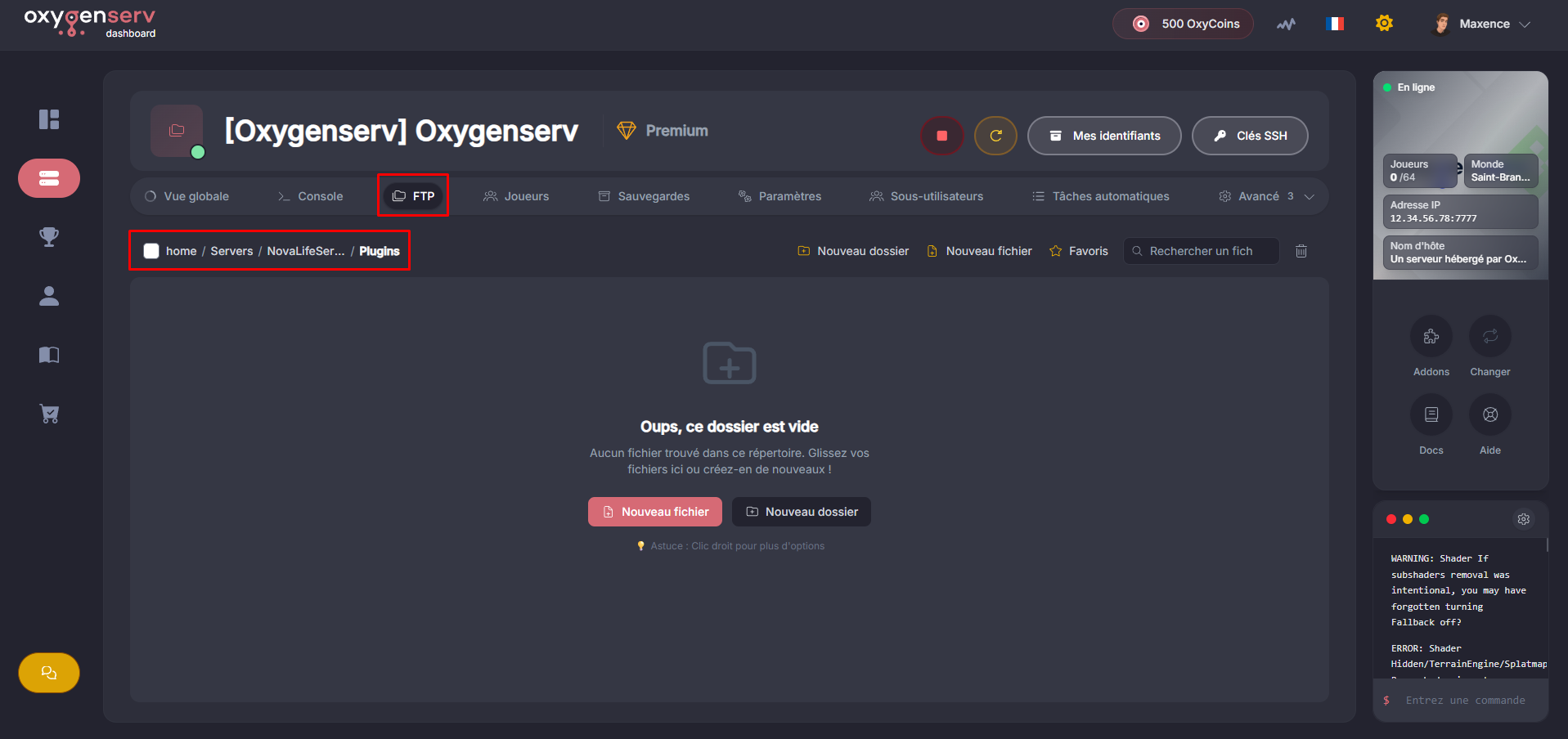
On the dashboard, open the **FTP** then go to **`Servers/NovaLifeServer/Plugins`**.
{% hint style="info" %}
If you prefer an FTP client, also follow: [Access my server files via FTP with FileZilla](/en/dashboard/acceder-aux-fichiers-de-mon-serveur-ftp-avec-filezilla.md).
{% endhint %}
{% endstep %}
{% step %}
**Upload the plugin into the Plugins folder**
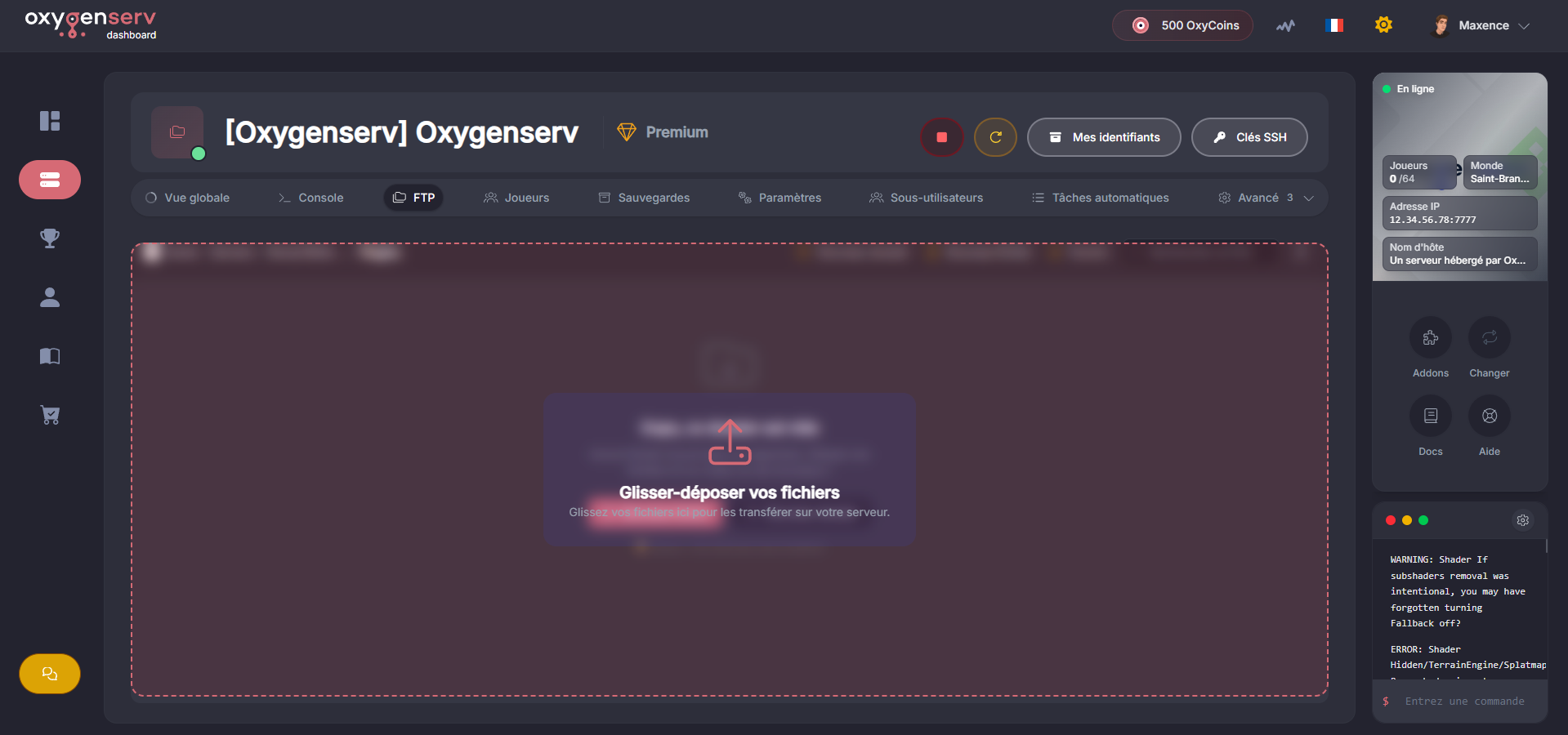
Drag the file onto the dashboard.
{% endstep %}
{% step %}
**Restart the server**
Restart your server to load the plugin.
{% endstep %}
{% endstepper %}
### Common issues
* **The plugin does not load** : check that the file is indeed in `NovaLifeServer/Plugins`.
* **Wrong format** : the file must be a **`.dll`** (not a `.zip`).
* **Crash on startup** : remove the plugin, start, then test one by one.
* **Quick rollback** : restore a backup if you have any doubt: [Create a backup and restore it](/en/dashboard/creer-une-sauvegarde-et-la-restaurer-sur-son-serveur.md).
### FAQ
#### Do I need to restart or just stop/start?
A **restart** is enough. The goal is to relaunch the server process.
#### Can I install multiple plugins?
Yes. Upload multiple `.dll` in `Plugins`, then restart.
#### How to remove a plugin?
Delete the file `.dll` from the folder `Plugins`, then restart.
 {% endhint %}
{% endstep %}
{% step %}
**Access server files (FTP)**
On the dashboard, open the **FTP** then go to **`Servers/NovaLifeServer/Plugins`**.
{% endhint %}
{% endstep %}
{% step %}
**Access server files (FTP)**
On the dashboard, open the **FTP** then go to **`Servers/NovaLifeServer/Plugins`**.