> For the complete documentation index, see [llms.txt](https://docs.oxygenserv.com/llms.txt). Markdown versions of documentation pages are available by appending `.md` to page URLs; this page is available as [Markdown](https://docs.oxygenserv.com/en/palworld/etre-administrateur-sur-mon-serveur-palworld.md).
# Be an administrator on my Palworld server
Step-by-step guide to be an administrator on your Palworld server (admin password, /AdminPassword, commands).
{% hint style="info" %}
The mode **admin** gives you access to moderation commands (kick/ban, broadcast, save, etc.).
You need the **admin password** set on the dashboard.
{% endhint %}
### Objective
* Retrieve the **admin password** on the dashboard.
* Enable admin mode in-game.
* Use main admin commands.
### Step-by-step guide
{% stepper %}
{% step %}
**Retrieve (or change) the admin password**
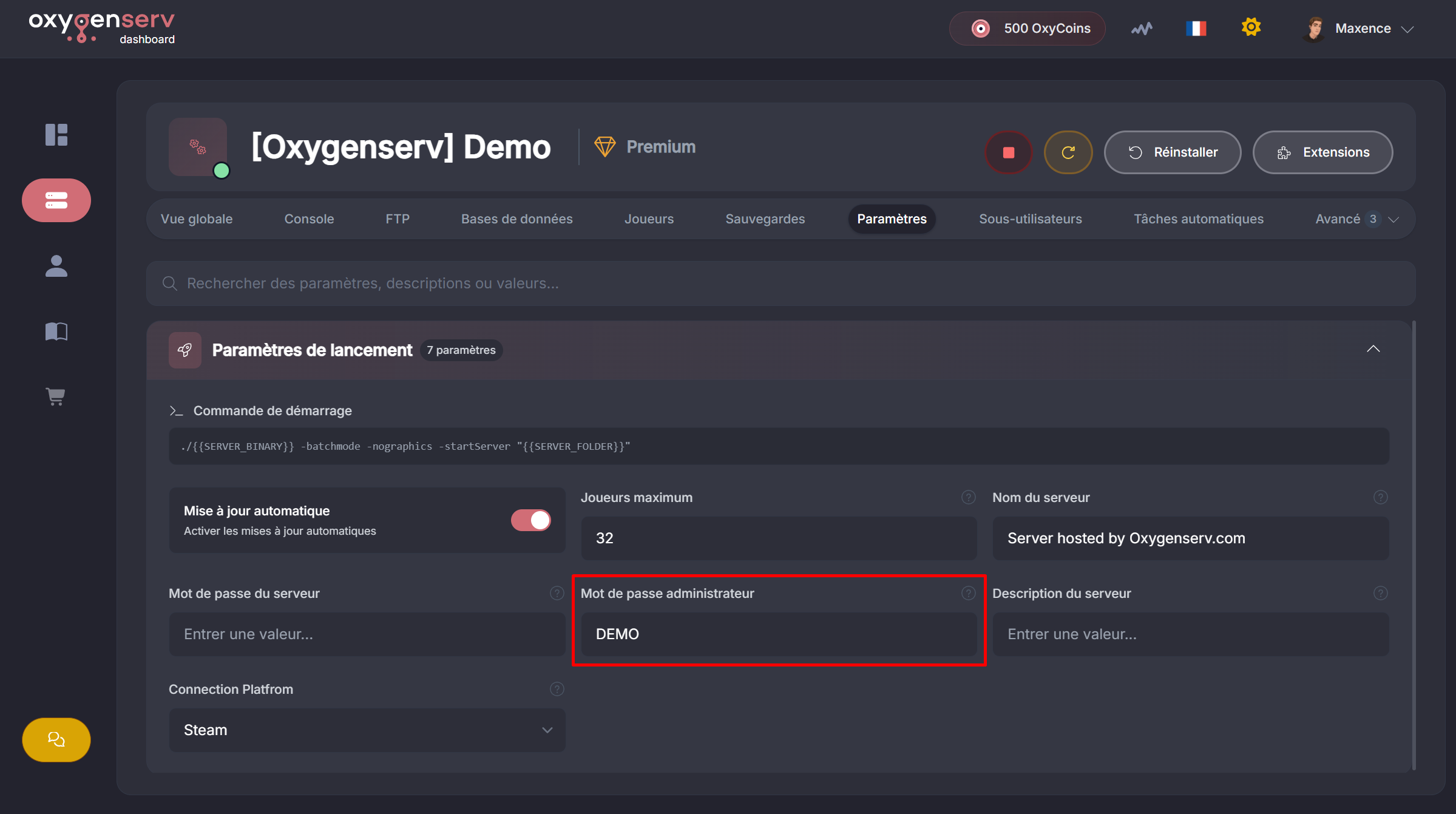
On the dashboard, open the **Settings**.
Locate the value **Administrator password**.
{% hint style="info" %}
If you have never changed it, change it now.
Choose a long password, without accents.
{% endhint %}
{% hint style="warning" %}
Do not share the admin password.
{% endhint %}
{% endstep %}
{% step %}
**Join the server**
Connect to your Palworld server from the game: [Connect to my Palworld server](/en/palworld/se-connecter-a-mon-serveur-palworld.md).
{% endstep %}
{% step %}
**Enable admin mode in-game**
Open the chat with the key **Enter**.
Then type:
`/AdminPassword `
If the password is correct, you will see a confirmation message.
{% endstep %}
{% step %}
**Use administrator commands**
Commands are typed in the chat.
Common commands:
* `/ShowPlayers` : lists connected players (useful to retrieve a SteamID).
* `/KickPlayer ` : kicks a player.
* `/BanPlayer ` : bans a player.
* `/Broadcast ` : global message.
* `/Save` : world save.
* `/Info` : server info.
* `/Shutdown ` : scheduled shutdown.
* `/DoExit` : immediate shutdown.
* `/TeleportToPlayer ` : teleports you to a player.
* `/TeleportToMe ` : teleports a player to you.
{% hint style="info" %}
The value `SteamID` usually expects a **SteamID64**.
Use `/ShowPlayers` to retrieve it.
{% endhint %}
{% endstep %}
{% endstepper %}
### Common issues
#### The command `/AdminPassword` does not work
* Check the case (uppercase / lowercase).
* Re-enter the password. Avoid copy-paste.
* Make sure you have the `/` at the start of the command.
#### I don't have admin confirmation
* Try again after reconnecting to the server.
* Check that you are on the correct server (IP/name).
#### Kick/Ban doesn't work (invalid SteamID)
* Run `/ShowPlayers` and copy the displayed SteamID.
* Test on a player connected at the time of the command.
### FAQ
#### Do I have to redo `/AdminPassword` every time?
Yes, generally it must be redone after reconnecting (or server restart).
#### Can I give admin to someone else?
Yes, by giving them the admin password.