> For the complete documentation index, see [llms.txt](https://docs.oxygenserv.com/llms.txt). Markdown versions of documentation pages are available by appending `.md` to page URLs; this page is available as [Markdown](https://docs.oxygenserv.com/en/starrupture/se-connecter-a-mon-serveur-starrupture.md).
# Connect to my StarRupture server
Step-by-step guide to connect to your StarRupture server on Oxygenserv (IP/port, troubleshooting).
{% hint style="info" %}
This guide shows you how to join a server **StarRupture** hosted on Oxygenserv.\
You will retrieve the**IP** and the **port** from the dashboard, then connect from the game.
{% endhint %}
### Objective
Join your server **StarRupture** using its address **IP**.
### Step-by-step guide
{% stepper %}
{% step %}
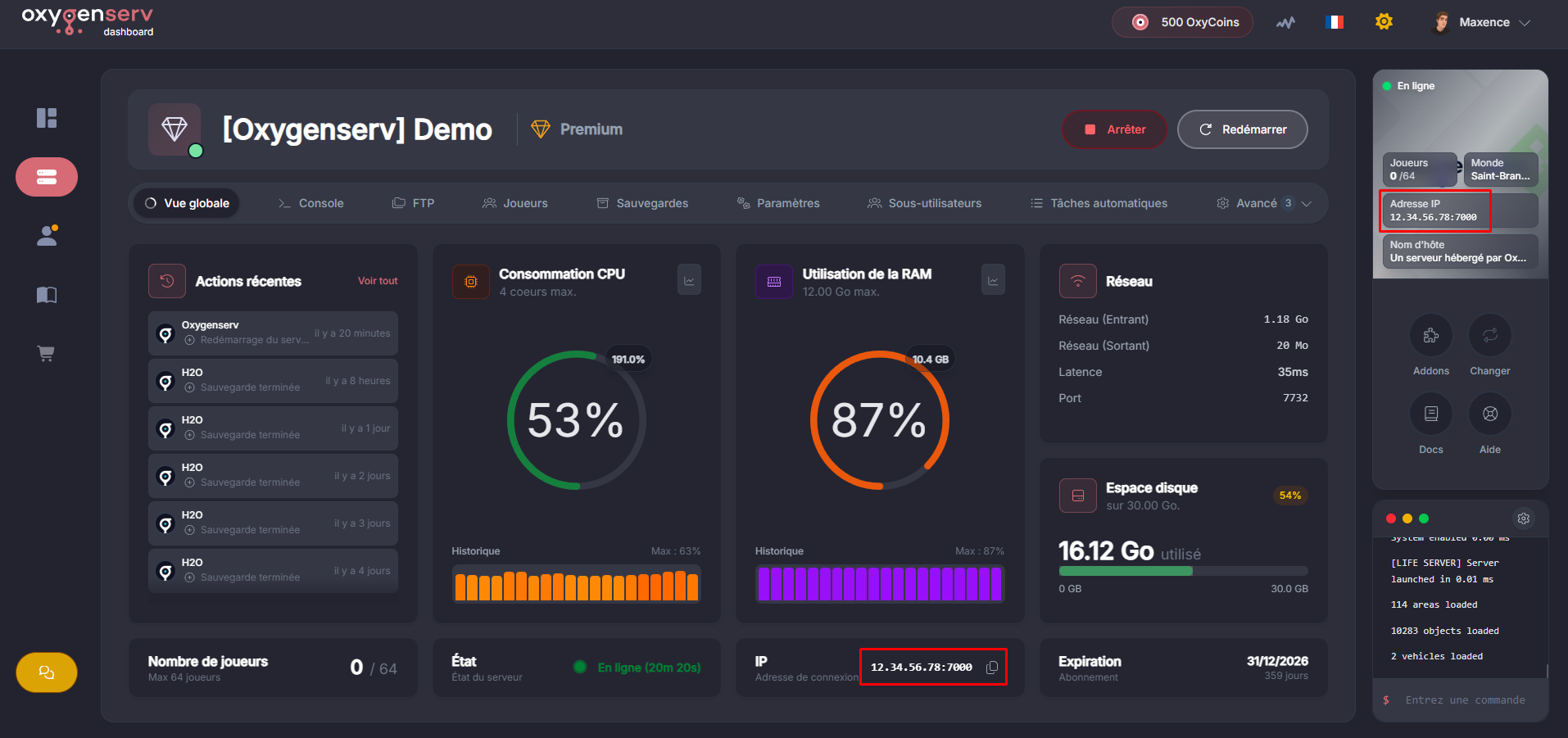
**Retrieve the IP address and port on the dashboard**
On your server dashboard, locate the line **IP Address** with the **port**.
{% hint style="info" %}
You can also use a **domain name** if you have one: [Put a domain name on your server](/en/dashboard/mettre-un-nom-de-domaine-sur-son-serveur.md).
{% endhint %}
{% endstep %}
{% step %}
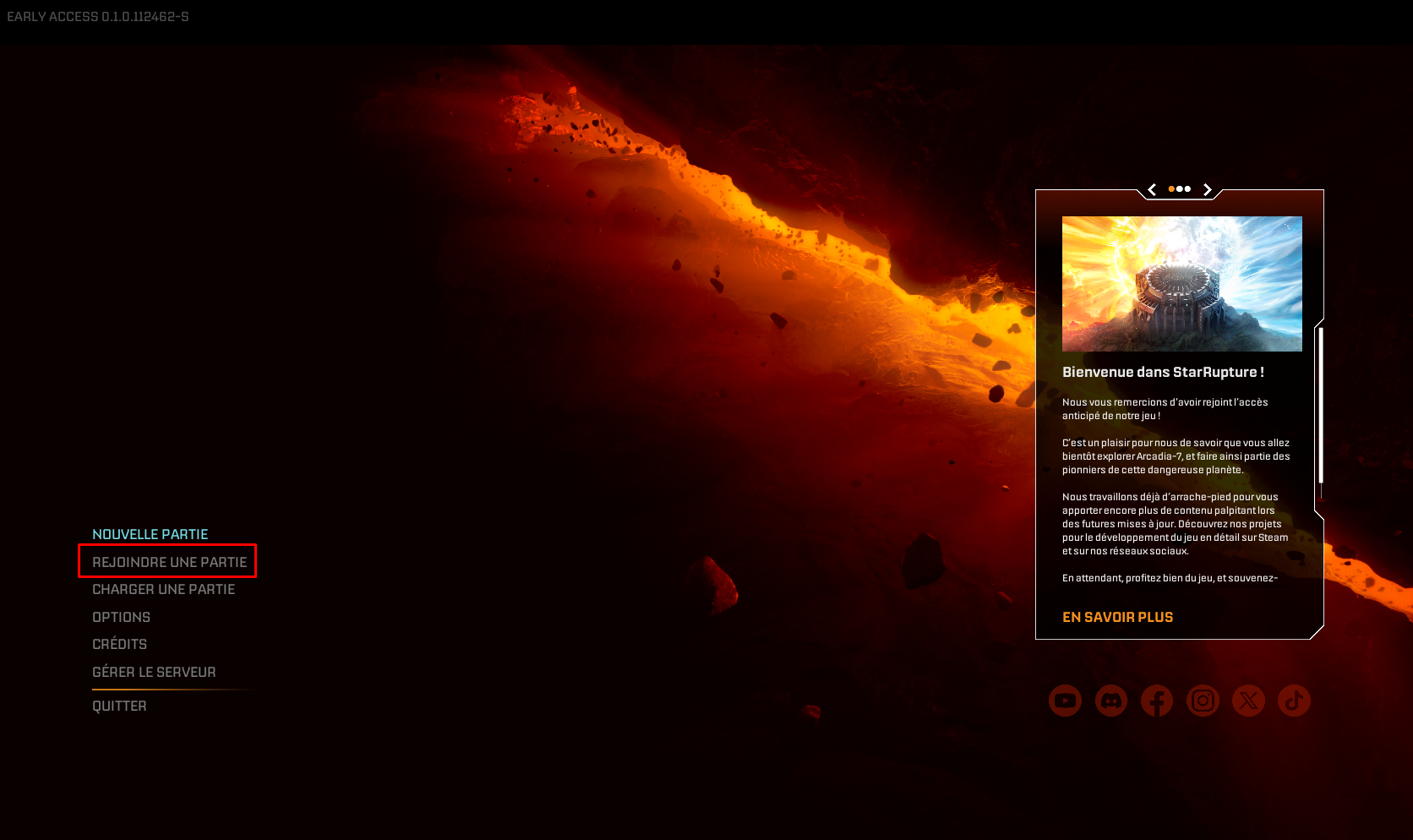
**Open StarRupture and go to the multiplayer menu**
In the game, click on **Join a game**.
{% endstep %}
{% step %}
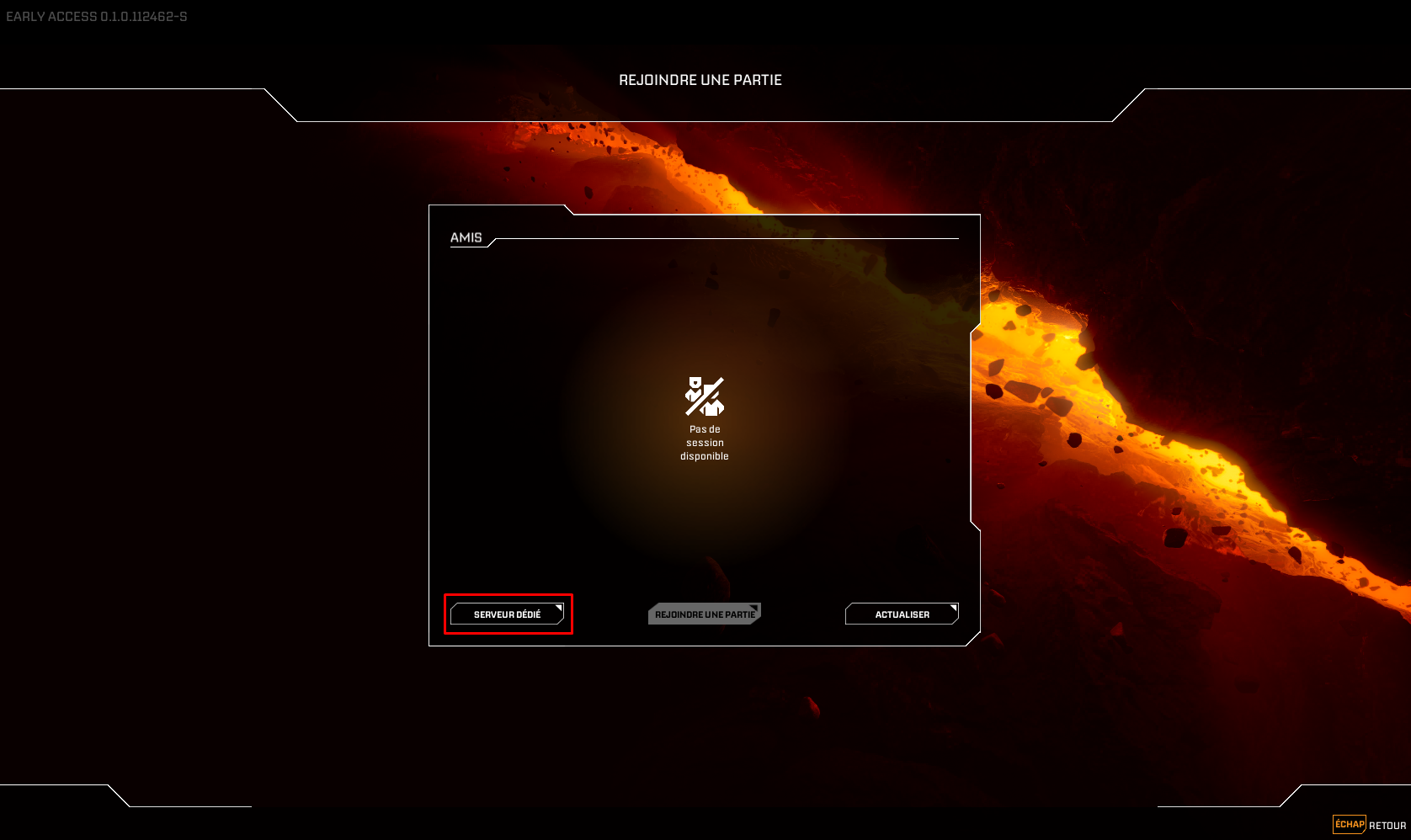
**Select “Dedicated Server”**
Choose **Dedicated Server**.
{% endstep %}
{% step %}
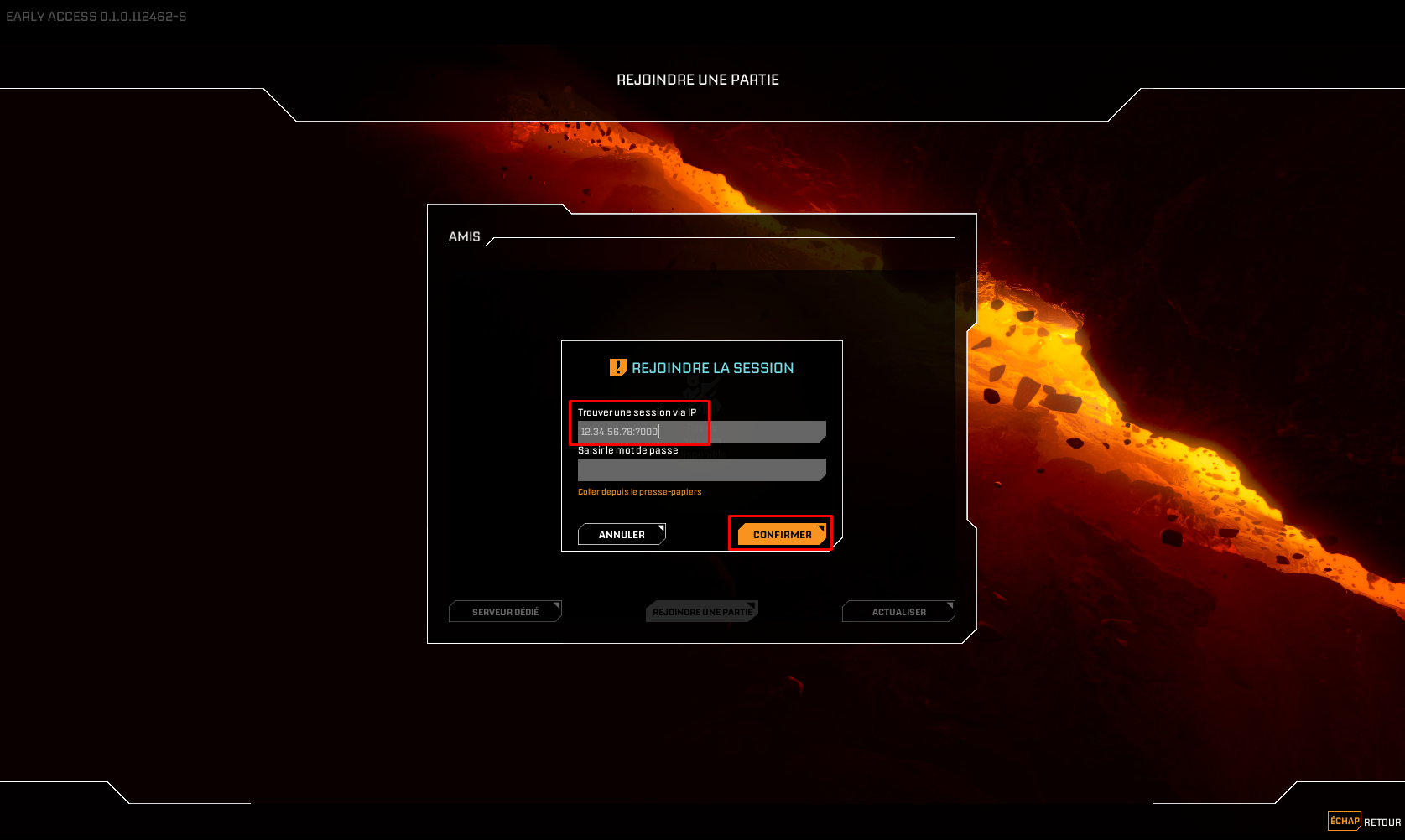
**Enter the IP and port, then confirm**
Paste the**IP address** and the **port** of your server in the first field.\
Then click on **Confirm**.
{% endstep %}
{% endstepper %}
### Common issues
* **Server does not appear / unable to connect** : check the**IP** and the **port** on the dashboard.
* **Server offline** : make sure it is in the **Started** on the dashboard.
* **Still stuck** : contact support and include the time of the test + a screenshot of the error: [Contact Oxygenserv support (ticket dashboard and Discord)](/en/dashboard/contacter-le-support-oxygenserv-ticket-dashboard-et-discord.md).
### FAQ
#### What exactly should I enter: IP alone or IP + port?
Use **IP + port** (format `IP:PORT`). The port is shown on the dashboard.
#### Can I use a domain name instead of the IP?
Yes, once your DNS is configured. Follow: [Put a domain name on your server](/en/dashboard/mettre-un-nom-de-domaine-sur-son-serveur.md).