> For the complete documentation index, see [llms.txt](https://docs.oxygenserv.com/llms.txt). Markdown versions of documentation pages are available by appending `.md` to page URLs; this page is available as [Markdown](https://docs.oxygenserv.com/en/ark-survival-ascended/transferer-son-serveur-ark-survival-ascended-sur-oxygenserv.md).
# Transfer your ARK: Survival Ascended server to Oxygenserv
Step-by-step guide to transfer your ARK: Survival Ascended server from Nitrado to Oxygenserv (.ini files, save, FTP).
{% hint style="info" %}
This guide explains how to **migrate an ARK: Survival Ascended (ASA) server from Nitrado to Oxygenserv**.
You will transfer:
* the **configuration** (`Game.ini`, `GameUserSettings.ini`)
* the **world save** (folder `SavedArks`)
{% endhint %}
### Objective
* Prepare an ASA server on Oxygenserv.
* Retrieve your Nitrado files.
* Import the config and the save.
* Restart and verify.
### Before starting
* Start the server **at least once** on Oxygenserv, then **turn it off**.
* This generates the folders.
* Keep a **local copy** of all files before replacing.
{% hint style="warning" %}
Always stop the server before modifying files.
Otherwise, you risk a corrupted save.
{% endhint %}
### Step-by-step guide
{% stepper %}
{% step %}
**Prepare the ASA server on Oxygenserv**
1. Install ASA if not already done: [Install an ARK: Survival Ascended server](/en/ark-survival-ascended/installer-un-serveur-ark-survival-ascended.md)
2. Start the server once.
3. Turn it off.
{% hint style="info" %}
The goal is just to create the directory tree `ShooterGame/...`.
{% endhint %}
{% endstep %}
{% step %}
**Download the configuration files from Nitrado**
In the Nitrado interface:
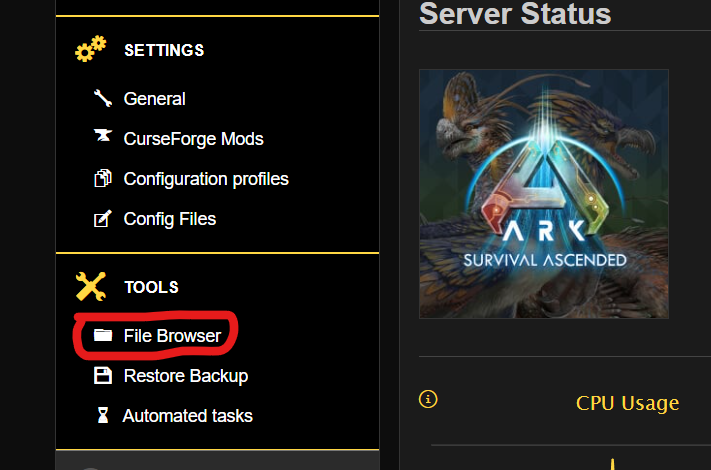
1. Open **File Browser**.
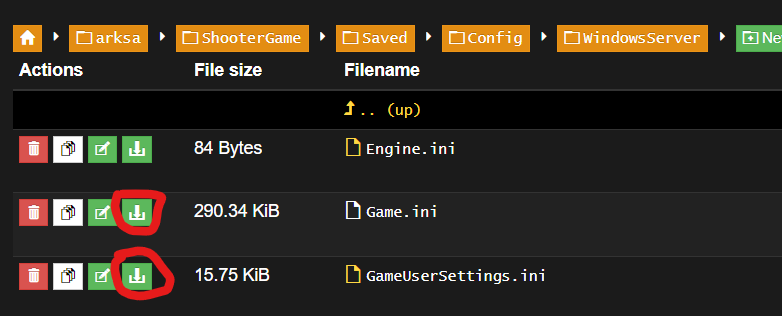
2. Go to the config folder (ASA):
`ShooterGame/Saved/Config/WindowsServer/`
Download these 2 files:
* `Game.ini`
* `GameUserSettings.ini`
{% endstep %}
{% step %}
**Replace the configuration on Oxygenserv**
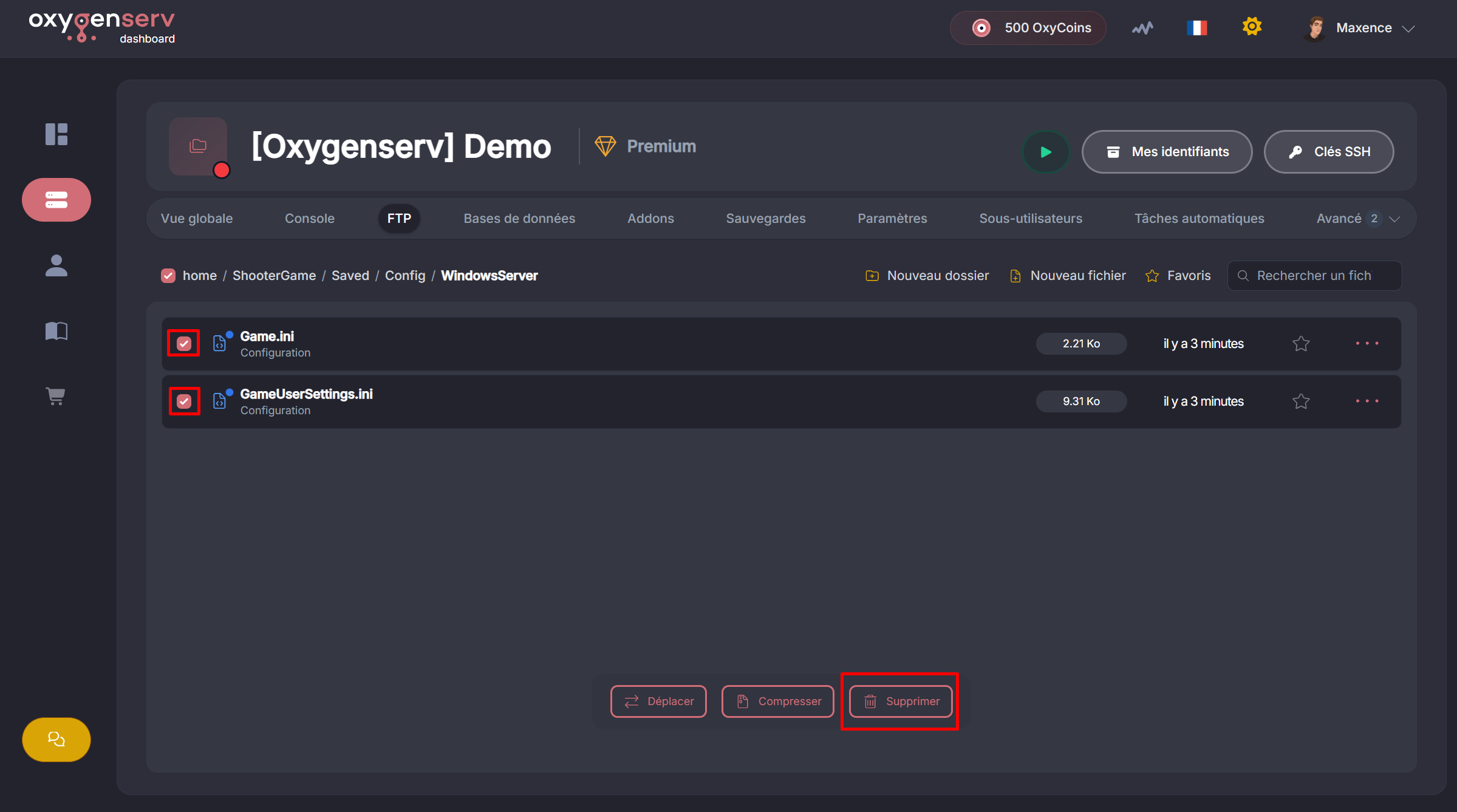
On Oxygenserv, open the file manager.
1. Go to:
`ShooterGame/Saved/Config/WindowsServer/`
2. Delete the files generated by default:
* `Game.ini`
* `GameUserSettings.ini`
3. Upload the 2 files retrieved from Nitrado.
{% hint style="info" %}
Uploads are often done **one file at a time**.
Repeat the operation for `Game.ini` then `GameUserSettings.ini`.
{% endhint %}
{% endstep %}
{% step %}
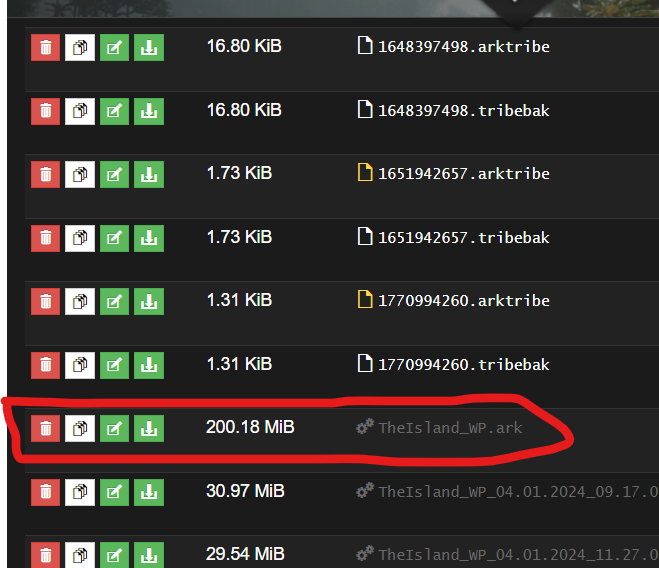
**Download the world save from Nitrado**
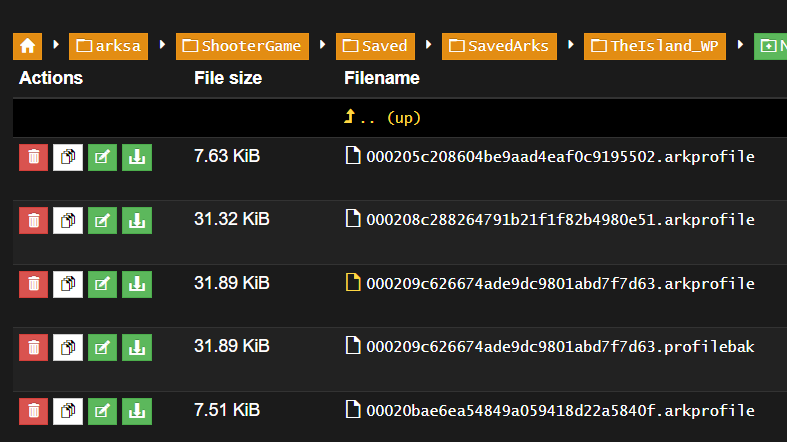
In Nitrado, go to:
`ShooterGame/Saved/SavedArks/`
Then open the map folder (e.g. `TheIsland_WP`).
Download **the useful contents** of the folder:
* the main file `.ark` (e.g. `TheIsland_WP.ark`)
* the player/tribe files (e.g. `*.arkprofile`, `*.arktribe`)
{% hint style="info" %}
The `.ark.gz` files are compressed backups.
They are not required to run the server.
{% endhint %}
{% endstep %}
{% step %}
**Import the save to Oxygenserv (upload or FTP)**
On Oxygenserv:
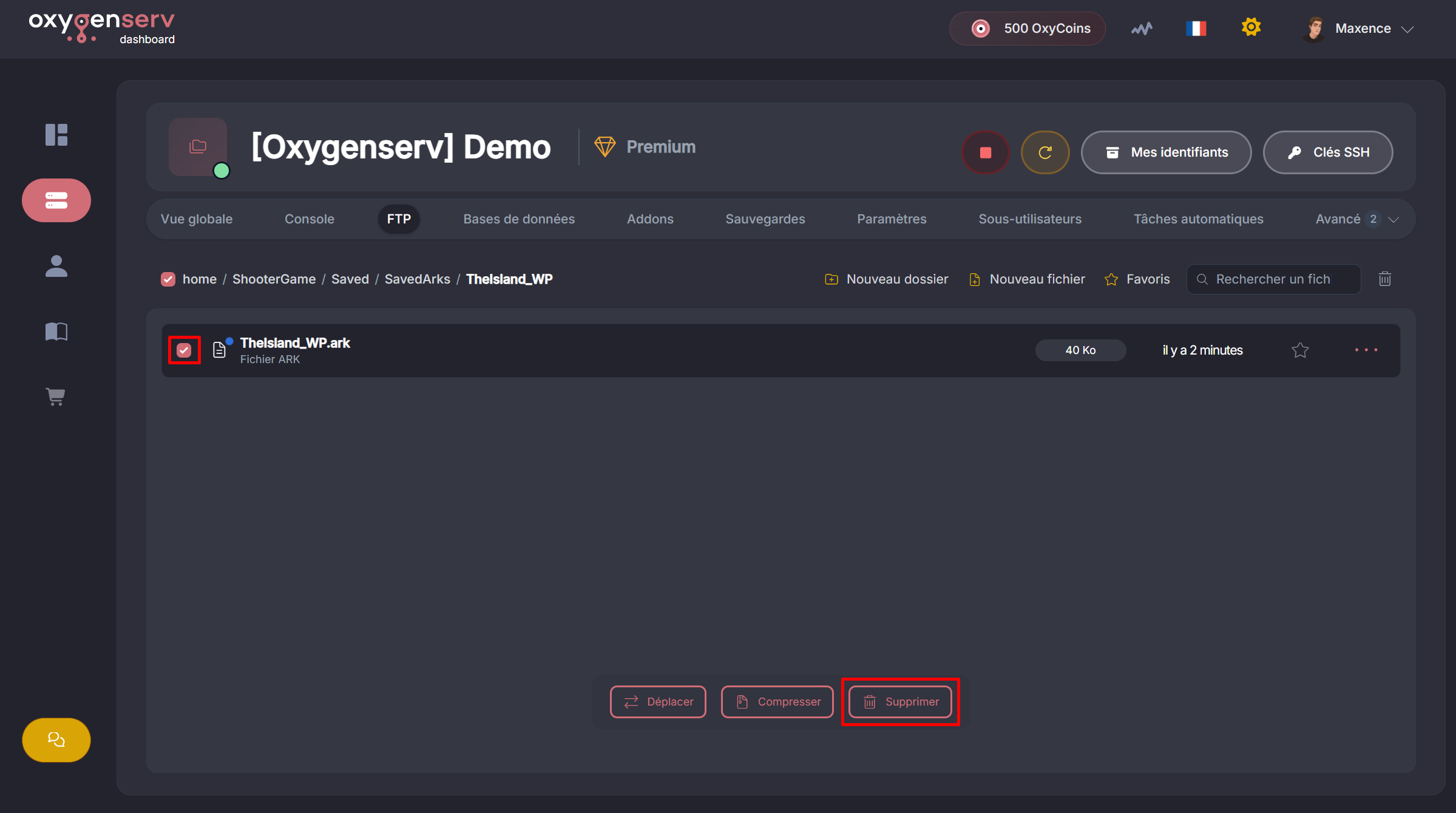
1. Check that the server is **off**.
2. Go to the map folder:
`ShooterGame/Saved/SavedArks/TheIsland_WP/`
3. Delete the save generated by Oxygenserv (often `TheIsland_WP.ark`).
4. Import your files:
* If your files are **less than 100 MB** : use **Uploader**.
* If your files are **more than 100 MB** : switch to **FTP** (FileZilla).
For FTP: [Access my server files via FTP with FileZilla](/en/dashboard/acceder-aux-fichiers-de-mon-serveur-ftp-avec-filezilla.md)
{% endstep %}
{% step %}
**Check settings and start**
Before starting:
* Check your **mods** (IDs) in **Settings**.
* Check the **name**, the **password** and the **visibility**.
Then start the server.
To test the connection: [Connect to my ARK: Survival Ascended server on PC and console](/en/ark-survival-ascended/se-connecter-a-mon-serveur-ark-survival-ascended-sur-pc-et-console.md)
{% endstep %}
{% endstepper %}
### Common issues
#### The server starts on a new save
* You are not in the right folder (`SavedArks//`).
* You forgot to copy the file `.ark`.
* The server was not turned off during the copy.
#### Rates / settings are not applied
* Check that `Game.ini` and `GameUserSettings.ini` are indeed in `Config/WindowsServer/`.
* Restart the server after modification.
#### The server no longer starts after migration
1. Temporarily remove mods (to isolate the problem).
2. Check the logs: [Find and share your server logs](/en/dashboard/trouver-et-partager-ses-logs-serveur.md)
3. Contact support with the logs: [Contact Oxygenserv support (ticket dashboard and Discord)](/en/dashboard/contacter-le-support-oxygenserv-ticket-dashboard-et-discord.md)
### FAQ
#### What do I need to transfer at minimum?
* `Game.ini` + `GameUserSettings.ini`
* the map file `.ark` (e.g. `TheIsland_WP.ark`)
To recover players/tribes: also copy `*.arkprofile` and `*.arktribe`.
#### Why is the folder called `WindowsServer` ?
This is normal on ASA. The game uses this path for its configs.
#### Can I migrate without FTP?
Yes if your files are less than \~100 MB.
Otherwise, FTP is the most reliable method.