> For the complete documentation index, see [llms.txt](https://docs.oxygenserv.com/llms.txt). Markdown versions of documentation pages are available by appending `.md` to page URLs; this page is available as [Markdown](https://docs.oxygenserv.com/en/nova-life/modifier-largent-de-depart-sur-mon-serveur-nova-life.md).
# Modify the starting money on my Nova-Life server
Step-by-step guide to modify the starting money on your Nova-Life server (startMoney, startBank, roleplay.json).
{% hint style="info" %}
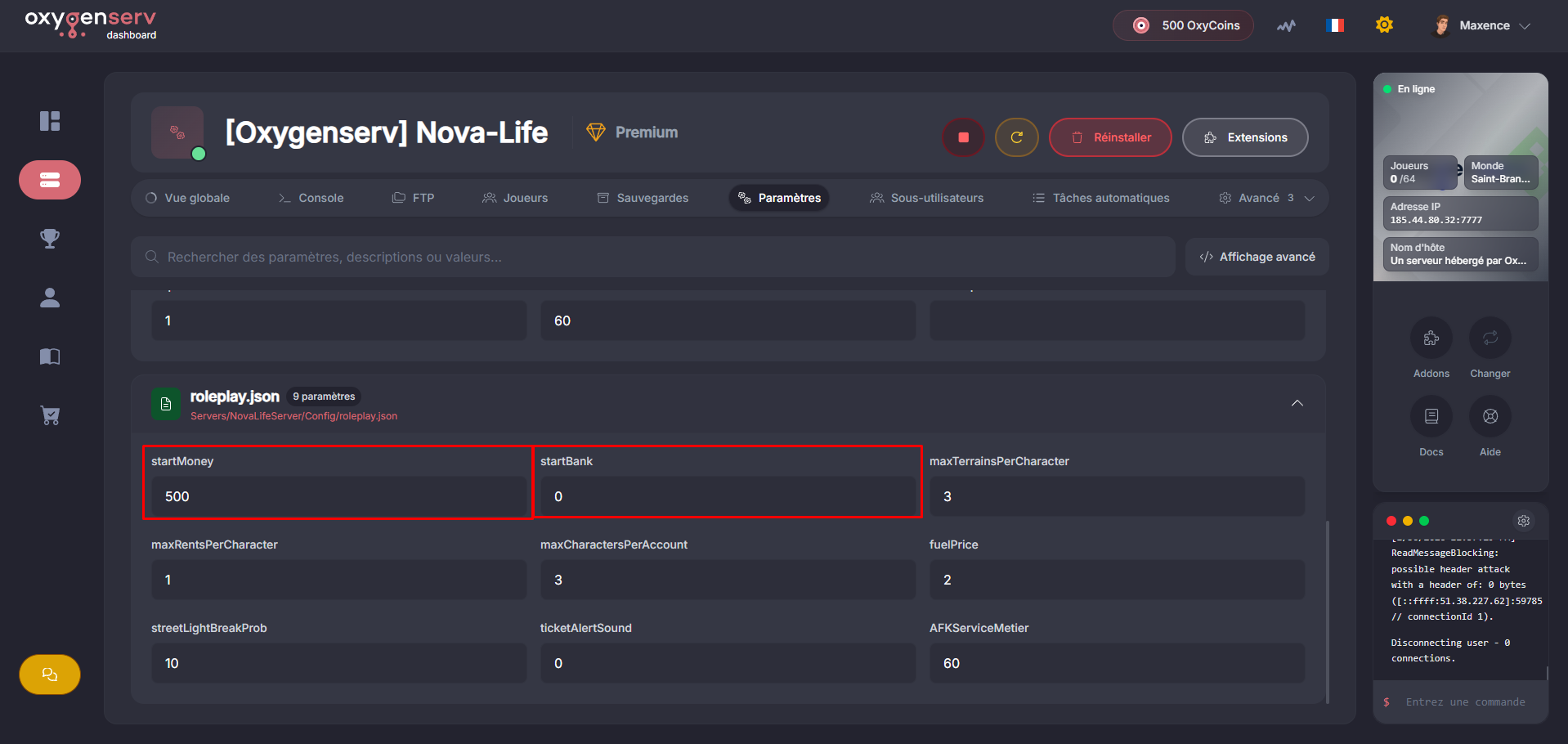
The starting money is set in `roleplay.json` with:
* `startMoney` : money on hand at creation
* `startBank` : money in bank at creation
{% endhint %}
### Objective
Change the starting money of **new characters** on Nova Life by editing `startMoney` and `startBank`.
### Step-by-step guide
{% stepper %}
{% step %}
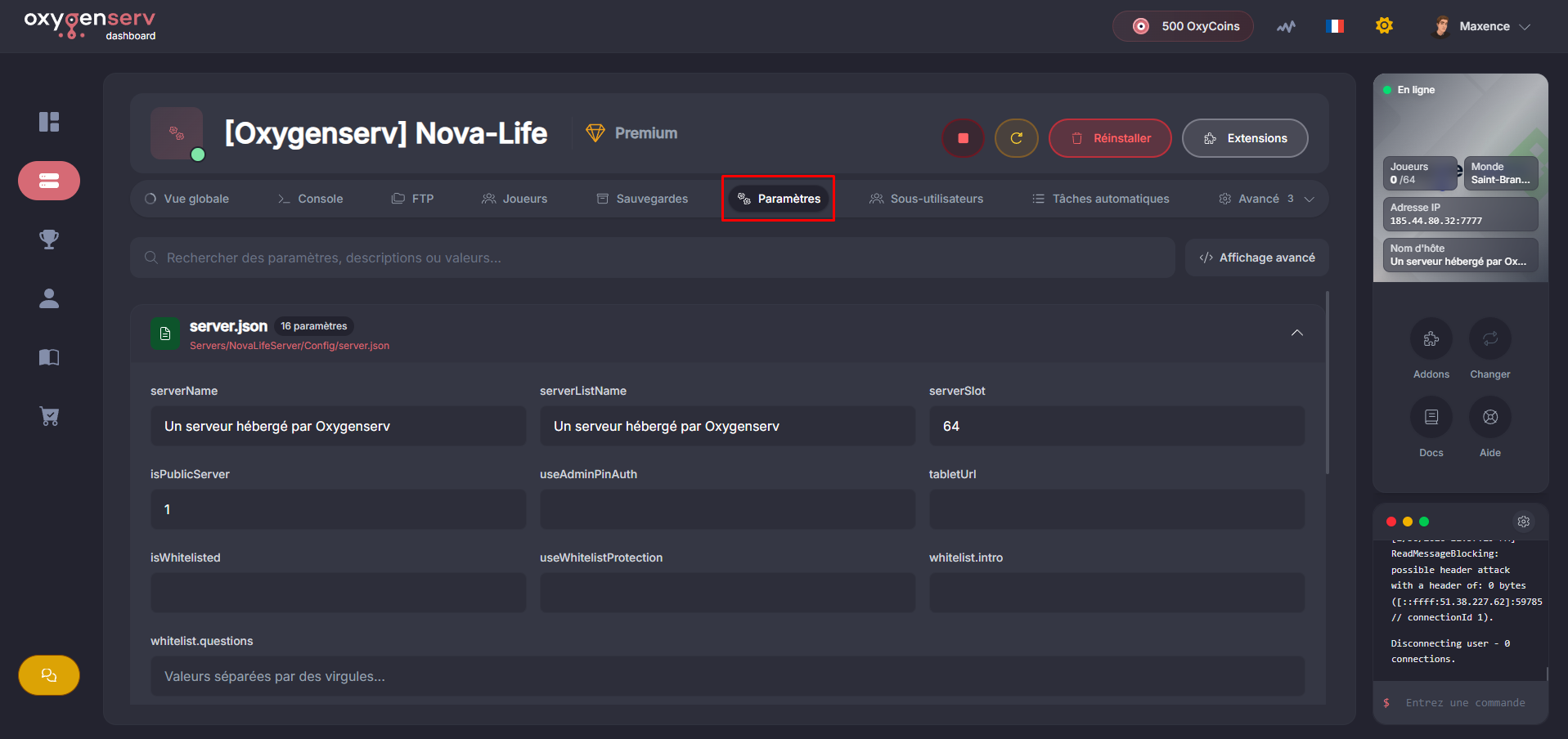
**Go to Server Settings**
On the dashboard, open the **Settings**.
{% endstep %}
{% step %}
**Edit the file `roleplay.json`**
Modify the settings `startMoney` and `startBank`.
{% hint style="info" %}
Do not add spaces in numbers: write `2000` (not `2 000`).
{% endhint %}
Save the new configuration.
{% endstep %}
{% step %}
**Restart the server**
Restart the server to apply the configuration.
{% endstep %}
{% endstepper %}
### Common issues
* **The server no longer starts** : `roleplay.json` is probably invalid. Restore a backup, then try again.
* **The value does not change in-game** : this mainly concerns **new characters**. Test by creating a character.
* **I can't find startMoney** : make sure you are editing `NovaLifeServer/Config/roleplay.json` (not another file).
### FAQ
#### Does this change existing players' money?
No. It changes the starting money at **creation** of the character.
#### Can I set very high amounts?
Yes, but avoid absurd amounts.\
It can unbalance the server's economy.