> For the complete documentation index, see [llms.txt](https://docs.oxygenserv.com/llms.txt). Markdown versions of documentation pages are available by appending `.md` to page URLs; this page is available as [Markdown](https://docs.oxygenserv.com/en/dashboard/creer-et-acceder-a-sa-base-de-donnees.md).
# Create and access your database
Step-by-step guide to create a MySQL database on Oxygenserv and connect via phpMyAdmin or a client.
{% hint style="info" %}
Databases are used to store your server's data (plugins, stats, inventories, etc.).\
You can manage them from the dashboard and connect via **phpMyAdmin** or a client (HeidiSQL, Navicat).
{% endhint %}
### Objective
Create a database on Oxygenserv. Retrieve the credentials. Connect via phpMyAdmin or a client.
### Step-by-step guide
{% stepper %}
{% step %}
**Create a database**
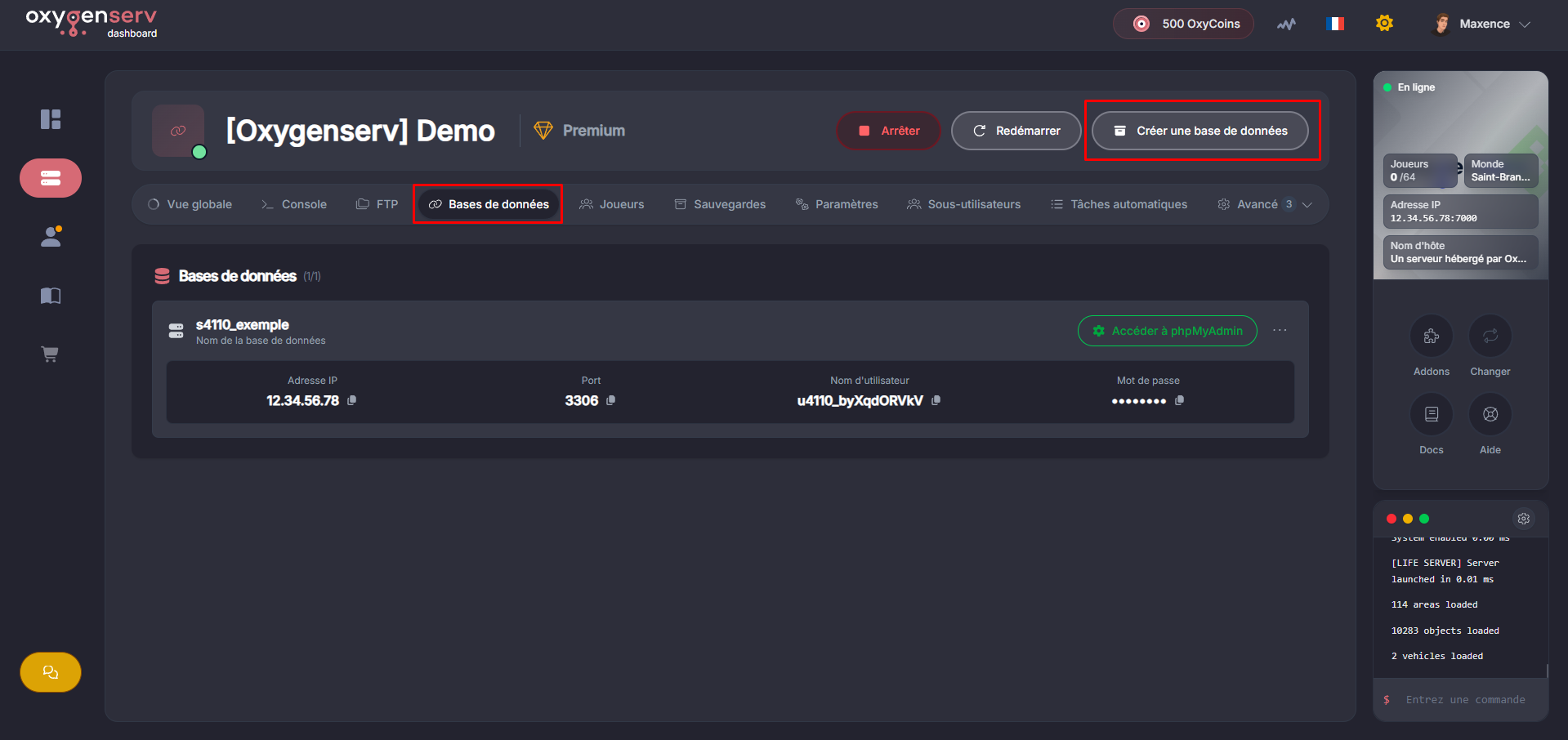
Click on **Create a database**.
Give a **name** to your database, then click **Create**.
{% endstep %}
{% step %}
**Retrieve the connection information**
In the list you will find:
* **Database name**
* **IP Address**
* **Port**
* **Username**
* **Password** (click it to show)
{% hint style="warning" %}
Do not share your database credentials.
{% endhint %}
{% endstep %}
{% step %}
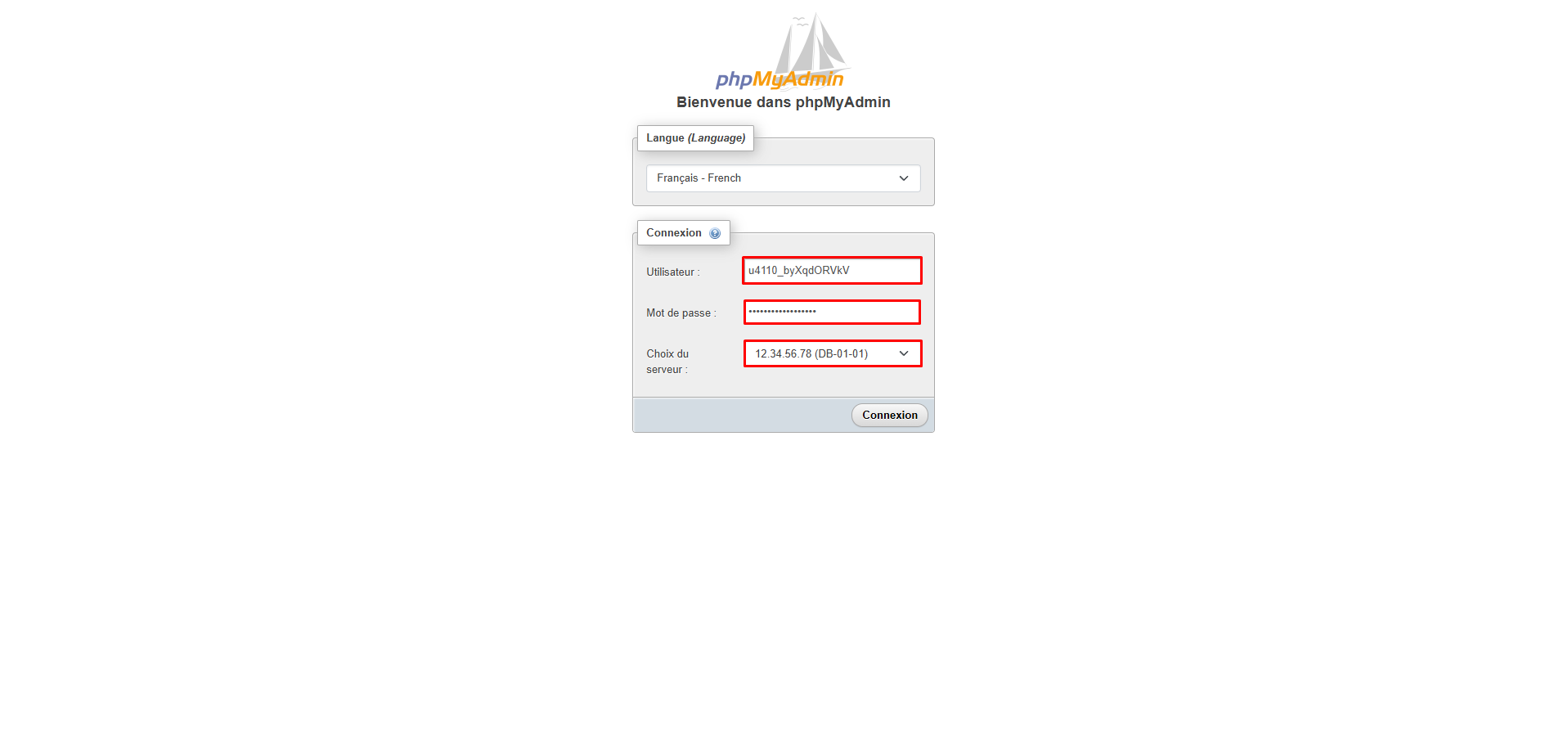
**Connect with phpMyAdmin (manual)**
Open:
Fill in:
* **Username**
* **Password**
* **Server** (the host shown on the dashboard)
{% hint style="info" %}
You can also use a client like **HeidiSQL** or **Navicat** with the same credentials.
{% endhint %}
{% endstep %}
{% step %}
**Connect with “auto login”**
The dashboard offers a quick connection, click **Access phpMyAdmin**.\
You are connected without retyping the credentials.
{% endstep %}
{% endstepper %}
### Common issues
* **Access denied / invalid credentials** : retype the dashboard username and password.
* **Incorrect server** : in phpMyAdmin, the field **Server** must be the**MySQL host** provided (not the IP of your game server).
### FAQ
#### Where to find the MySQL username, password and host?
Dashboard → **Databases** → database details.
#### What should I put in “Server” on phpMyAdmin?
The**host** shown on the dashboard (MySQL server).\
This is not necessarily the IP of your game server.
#### Can I connect with external software (HeidiSQL, Navicat)?
Yes. Use **host + port + username + password + database name**.